Hidden features in Aion 2 let you carry enhancement progress into replacement Arcana, check Duty reward chances and collect permanent bonuses from pets.
This guide covers carrying upgrades into replacement Arcana, finding opportunities on the marketplace, keeping your gathering route moving, choosing Duty rewards and building permanent stats through Cogni pets.
A huge thank you to FRESHY for sharing these strategies!
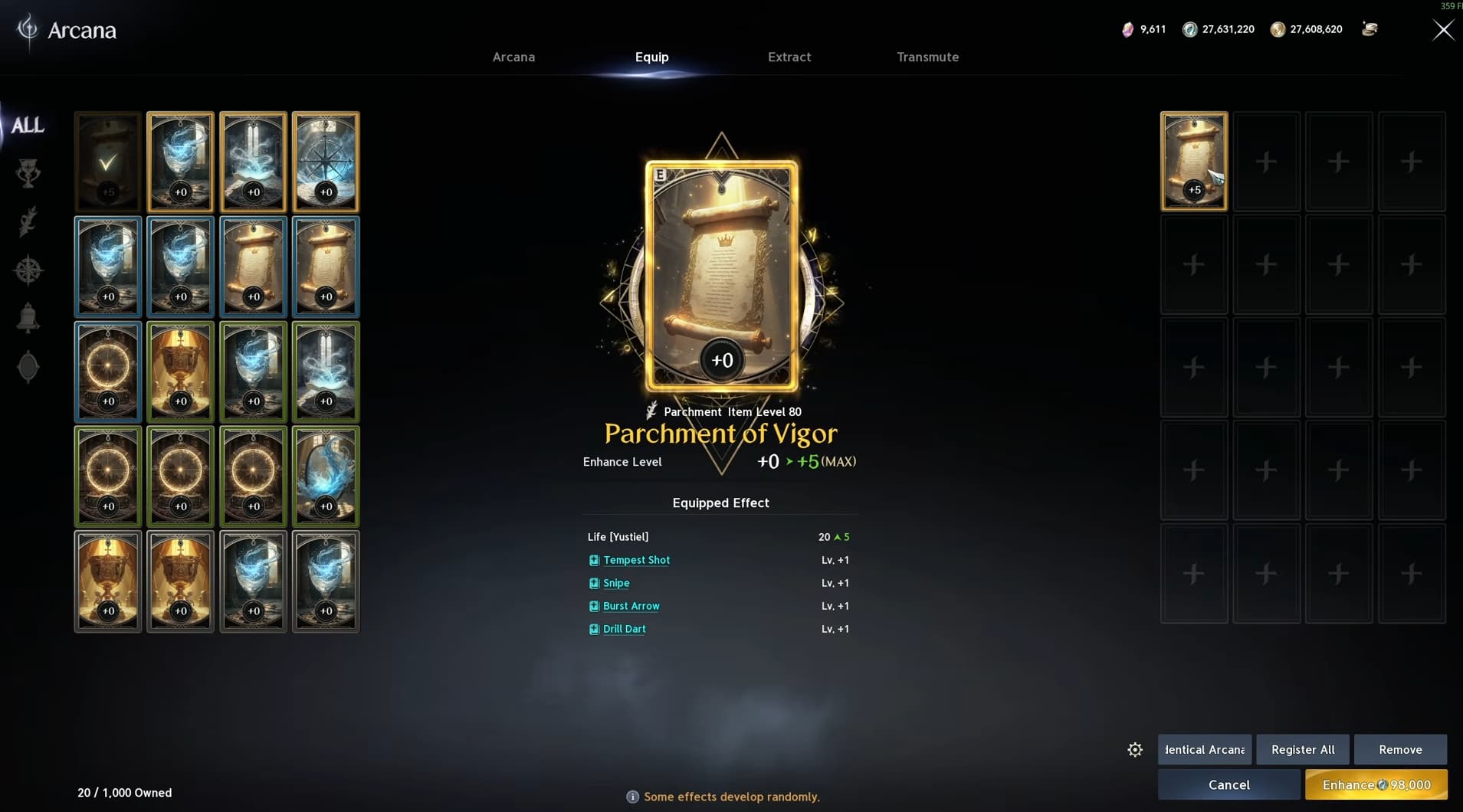
Finding an Arcana card with better skills does not mean you have to build its enhancement progress from scratch. You can use an upgraded card as enhancement material for its replacement.
To check which skills a card can roll, open Arcana → Transmute, select the card and inspect Additional Effect. For example, a Ranger might look for a Parchment of Vigor with Snipe, Drill Dart, Tempest Shot and Burst Arrow.
Enhancing the card randomly distributes additional levels among its skill effects. Each effect has an equal chance of being upgraded, with an individual skill bonus capped at +4.
Rerolling the Skill Level Distribution
If your card has the right skills but the extra levels landed on abilities you value less, another card with the same skills gives you a chance to redistribute them.
Equip the replacement card.
Open Enhance.
Select your old upgraded card as material.
Check the resulting enhancement level and Kina cost.
Confirm if you want to commit to the new rolls.
An equivalent +0 replacement can reach +5 using an existing +5 card. You can also feed lower-rarity cards into higher-rarity replacements, but check the preview because different rarities require different amounts of enhancement EXP.
The old card is consumed, and the new skill distribution can be worse. If your current rolls already suit your build, keep them until you have a worthwhile reason to change.
Buy Materials in Bulk and Sell Smaller Quantities
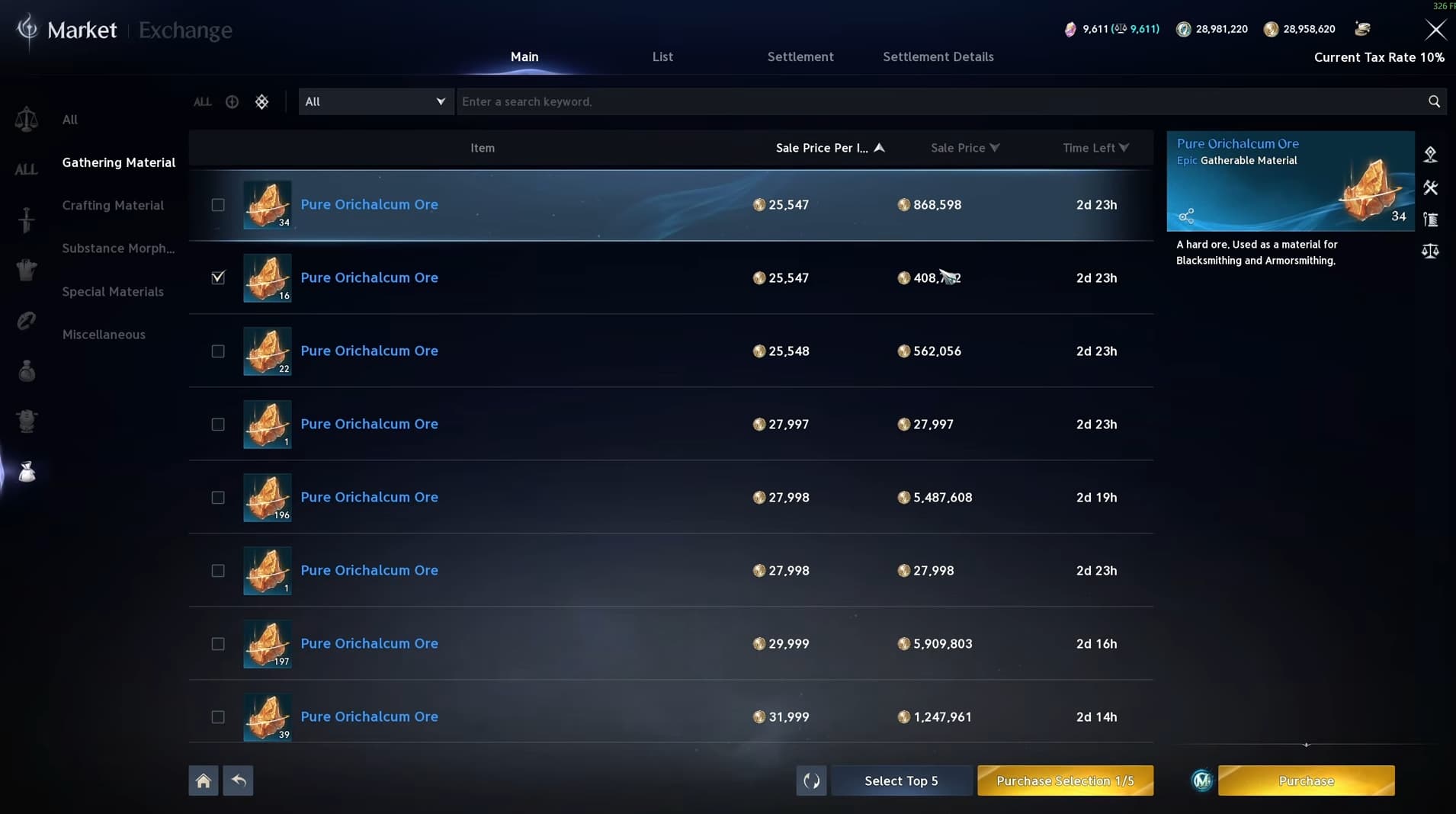
Marketplace opportunities can come from the difference between bulk prices and what players will pay for a small quantity.
A player who needs two ores may prefer buying two individual listings instead of paying for a stack of 100. That creates room to buy a cheaper bundle and resell it in smaller amounts.
Open the marketplace’s gathering materials category and compare:
The price per item in bulk listings.
The price of single items and small stacks.
How many competing small listings are available.
Start with a small purchase and test whether the items actually sell. Listings alone do not prove demand, and competition can quickly reduce the gap.
You can try individual items or stacks of two, three or five, depending on what buyers need. Keep your available listing slots in mind so you do not tie up all your Kina in slow-moving materials.
For an efficient gathering route, look for an area with plenty of airborne Odyle nodes and nearby ground resources.
Use flight dashes and gliding between nodes to stretch your Flight Power. How many nodes you can reach before running low depends on your wings, maximum Flight Power and the distance between them.
Once you have access to the Abyss, its flight recovery rings give you another way to refill:
Enter the Abyss when your Flight Power runs low.
Fly through the first flight recovery ring to restore it.
Exit the Abyss to return to your previous location.
Continue gathering.
This can reduce the time spent waiting for Flight Power to regenerate and save Flight Power Potions. The overall time depends partly on your loading screens.
If your route also has ore or gemstones nearby, you can gather those while your Flight Power recovers naturally. Choose whichever option keeps you collecting useful materials with less downtime.
Choose Duty Quests by Their Reward Chances
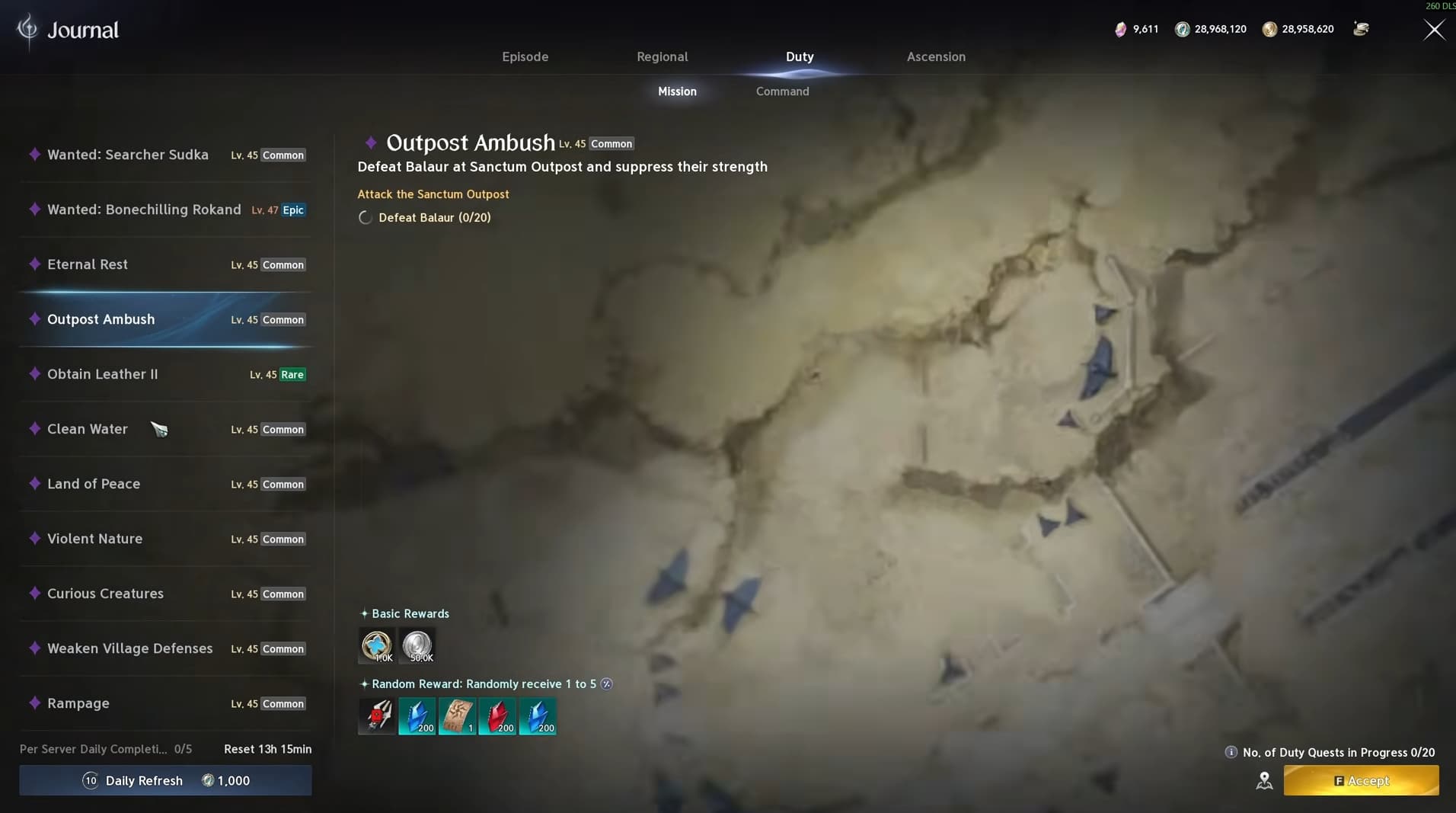
When choosing your five daily Duty quests, look at where the rewards appear in the row.
Open Probability to inspect each item’s drop chance. The five-slot layout runs from 100%, 50%, 33%, 25% and 10%, reading left to right. Each reward has its own chance of being awarded.
That makes the first two slots particularly useful when comparing quests. A guaranteed item you need can be more valuable than an attractive reward sitting in the lowest-chance slot.
Useful rewards to watch for include:
Small Odyle Energy Chargers.
Nightmare tickets.
Ascension Trial tickets.
Shugo keys.
Pet crystals needed for your progression.
For example, a guaranteed charger with a useful ticket in the second slot gives you something worthwhile even if the ticket does not drop.
Check the probabilities on Command Merchant Scrolls and Abyss Command Merchant Scrolls as well. The same approach applies when choosing their rewards.
Reroll when the available options do not help you, but watch the Kina cost. Repeated refreshes can eat into the value of the rewards you are chasing.
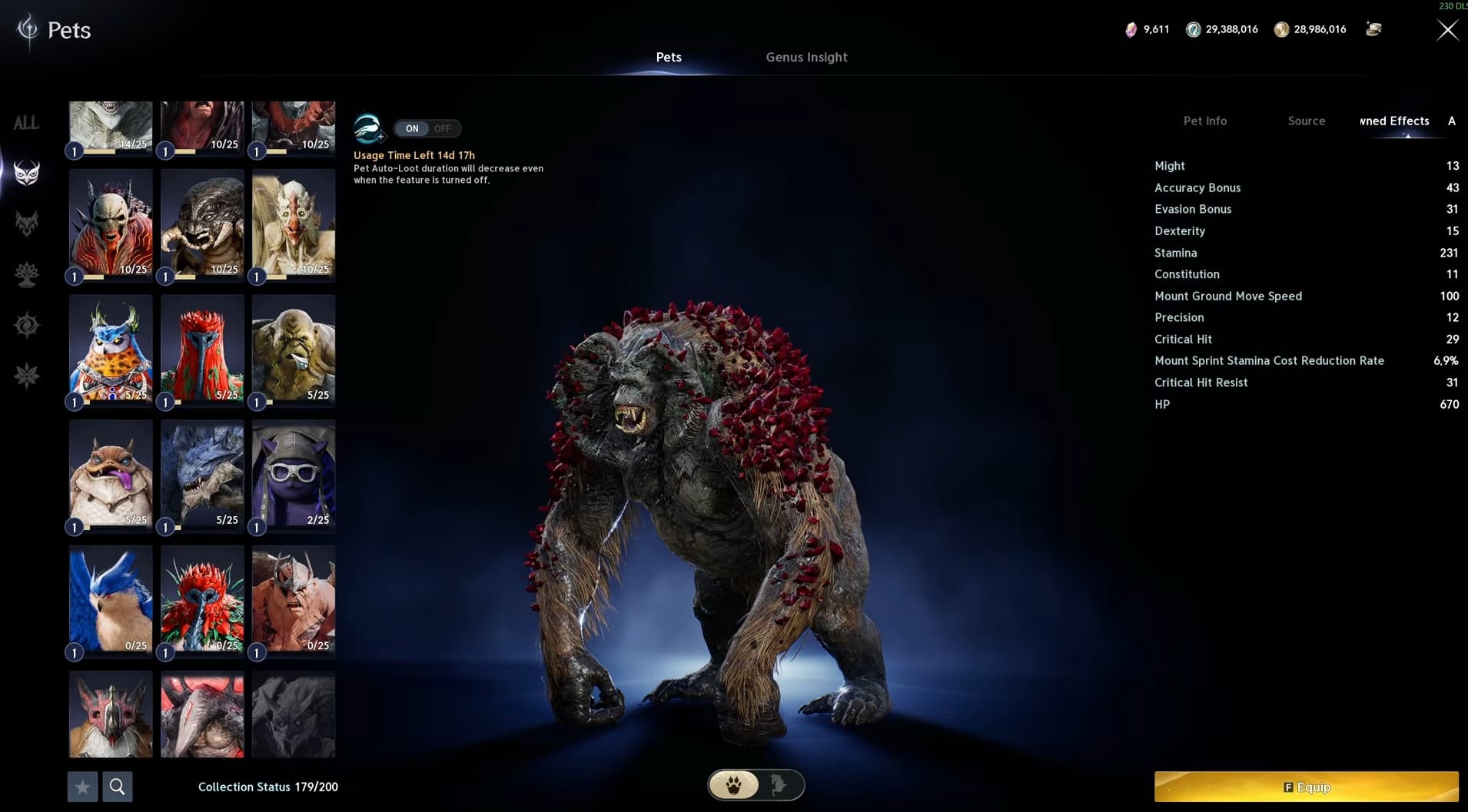
Genus Insight is only part of pet progression. Individual pets also unlock Owned Effects as they level, providing bonuses without needing to use that particular pet as your mount.
Cogni pets are useful when you want more offensive stats:
Level 1 unlocks HP.
Level 2 adds Critical Hit.
Level 3 adds Might.
Each level-three Cogni pet provides 1 Might, so completing multiple pets steadily builds that bonus. Might increases Attack, while the Critical Hit bonuses contribute alongside it.
This gives you a reason to keep collecting and leveling individual pets even after you have finished developing their Genus Insight.
Open a pet’s Source information to find the monsters you need. Start with accessible farming locations, then work towards pets found in the Abyss or the opposing faction’s region through Spacetime Rifts.
Other pet families provide different combinations of stats, so check their Owned Effects against your build. Cogni is a useful offensive starting point, but the exact Combat Power increase depends on your character and the pets you complete.