menu
MobalyticsUse your favourite features in-game with our Desktop App
News Guide

Cube Removal Guide: Task Bar Hero (TBH)

Guides
TBH: Task Bar Hero
Updated on Jun 12, 2026
Jun 12, 2026

Overview

In Task Bar Hero, the Cube is your all-in-one resource for crafting and enhancing your gear. There are multiple ways to use it, and each one has its own cost and benefits.

This quick guide will explain how the Removal mechanic works, but be sure to check out our other Cube guides below as you progress and unlock them!
All Cube Guides

How Removal Works

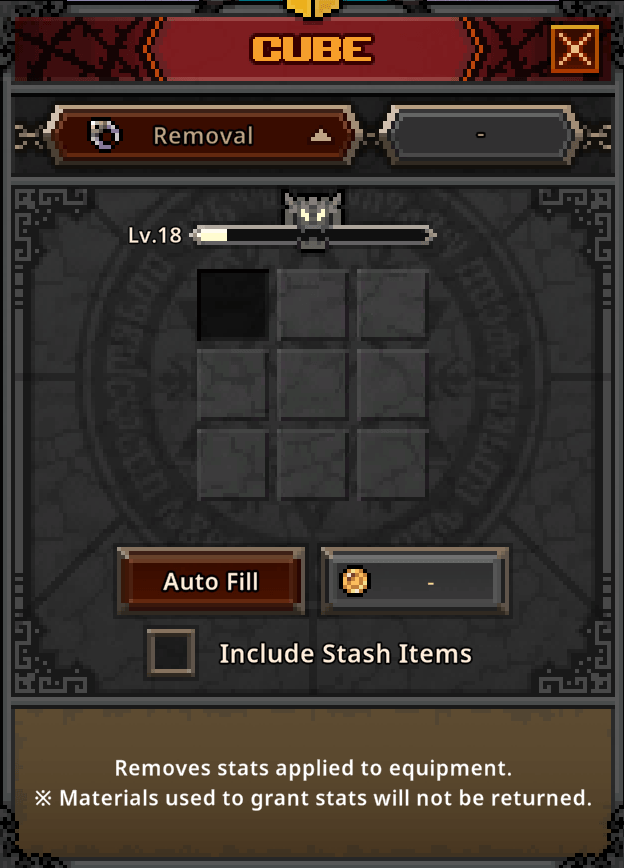
Removal coincides with Decoration, Engraving, and Inscription, allowing you to reset any unwanted stats that you applied to your item(s).

This way, you're able to respec your items with different enhancements, or simply try again if you were given an unfortunate stat roll. The feature unlocks at Cube level 10.

task bar hero cube removal

It's important to know that the materials removed will not be retrieved, so don't use this thinking you can move an enhancement to something else (it also costs gold).

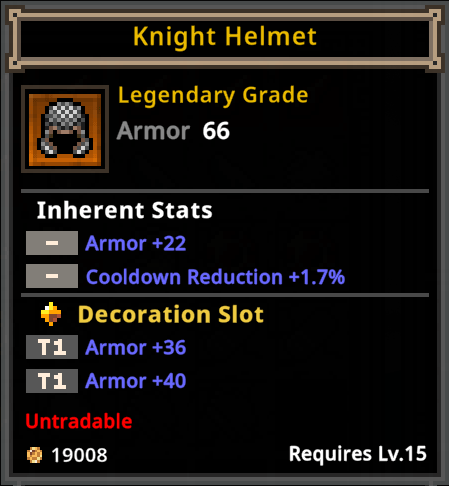
Removal is best utilized when you're ready to apply a different stat, try for a better stat roll, or want to make the item tradable.

task bar hero cube decoration example

Tips & Tricks

  • There's no clear benefit to Removal aside from having a way to reset items, so the less often you need to use it, the better.
  • Plan your Decorations, Engravings, and Inscriptions wisely to reduce the need to waste resources.

Table of Contents

See More Content

Cube Removal Guide: Task Bar Hero (TBH)
Updated on Jun 12, 2026
Cube Decoration Guide: Task Bar Hero (TBH)
Updated on Jun 12, 2026
Cube Crafting Guide: Task Bar Hero (TBH)
Updated on Jun 12, 2026
Cube Alchemy Guide: Task Bar Hero (TBH)
Updated on Jun 12, 2026
Cube Synthesis Guide: Task Bar Hero (TBH)
Updated on Jun 12, 2026

Like our guides?

Add Mobalytics as a preferred source on Google!