menu
MobalyticsUse your favourite features in-game with our Desktop App
Gamebase Guide

Aion 2 Spacetime Rift Guide for Quests and Rewards

Guides
Aion 2
Updated on Oct 27, 2026
Oct 27, 2026

Overview

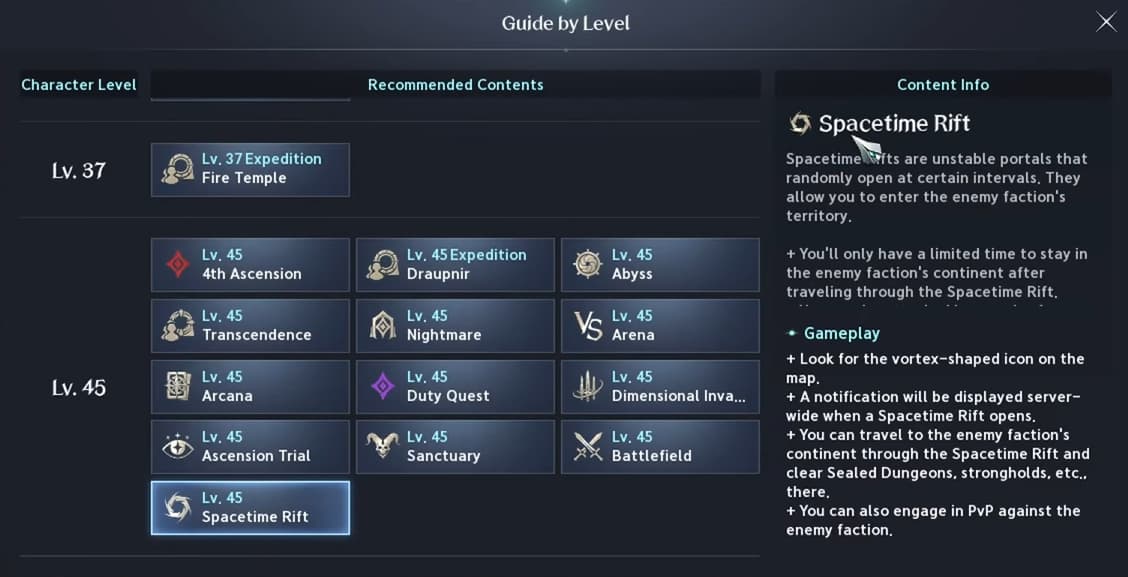
Spacetime Rifts in Aion 2 let you travel to the opposing faction’s territory, where you can complete regional quests, clear Sealed Dungeons and strongholds, and encounter different field bosses.

For Elyos players, this means traveling from Verteron to Altgard, while Asmodians can make the opposite journey. If you have Spacetime Rift quests that seem impossible to finish on your own map, crossing into the other faction’s region is the missing step.

This guide covers when rifts open, how to find their portals, which combat mode to choose and what to prioritize once you arrive.

A huge thank you to MistaWigglez for sharing his Spacetime Rift advice!
Aion 2 Builds

Browse builds for all the classes

Spacetime Rift Times and Duration

Spacetime Rifts open on a schedule, so you need to arrive during their entry window.

  • Opening frequency: Every three hours, with eight openings each day.
  • Entry window: The portal stays open for 10 minutes.
  • Exploration time: You have 60 minutes of standard Spacetime Rift time in the opposing faction’s territory.

The 10-minute window is the time available to enter the portal. It does not mean your exploration ends 10 minutes after the rift appears.

Check the next opening before planning your visit. A Spacetime Rift countdown can help, but make sure it matches your server and time zone.

If you miss the entry window, you will need to wait for the next opening.

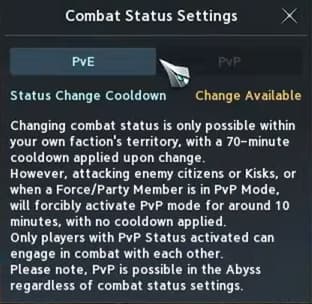
Choose PvE or PvP Before Entering

Before crossing a rift, check the combat mode icon beside your mount icon near the bottom of the screen.

Choose the mode that matches what you want to do:

  • PvE mode: Use this when you want to focus on quests, exploration and PvE encounters.
  • PvP mode: Use this when you want to fight opposing players who also have PvP enabled.

You cannot freely switch between these modes once you are in the opposing faction’s territory, so make your choice before entering.

PvE mode prevents ordinary player combat, but it is not complete protection. Attacking enemy faction NPCs or Kisks can force PvP mode on, and a party or Force member’s PvP status can also affect yours. Avoid those triggers if you want to concentrate on PvE.

Our Aion 2 gear score guide covers how to improve your equipment for fights.

How to Find and Enter a Spacetime Rift

The easiest way to locate an active rift is through the Navigator.

  1. Open the main menu.
  2. Select Navigator.
  3. Find Spacetime Rift.
  4. When a rift is active, use the Go Now option to travel toward its entrance.
  5. Enter the portal before the entry window closes.

If the Navigator option is unavailable or does not work, you can find the entrance manually on your map.

Look for the Spacetime Rift symbol, which resembles a swirling portal and may appear purple. Make sure you zoom in far enough, as the icon may not appear when the map is fully zoomed out. A useful reference is the zoom level where feather icons become visible.

Do not assume a tracked quest marker shows the portal’s location. A Spacetime Rift quest can point somewhere else, so check for the actual active rift icon.

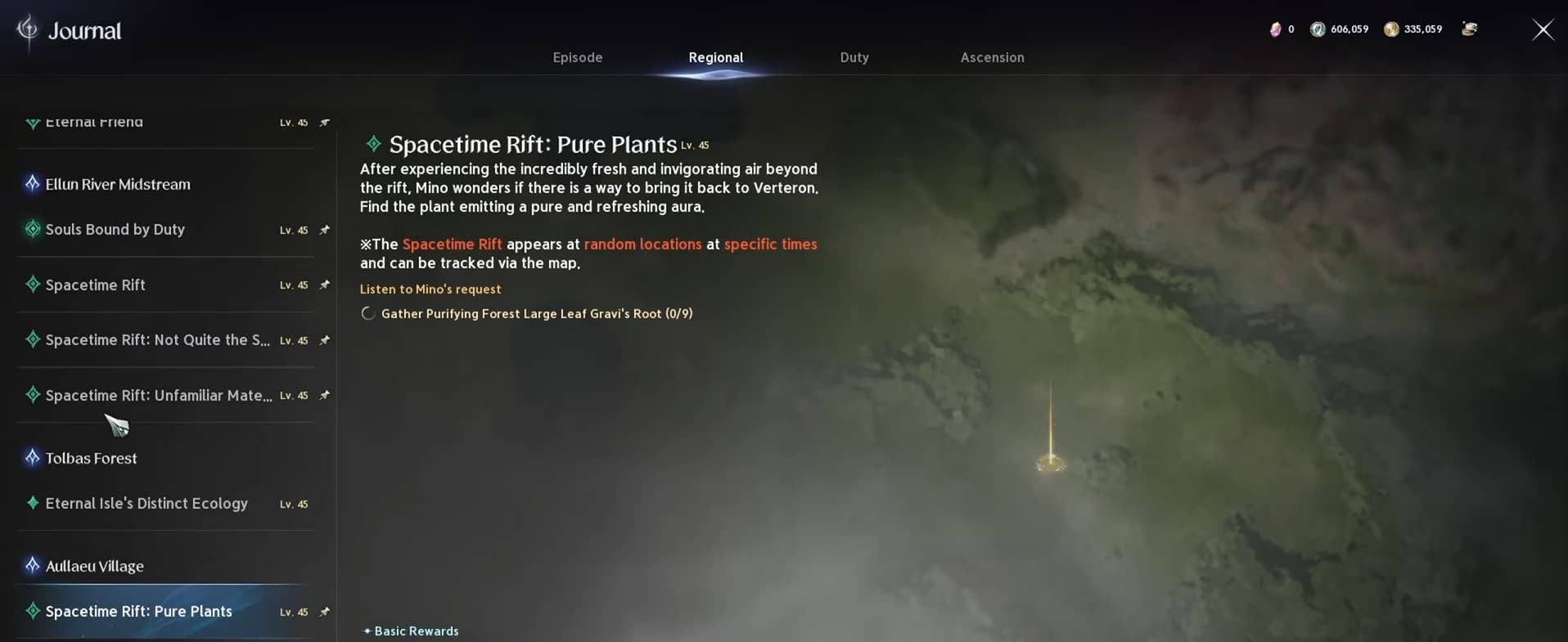
How to Complete Spacetime Rift Quests

Spacetime Rift quests can be confusing because their markers may appear on your home map even when the objective requires access to the opposing faction’s region.

If you travel to a marked location and cannot find the objective, check whether it is a Spacetime Rift quest. You may need to cross a portal before you can reach the correct location or interact with what the quest requires.

Review your available regional quests before entering, including any introductory objective that simply asks you to travel through a rift.

You can work on several quests during the same visit, so track the ones you want to complete and plan a route between nearby objectives. This helps you make better use of your limited exploration time.

Sealed Dungeons, Strongholds and Field Bosses

Completing quests is only part of the value of crossing a Spacetime Rift. The opposing faction’s map also gives you access to activities you may not have cleared.

Look for the question mark icons marking undiscovered locations, including Sealed Dungeons and strongholds. These give you more opportunities to complete content and collect progression rewards beyond those available in your own region.

You can also encounter the opposing region’s field bosses, giving you access to fights you would not normally reach on your home map.

For a productive visit, start with your tracked quests, clear nearby unexplored locations and check for field bosses when you have time remaining. Prioritize activities you can reasonably finish before your rift time runs out.

For more activities to fit around your rift visits, check our Aion 2 daily and weekly checklist.

Comments

0

Video

Table of Contents

Like our guides?

Add Mobalytics as a preferred source on Google!

See More

Aion 2 Spacetime Rift Guide for Quests and Rewards
Updated on Oct 27, 2026
Aion 2: Tips and Tricks
Updated on Oct 26, 2026
Hidden Features You Might Have Missed in Aion 2
Updated on Oct 26, 2026
Daily and Weekly Checklist for Aion 2: Maximize Your Rewards
Updated on Oct 24, 2026
Aion 2 Sorcerer Hellfire PvE Build
Updated on Oct 24, 2026