Warrior
 Warbringer
Level 1 to 33 guide before starting my Corrupting Cry
Made with the intent of guiding new players on a fresh league start. Incremental tips as you progress

 Use your favourite features in-game with our Desktop App
Made with the intent of guiding new players on a fresh league start. Incremental tips as you progress

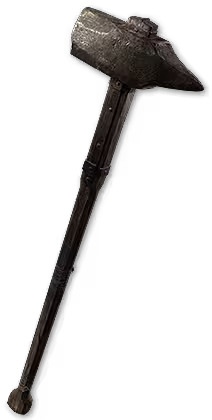


- Weapon stat priority
- x% Increased physical damage/adds x to x physical damage
- Adds x to x (elemental) damage
- + x to level of all melee skills
- Attack speed
- Armour/jewelry stat priority
- Movement speed (Boots only)
- Maximum life
- Adds x to x (type) damage to attacks, + x to level of all melee skills
- x% Increased Armour/ x to armour (Body Armour)
- Elemental resistance (Fire/Cold/Lightning)
- Don't forget to equip a 2-handed mace in weapon set 2!
- Talk to the The Hooded One NPC to identify any items you pick up
- Check the vendors for good items and upgrades
-  Desert Rune,
  Storm Rune and
  Glacial Rune are very good for armour if they have sockets. Try and keep an even spread of resistances
-  Iron Rune is very good for weapons if they have sockets
- Artificers Orb (adds sockets to items) should be saved for very good Rare (yellow) items that will last several levels.
- Use the Salvage Bench on items with sockets and quality that you won't use
Support Gem Requirements:
Str 20
Dex 5
Int 5

Mace Strike
Set 2


Boneshatter
Set 2





Rolling Slam
Set 1



Shockwave Totem
Set 2




Earthquake
Set 1



Infernal Cry


Magma Barrier
Set 1

- Set 1 selected skills are Pink (Rolling Slam, Earthquake)
- Set 2 selected skills are Green (Boneshatter, Shockwave Totem, Mace Strike)
- Use Earthquake once (or more) in different locations under a boss to have multiple sets of jagged ground at the same time, explode that jagged ground with Shockwave Totem
- If Rolling Slam is stunning too easily, then remove Stun I. Keep in mind that you can cancel the animation before the second slam with most other actions, such as Boneshatter.
- Use  Raise Shield to get more
  Endurance charges via blocks from Magma Barrier. This resets the cooldown for your next use of Infernal Cry
To ensure that a skill is only used with one particular weapon set, you need to configure it in your skill menu (G by default)
Check out this guide to see how you do it for each individual skill (gem section): Dual Specialisation
- The RED lines are for weapon set 1 passive points, while the GREEN lines are for weapon set 2 passive points
- To use a weapon set passive on the passive tree you first need 1 normal passive point available. It will then split it into two, 1 for each set
- Created (05.02.2025)
 Perfect Strike now uses Concentrated Effect instead of Window of Opportunity (04.04.2025)
- Updated some sections to support transition to Fire Breaker build instead of Corrupting (22.04.2025)
- Patch 0.3.0 changes:
Infernal Cry 40% damage as extra fire (was up to 100%). Now works for ~2 attacks (was only 1)Perfect Strike now has slightly reduced damage, but much bigger areaPerfect Strike and Raise Shield)- Now uses Shockwave Totem with Earthquake for early single target instead of Perfect Strike (02.09.2025)
-  Volcanic Fissure transitions into
  Forge Hammer now (03.09.2025)
Become a Creator
Want to earn rewards by sharing your builds with your community?