menu
MobalyticsUse your favourite features in-game with our Desktop App
News Guide

Subnautica 2: How to Upgrade Your Character Using Biomods

Guides
Subnautica 2
Updated on May 15, 2026
May 15, 2026

Overview

Subnautica 2 offers an entirely new way of upgrading your character's abilities using Biomods. These change up the gameplay in unique ways, allowing players to venture into more dangerous areas and facilitating exploration.

How to unlock Biomod upgrades in Subnautica 2

The Bio Lab in the Welcome Center acts as an interface for the player to equip and swap between Biomod enhancements. This facility is located close to the Lifepod, and its signal is available from the start of the game.
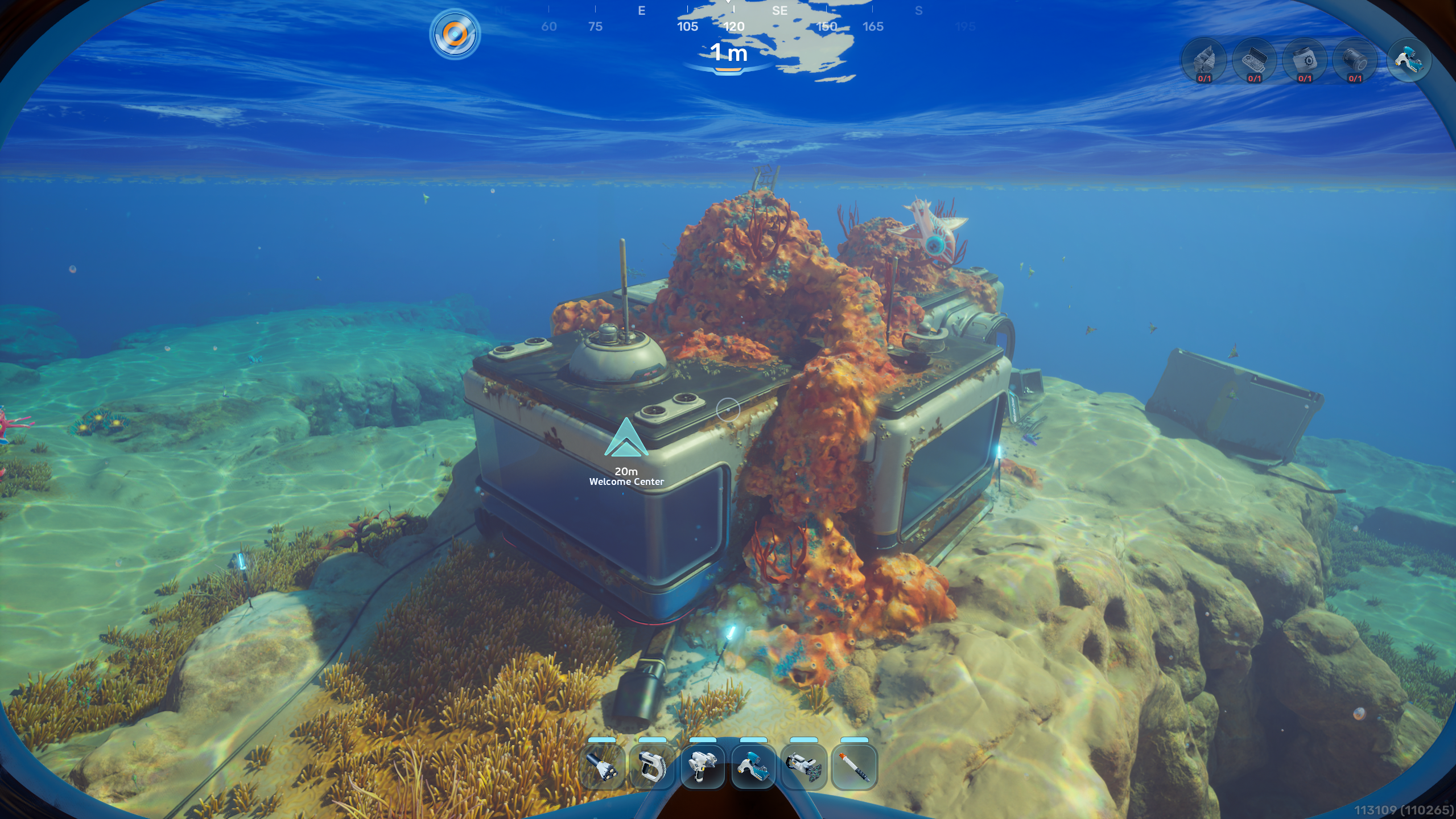
The first time players enter the Welcome Center, they'll find it powerless, with an empty power socket in the main room. A Basic Battery must be crafted and inserted into the socket before players can interact with the computer and Bio Lab in the Welcome Center.
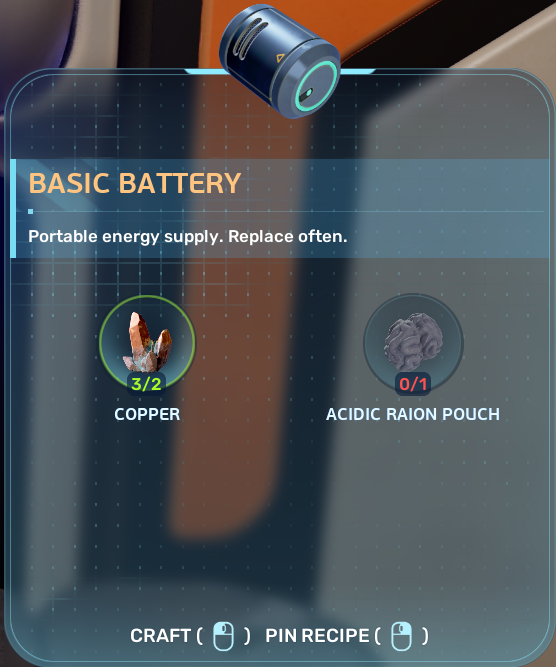
The Basic Battery requires two ingredients:

  • Copper can be found inside underwater caves and is distinguished by a yellow tint.
  • Acidic Raion Pouch is harvested from the orange egg-looking flowers in the starting area.

After powering up the Welcome Center, players can interact with the Bio Lab to equip their first Biomods.

The Dash Biomod and Oxygen Control Biomod offer some of the best immediate upgrades, allowing players to explore for longer and move more quickly.

How to Equip and Swap Biomod Upgrades

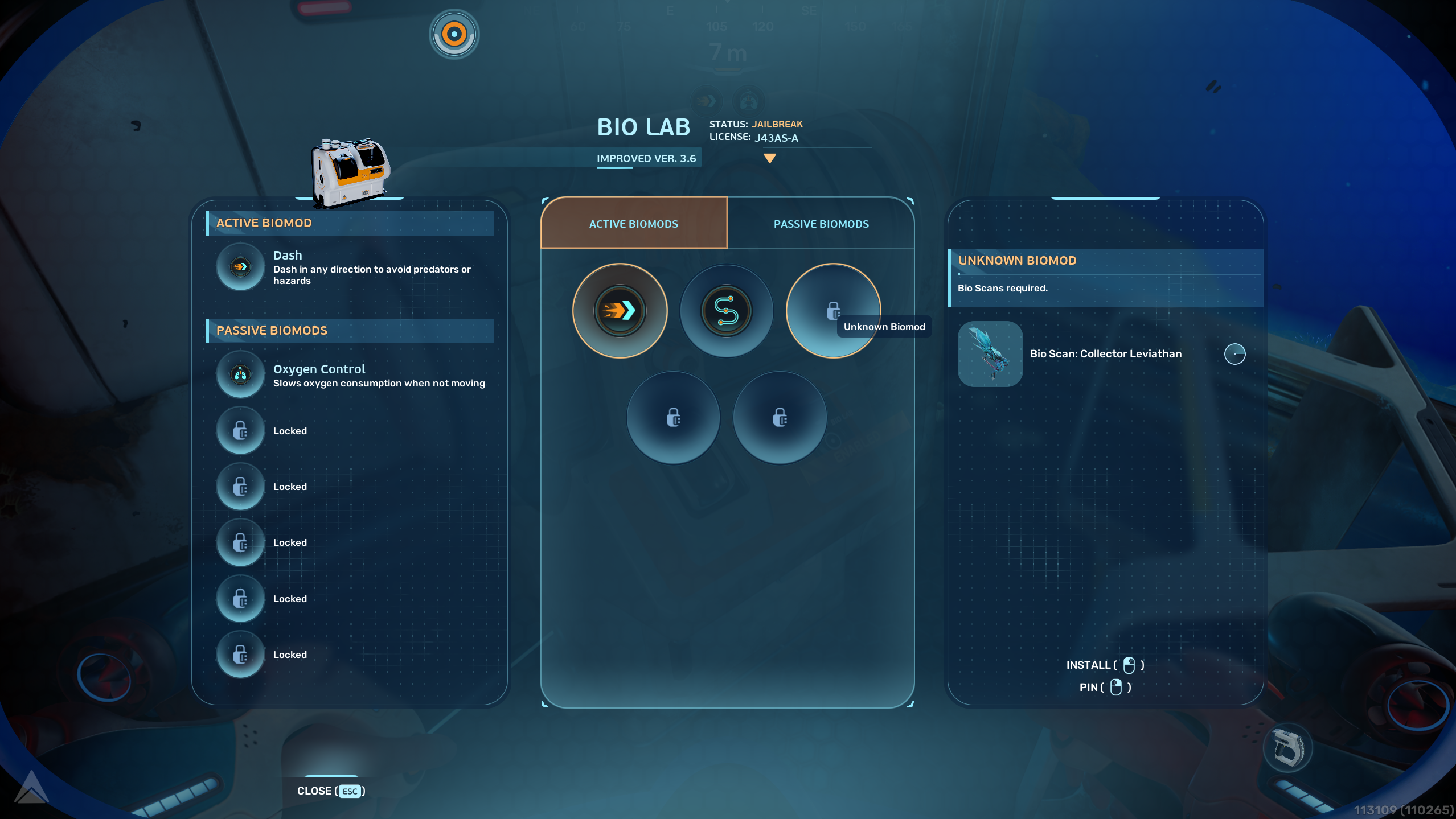
Once players have access to the Bio Lab, they will be presented with an interface allowing them to equip and swap between Biomod upgrades. These have two categories:

  • Active Biomods can be activated with SHIFT / L3 and grant a unique effect.
  • Passive mods grant permanent bonuses as long as they're equipped.

There is one active biomod slot and six passive biomod slots, though players will only have access to one passive biomod slot when starting out their adventure.


How to Unlock More Biomod Upgrades

To unlock new Biomod upgrades, players will need to scan specific creatures using the Scanner. Hints about them can be found in the Bio Lab interface.

List of Active Biomods

Name

Description

Unlock requirement

Dash

Dash in any direction to avoid predators or hazards

Unlocked by default

Pathfinder

Release a trail of pheremones you can follow to find your way

Unlocked by default

Sonic Echo

Emit a sonar pulse to highlight nearby resources

Bio Scan: Collector Leviathan

Electric Discharge

Emit an 800 volt electric shock to deter medium and large predators

Bio Scan: Electric Geordie

Chum Cloud

Release a cloud of delicious bait to distract predators

Bio Scan: Toxic Sponge and Houndgar

List of Passive Biomods

Name

Description

Unlock requirement

Sea Skimmer

Swim faster when close to underwater surfaces or the seafloor

Unlocked by default

Oxygen Control

Slows oxygen consumption when not moving

Unlocked by default

Bioluminiscence

Glow in the dark

Bio Scan: Sandspear and Electric Geordie

Camouflage

Become invisible to predators while not moving

Bio Scan: Bullethead

Water Retention

Gain more water from all sources with enlarged, orca-like kidneys

Bio Scan: Coral Crab

Homing Sense

Detect nearby bases with electrical power

Bio Scan: Surge Jelly and Hammerhead

Threat Sense

Detect nearby threats with specialized hair cells

Bio Scan: Hoverthorn

Dermal Garden

Slowly grow nutritious algae on your skin

Bio Scan: Needler Mango

Slow Metabolism

Your microbiome becomes more efficient, making food loss slower.

Bio Scan: Nibbler Mango

Water Secretion

Slowly fills a water packet by filtering fresh water from the sea

Bio Scan: Water Slug


Table of Contents

See More Content

Subnautica 2: How to Upgrade Your Character Using Biomods
Updated on May 15, 2026
How to Increase Swim Speed in Subnautica 2
Updated on May 15, 2026
Subnautica 2: How to get Copper
Updated on May 15, 2026
What's New in Subnautica 2 (Early Access)
Updated on May 15, 2026
How to Play Multiplayer in Subnautica 2
Updated on May 15, 2026