This guide covers many of the useful Hotkeys and Shortcuts that you can use in Path of Exile 2 to help you play more efficiently and click less.
Most hotkeys in Path of Exile 2 involve using the Ctrl, Shift and occasionally the Alt keys along with a left or right mouse click
Guide
Inventory and Stash Management
Re-apply Currency
Hold Shiftwhile using Currency
This will allow you to apply the same Currency Item (including Scrolls of Wisdom) to multiple items without having to right-click it again first.
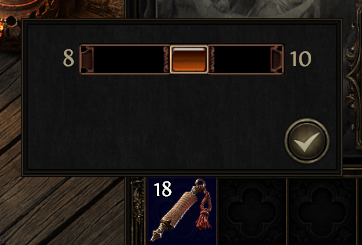
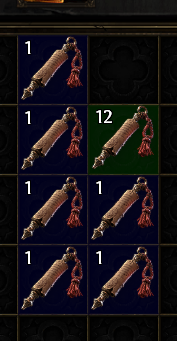
Separate Stack of Currency
Shift-Left Click: Brings up a slider to select how many you'd like to separate
With stack on your cursor, hold Shift and click empty inventory slots to place individual items
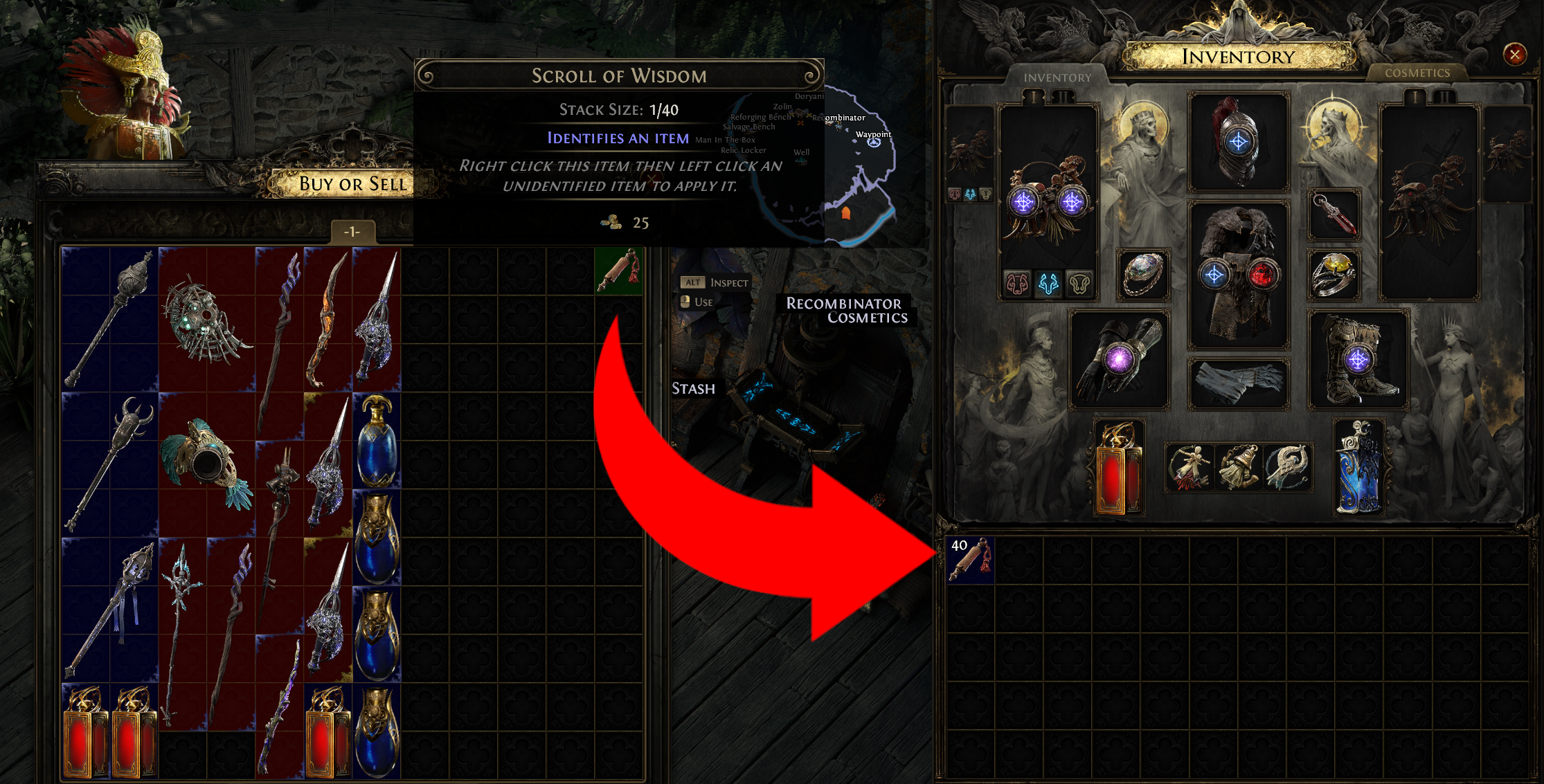
Take/Return Full Stack of Currency: Ctrl-Left Click
This will transfer a full stack of an item from your inventory into your Stash, or from your Stash into your inventory. This can also be used to place full stacks into Trade windows with Vendors or other players. Remember that if you'd like to take out an individual item part of a stack, you can do so by holding Shift
Take/Return All Currency of Type: Ctrl-Right Click
If you have more than one stack of the same type in your inventory or Stash, you can Ctrl-right click to take or return all stacks of that type. For example, after completing a Map, if you have 400 Orbs of Transmutation, you can place them all into your Stash by Ctrl-right clicking them
Buy Full Stack: Ctrl-Shift Click
If you'd like to buy a full stack of Scrolls of Wisdom from a vendor instead of one at a time, you can Ctrl-Shift Left Click.
Vendor Hotkeys
Almost all Vendors and NPCs in Path of Exile 2 can have their specific trade windows and utilities instantly accessed by pressing a specific hotkey along with a click. This is different for NPCs with several options, but here are the most useful
Identify All Items: Ctrl-Click - The Hooded One/Doryani
Ctrl-Clicking The Hooded One or Doryani will instantly Identify all items in your inventory
Respecialise: Alt-Click - The Hooded One
Alt-Clicking The Hooded One will open the Respecialisation window
Open Buy or Sell Window: Alt or Ctrl-Click
For Vendors that don't allow for Disenchanting, you can press Alt or Ctrl Left Click to open their Buy or Sell Items Window. For Vendors that do allow for Disenchanting, only Alt-Click works for this
Open Disenchant Window: Ctrl-Click
For Vendors with a Disenchant option, Ctrl-Clicking will open their Disenchant window, whereas Alt-click will open their Buy or Sell Window
Currency Exchange and Trading Hotkeys
These hotkeys work on Ange or your Market Vendor if you are using an MTX
Currency Exchange: Ctrl-Click
Merchant Window: Ctrl-Alt-Click (opens window that shows the items you have listed for sale)
Gamble Window: Alt-Click
The Market: Press /
Pressing / on your keyboard will automatically open The Market, the in-game Trade Site which can be used to buy items from other players
Doryani Hotkeys
In the Endgame, you'll mostly be interacting with Doryani instead of The Hooded One
Identify All: Ctrl-Click
Respecialise Atlas Tree: Ctrl-Alt-Click
Open Trade Window: Alt-Click
General Hotkeys
There are many general Hotkeys, which can be changed in the game's Options at any time
Inventory (I): many players often choose to rebind this to a key that is easier to reach or to a mouse key
Passive Tree (P)
Character Sheet (C)
Skill Gem Panel (G)
World Screen (U)
Atlas Skill Tree (Ctrl+U)
Social Screen/Friends List (J)
Market (/)
Map Overlay (Tab)
Cosmetics (K)
Further Reading
Check out some of our other beginner guides below!