In PoE 2 0.5 Return of the Ancients, the Recombinator has been entirely removed from the game.
This guide will cover the basics of Expedition Vendor crafting as well at the Recombinator, both of which require Kalguuran Artifacts to make use of. These Artifacts can be acquired by completing Expedition encounters, which we have a full guide on here: Expedition Guide - Path of Exile 2
In order to understand Expedition Vendor crafting, you will also need a basic understanding of how items in Path of Exile 2 work. If you're unfamiliar with terms such as "Prefix" "Suffix" "item level" and "base", make sure to read this guide first: Path of Exile 2 Item Modifier Basics
With that out of the way, let's continue
Expedition Vendors
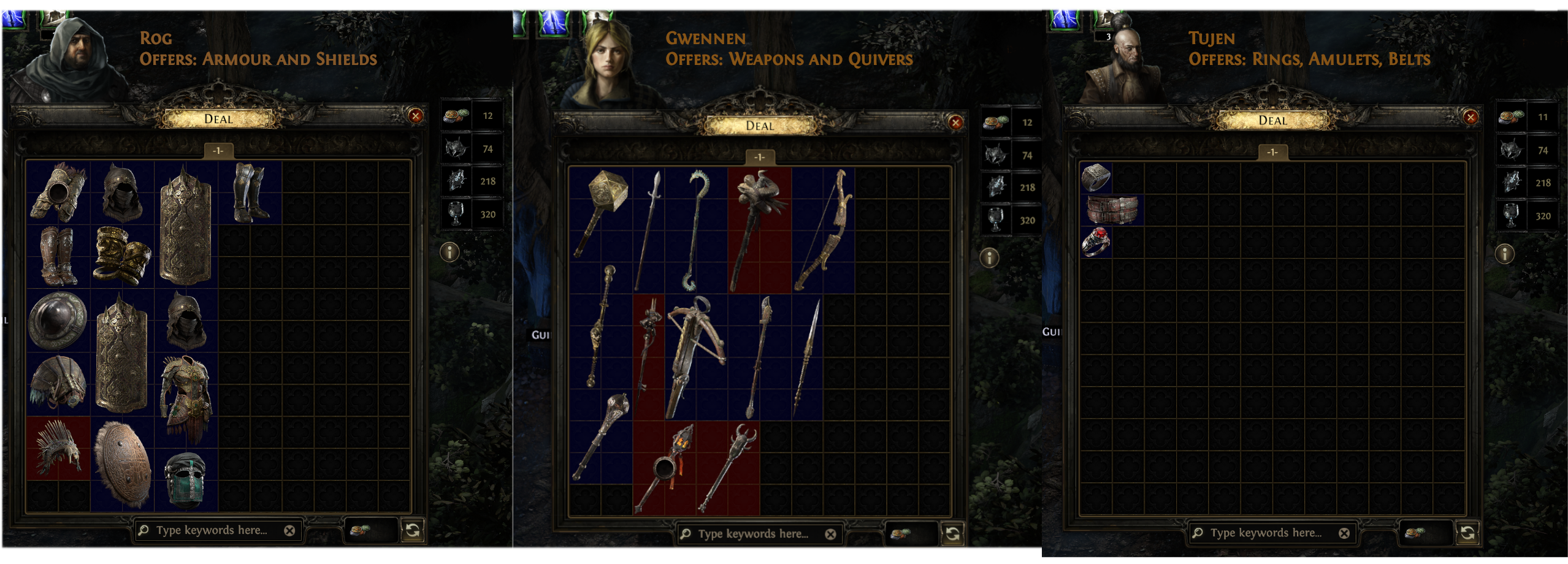
There are four different Expedition Vendors in Path of Exile 2, and each will allow you to craft various items of a specific type. These crafting mechanics will also have an Artifact cost of a specific type.
Vendor
Artifact
Item Type
Tujen
Black Scythe Artifact
Rings, Amulets, Belts
Rog
Order Artifact
Armour and Shields
Gwennen
Broken Circle Artifact
Weapons and Quivers
Dannig
Sun Artifact
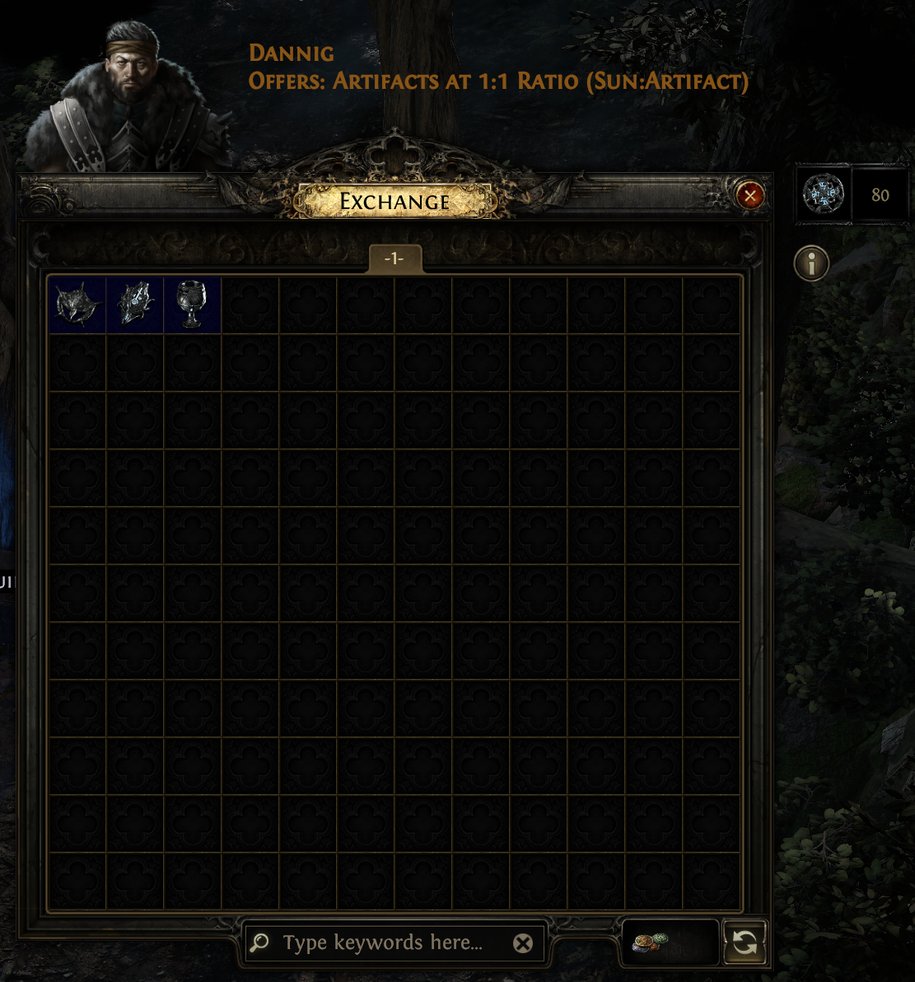
Purchase Artifacts
Dannig can also be used to purchase the other three Artifact types for his Sun Artifacts, which can be handy for SSF players who run out of a specific type of Artifact they need. Dannig can also be used to open any Expedition Logbooks that you may find
Refreshing Expedition Vendors
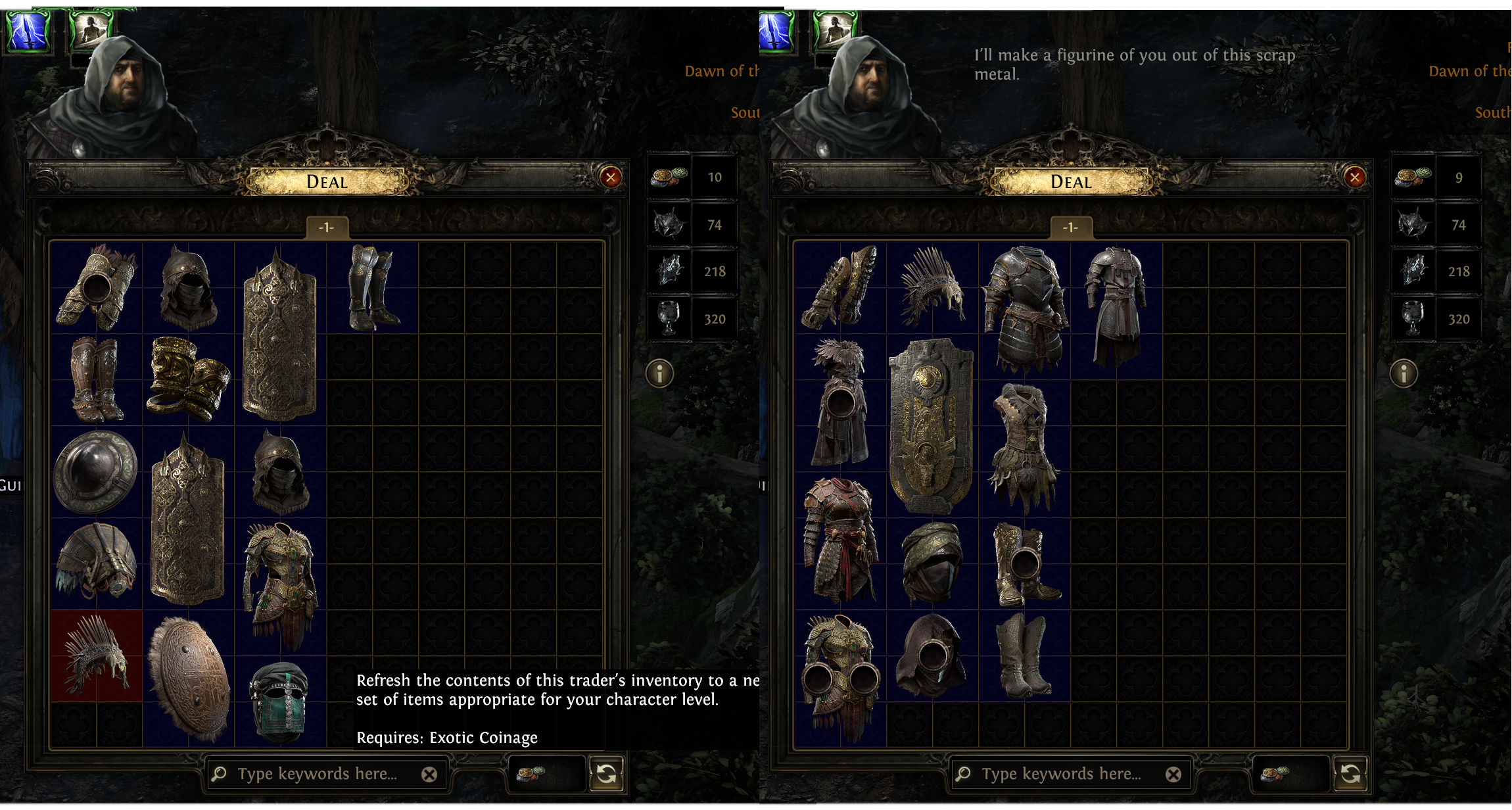
Expedition Vendor windows can also be rerolled, to show a new set of items by using Exotic Coinage. If you don't see anything else you want to craft on, or are fishing for a specific base, you can click the Refresh button at the bottom right of the Vendor window. This will cost 1 Exotic Coinage and fill the window with new bases
Clicking the Refresh button at the bottom right costs 1 Exotic Coinage and fills the window with new items, appropriate for your character level
Character Level vs Item Level
The items shown in the window will match your character level, up to a maximum of 79. Higher Item Level unlocks new potential tiers of item modifiers, so having higher item levels creates the possibility to create better items
Expedition Crafting
After selecting an item you wish to craft on, the vendor will give you a chain of five crafting steps which you can use to (hopefully) improve the item. Because of this rather short process, it's often best to start on a base item that already has half-decent stats that can be improved, rather than starting from a bad item and hoping for the best.
Buying this item will cost 1 of the associated Artifacts for that Vendor, and clicking "Buy" will begin the crafting process
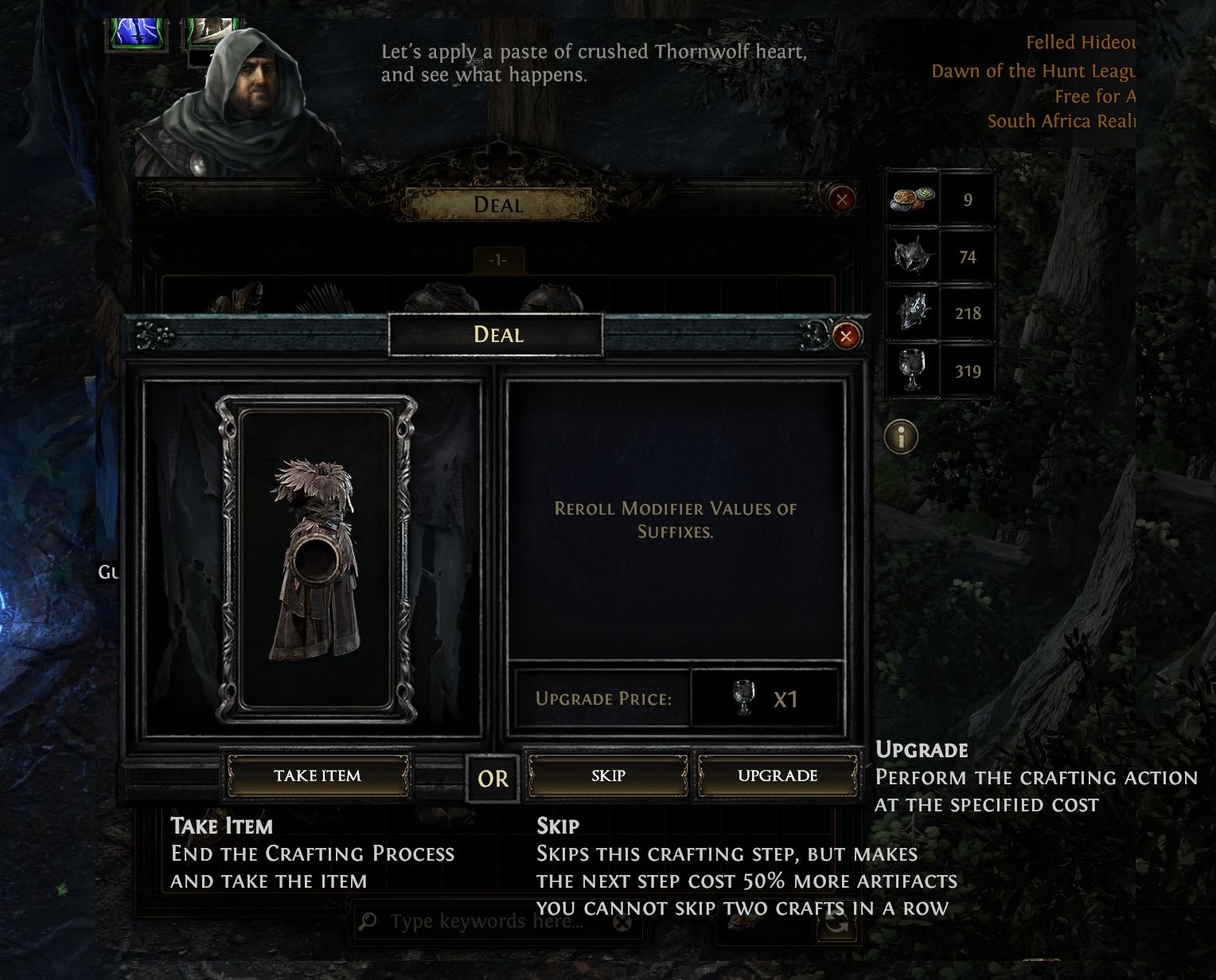
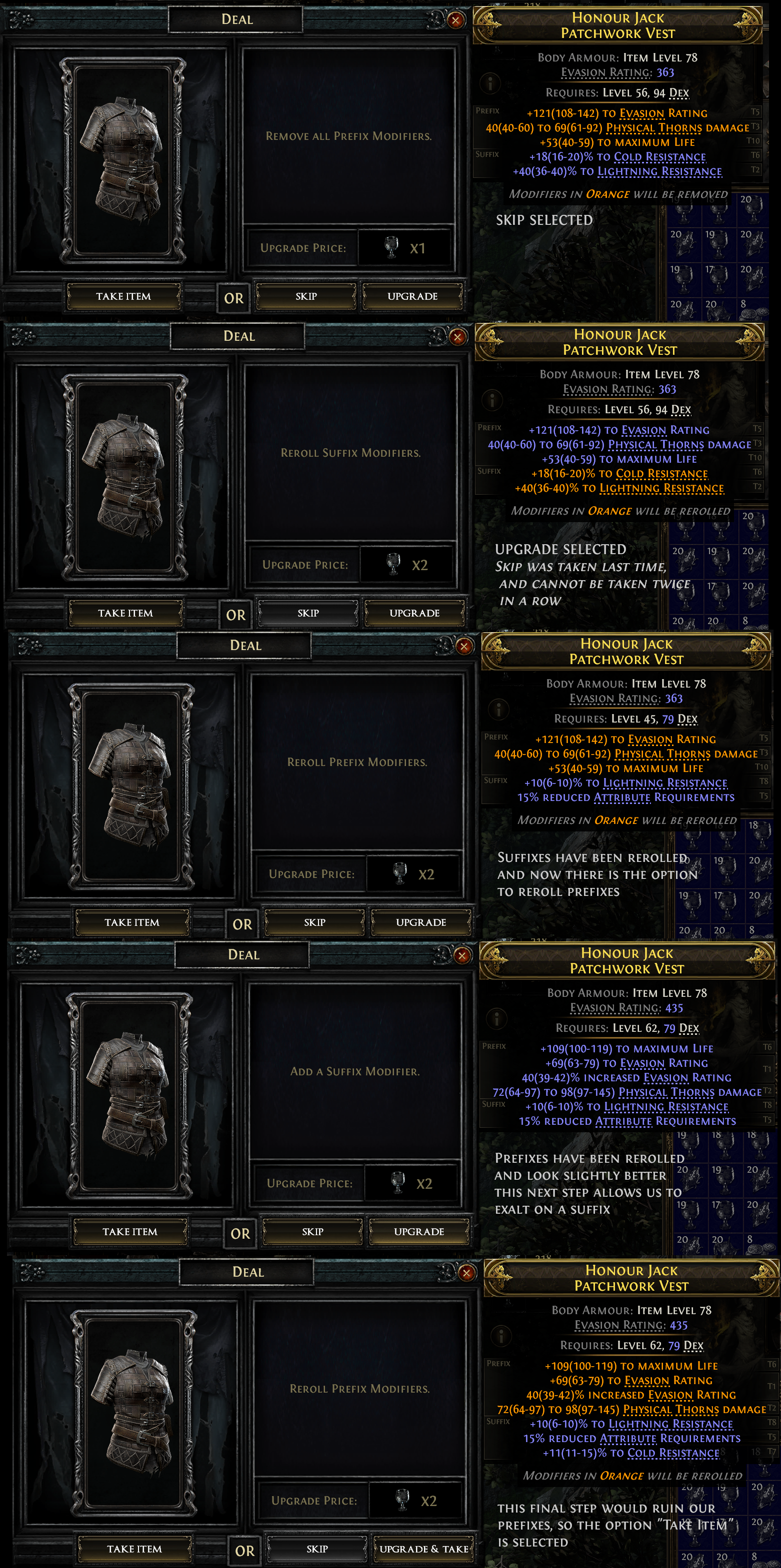
After you choose to Buy the item, you will be met with your first Crafting option. Each crafting option will be random, and can be completed by hitting (Upgrade), Skipped, which will take you to the next crafting option but make it cost 50% more, or the crafting process can be ended by clicking Take Item, which will place the item in your inventory in its current state. Just note that you cannot skip two crafting steps in a row
Crafting Options
There are several crafting options that you will presented with, randomly. Currently, there will only be 5 steps in this process, so players will need to choose when to skip, upgrade and end the craft wisely
Reroll Modifier Values: Effectively works like a Divine Orb, changing the modifier rolls within their item tier roll ranges. This can be for Prefixes, Suffixes, or the whole item
Augment: Adds a modifier to the item. This can either be a Prefix or Suffix
Remove All: Removes all Prefixes or all Suffixes
Remove Lowest: Removes the lowest item level modifier. Note, this isn't the same as removing the lowest item tier, but rather removes the modifier that appears at the lowest item level. This will be highlighted to prevent confusion
Regal: Add a modifier and make the item Rare. Similar functionality to that of a Regal Orb
Reroll: Rerolls modifiers. This is usually Reroll Prefixes or Reroll Suffixes
Upgrade: Increases the Tier of modifiers
Fill: Fills all empty modifier slots. For example "Fill all Prefix Modifiers", adding as many Prefix modifiers as the item can have, up to a maximum (3 for Rare, 1 for Magic)
Example Craft
During this craft, there were options to attempt to improve the Prefixes and Suffixes as well as augmenting (or Exalting) on additional modifiers. Unfortunately the final result wasn't particularly impressive.
In its current state, Expedition crafting lacks the number of steps required to produce consistently usable items. With only 5 steps, and several possible crafting options, which are random, players might find this process somewhat frustrating and subject to RNG. This is why having a good starting item matters so much, but even then, the options presented might only attempt to ruin the item rather than improve it. Hopefully this system will be improved in coming updates to make it more fun, player-friendly and useful.
That being said, this process can occasionally produce very powerful results, and can be a great way to fish for upgrades in SSF. Sometimes, even ignoring all crafting options, an item might appear in the window that is a direct upgrade for a player, and the Take Item option can be selected to buy it outright without performing any of the crafting steps (although it's always advised to at least check what the Vendor offers in case they can further improve the item).
One other use for Expedition Vendor crafting is to attempt to acquire just one or two high-tier modifiers, which can then be used with the Recombinator.
Recombinator Basics
The Recombinator is another method of crafting offered by Expedition that allows players to merge two items together for a chance to receive a new one with the selected modifiers. On its face, this system is fairly straight forward, but the Recombinator is possibly one of the most in-depth and complex crafting systems in all of Path of Exile. For now, let's go over the bare basics.
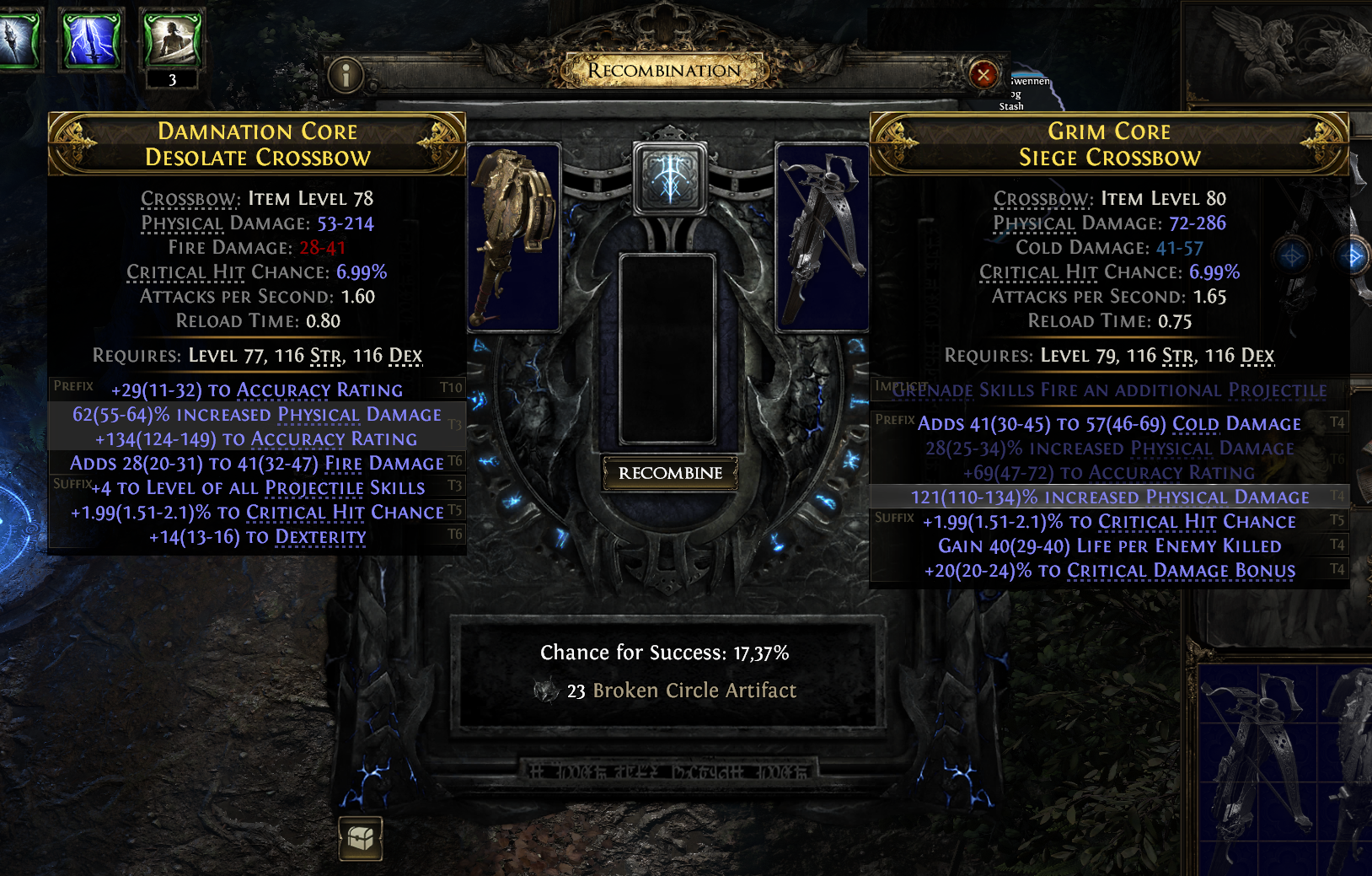
Players must place two items of the tame type in each of the top slots and can then select modifiers which they would like to attempt to Recombine. The Chance for Success is shown at the bottom, along with the Artifact cost.
Basics Recombinator Information
There are three possible results for Recombination:
Recombination Fails and both items will be destroyed
Recombination is successful and left side base will be selected
Recombination is successful and right side base will be selected
Additional Information
Items must be of the same type. For example, two Boots, two Crossbows, two Rings. The Recombinator will not allow a player to use one Spear and one Crossbow, for example
If the Recombination is successful, the base will not be chosen entirely randomly, but the exact chance isn't entirely clear. For example, when Recombining a very high tier modifier on a "bad" base, with a low tier modifier on a "good" base, it appears that it's more likely that the "bad" base will be chosen more often, if the Recombination is successful
The weight of the modifiers, number of modifiers selected, and modifiers in relation to one another dictates the Chance for Success. Some modifiers are rarer and selecting two rare modifiers that are both Prefixes will result in a lower chance of success
Once the player is happy with their selection, they can press Recombine for a chance to have a resulting item with the selected modifiers
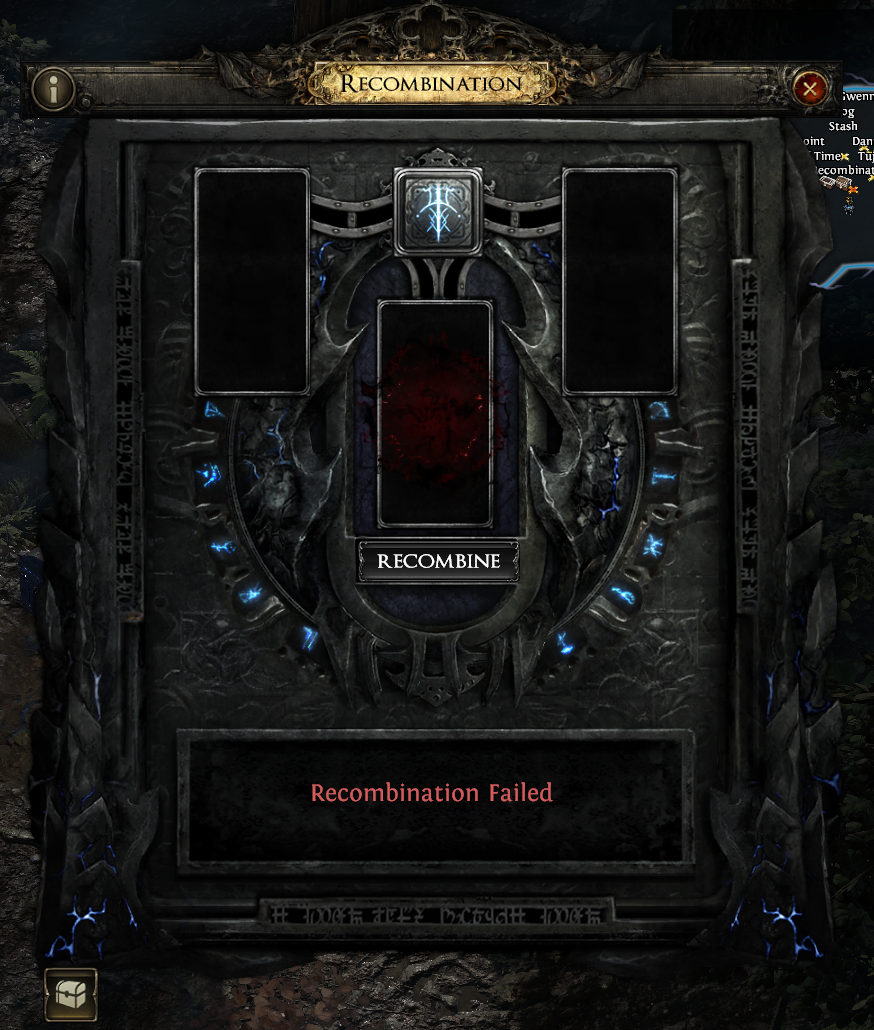
In this case, unfortunately the Recombination failed and both items were destroyed
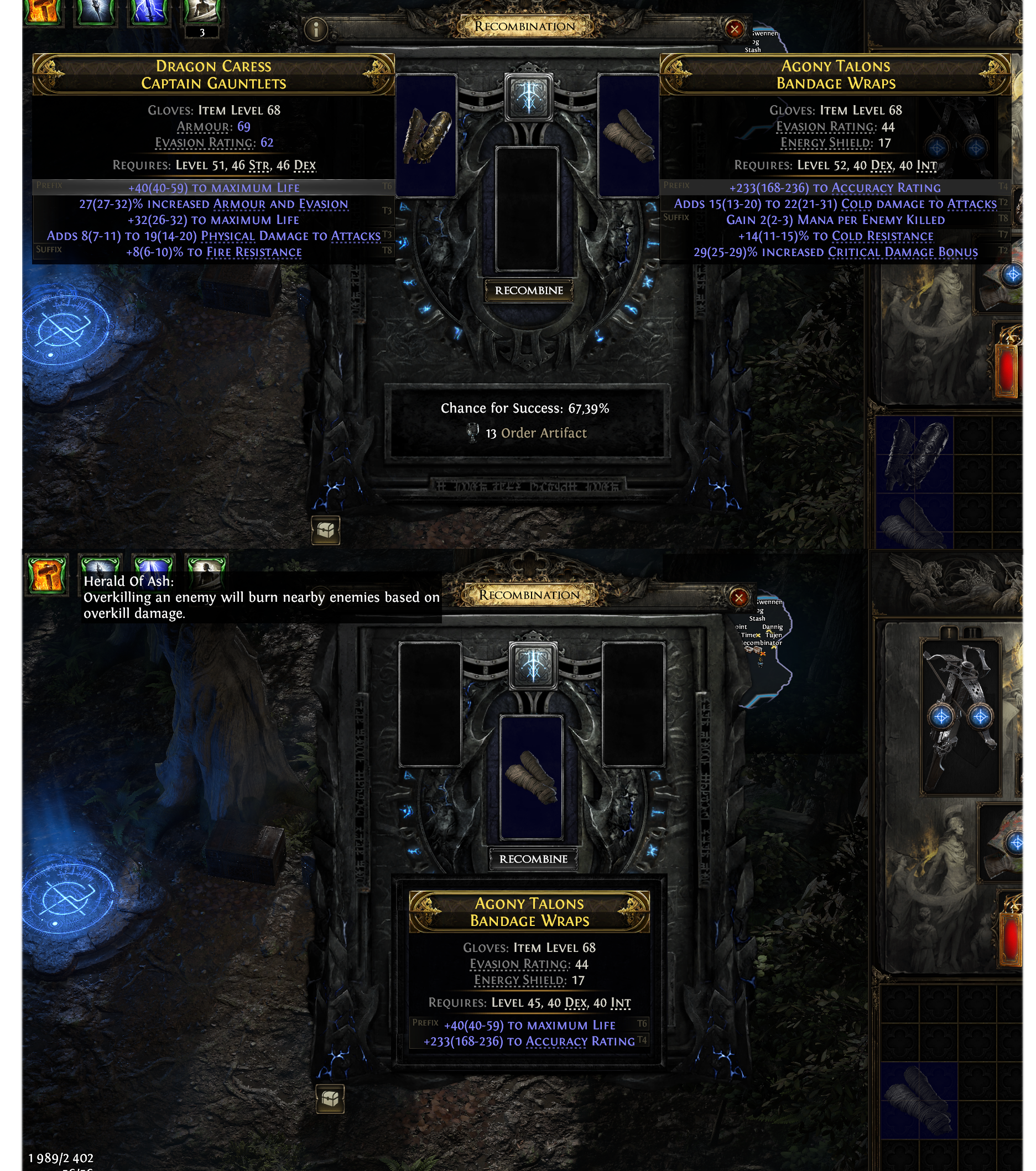
In this next case, two weaker modifiers were selected and the Bandage Wraps base was selected
The Recombinator is a deeply convoluted system, but understanding these complexities can aid players in taking advantage of this crafting system. If you'd like to read more, or at least appreciate how complex this system can be, you can read more here: Butsicle's Recombinator Guide
Further Reading
If you'd like to learn more about Path of Exile 2 and its systems and mechanics, check out some of our guides below!