

The Witcher 3: Wild Hunt - Remastered just launched on various platforms, and it brings alongside new and improved options to suqeeze every bit of performance from your GPU. In this guide, we will and figure out the optimized graphical settings for the game!
 Use your favourite features in-game with our Desktop App
Overview
Graphics
When it comes to graphics, those are the recommended settings for The Witcher 3: Wild Hunt - Remastered, they will provide the most balanced FPS to Quality ratio.
- Anti-aliasing: DLSS for NVIDIA, FSR for AMD, and XESS for Intel GPUs
- Anti-aliasing quality: Quality for 1080p and 1440p, Performance for 2160p
- Frame Generation: On, but make sure your base FPS before turning it on is in the range of 60-90 for an actual smoothness improvement.
- Low Latency: On
- NVIDIA HairWorks: Off
- Sharpening: Off
- Screen Space Ambient Occlusion: GTAO
- GTAO Quality: High
- Screen Space Reflections: High
- Motion Blur: Off
- Blur: Off
- Bloom: Off, right now the option is bugged and it makes the image washed up.
- Depth of Field: Off
- Chromatic Aberration: Off
- Vignetting: Off
- Light Shafts: Off
- Camera Lens Effect: Off
- Number of Background Characters: Ultra+
- Shadow Quality: Ultra
- Screen Space Shadows: On
- Terrain Quality: High
- Water Quality: Ultra
- Foliage Visibility Range: High
- Grass Density: Ultra+
- Texture Quality: Ultra+
- Detail Level: Ultra+
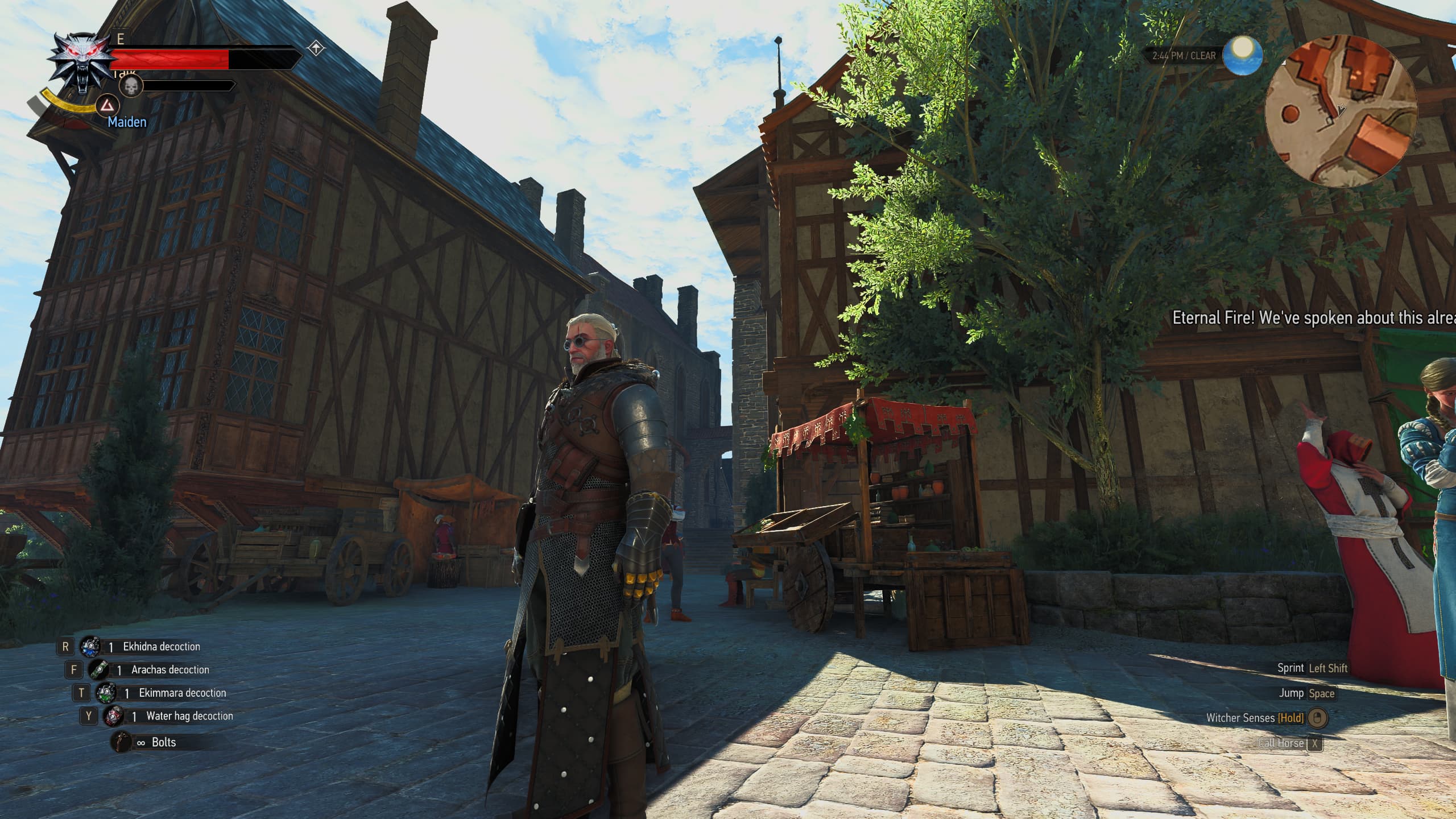
My optimised settings in Novigrad give us about 95 FPS on an RTX 4070 at 1440p without Frame Generation turned on.
Ray Tracing
If you want to use Ray Tracing, those are the settings I would recommend for the least amount of performance impact, while also looking great.
- Ray Tracing: On
- Ray Traced Global Illumination: Quality
- Ray Traced Reflections: On
- Ray Traced Shadows: Performance
- Ray Traced Ambient Occlusion: On
If you are on an NVIDIA GPU, you should turn On DLSS Ray Reconstruction for higher quality Ray Tracing Effects.
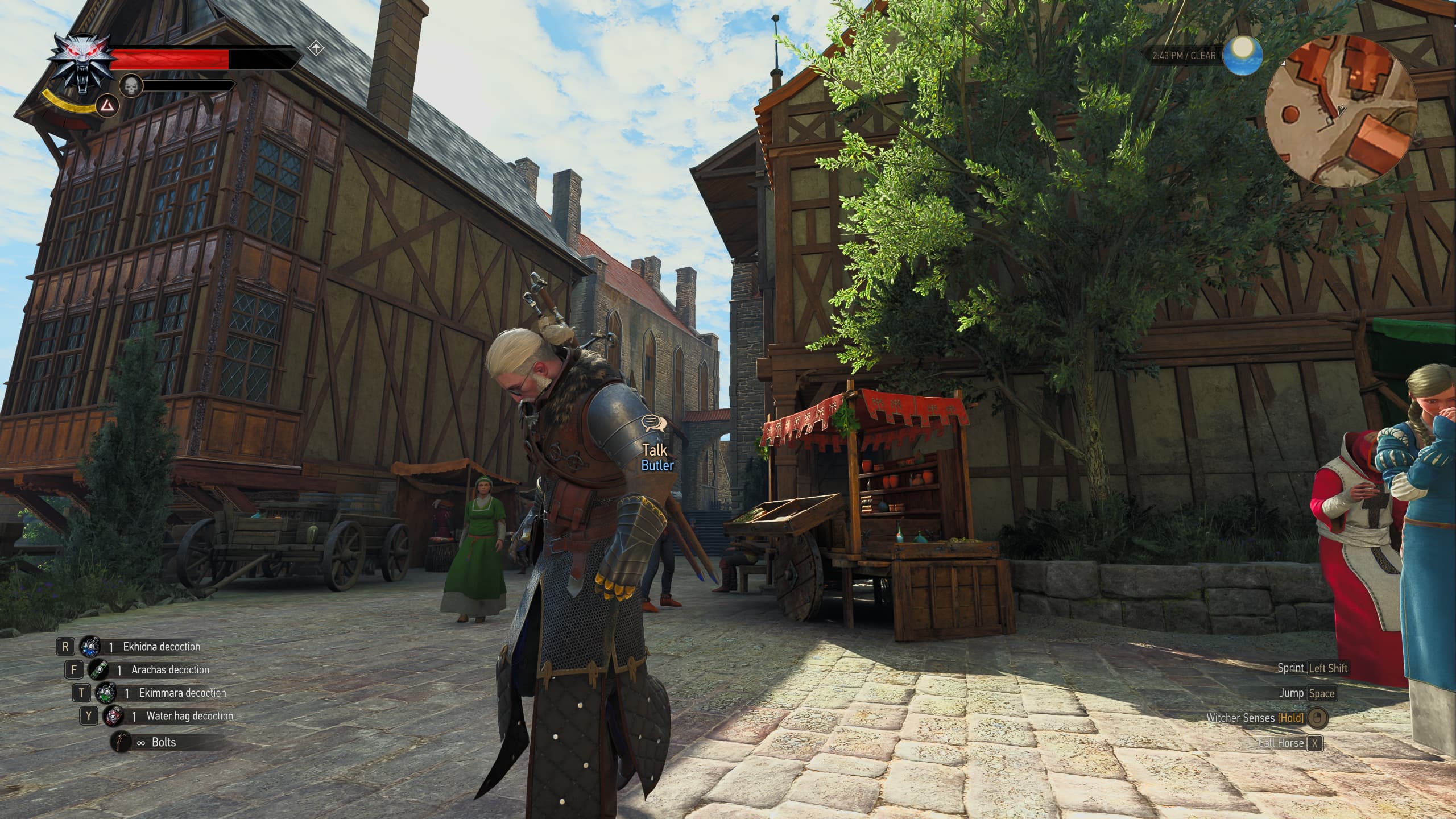
The difference with Ray Tracing outdoors is the way buildings are properly lit, and shadows are not as flat.
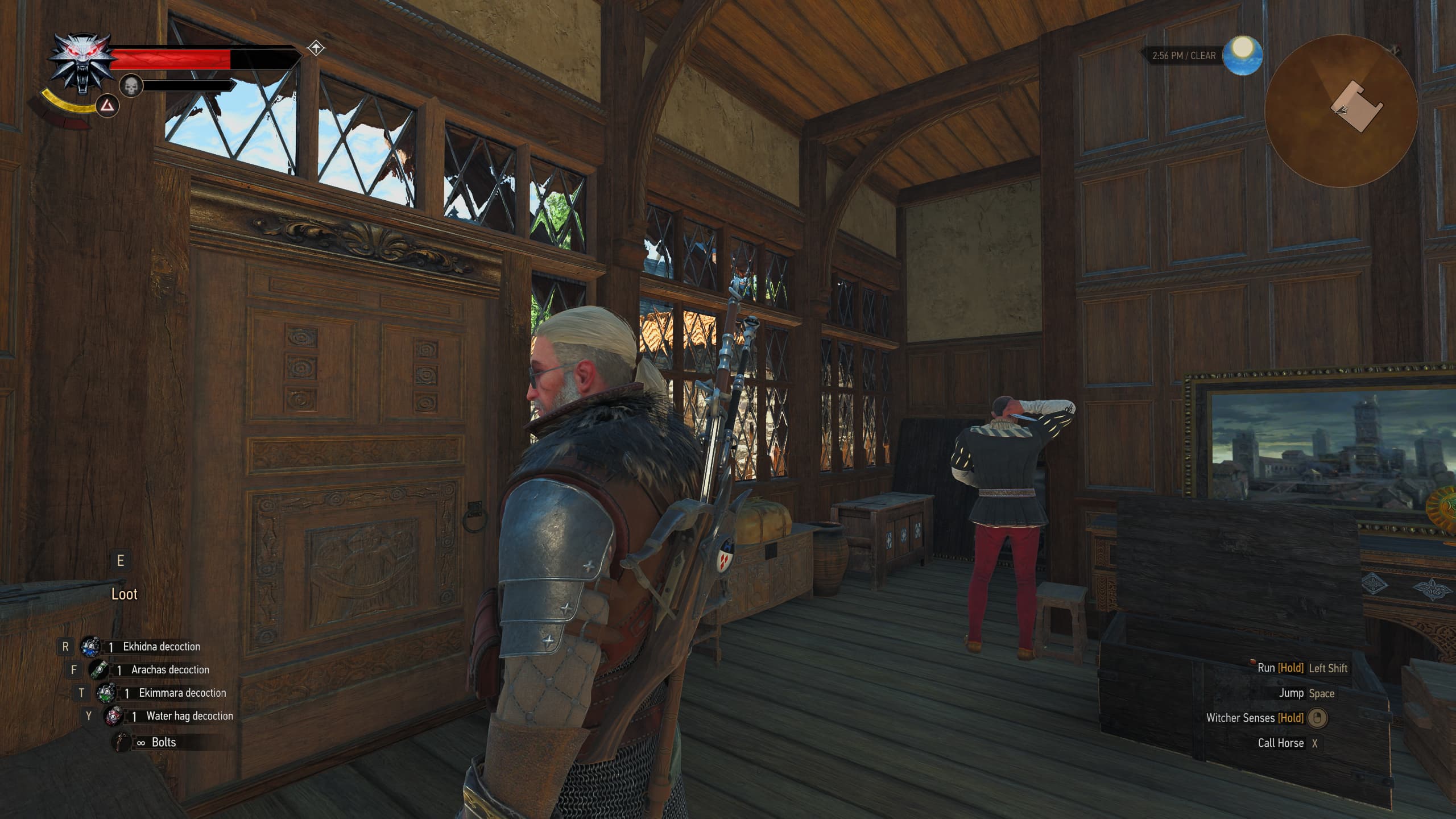
Ray Tracing Off
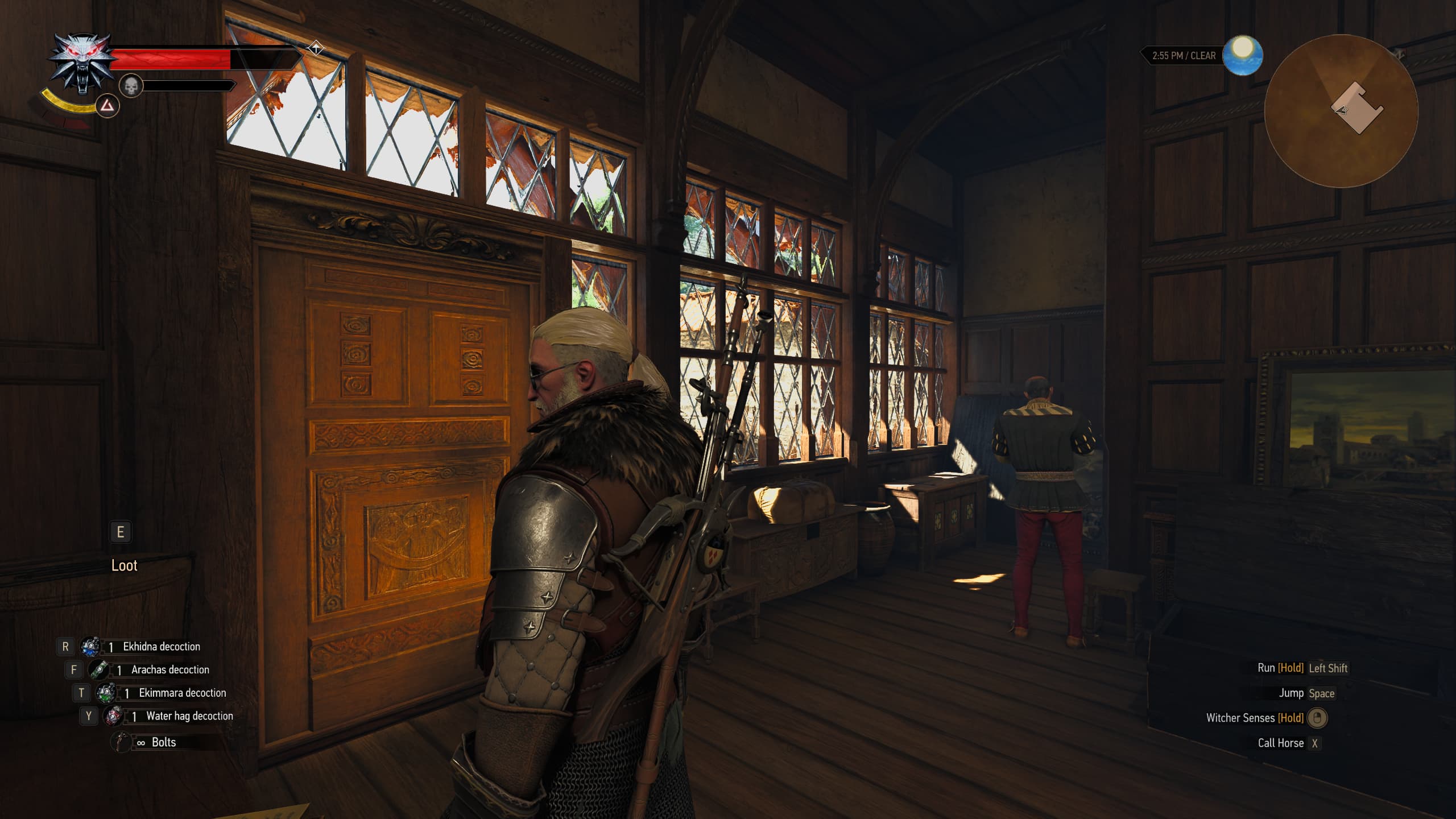
Ray Tracing On
Path Tracing
If you have a beefy GPU, such as an RTX 4080, RTX 5070ti, RTX 5080, or RTX 5090, you should turn Path Tracing as well as the NVIDIA DLSS Ray Reconstruction on, since it makes a massive difference both indoors and outdoors.
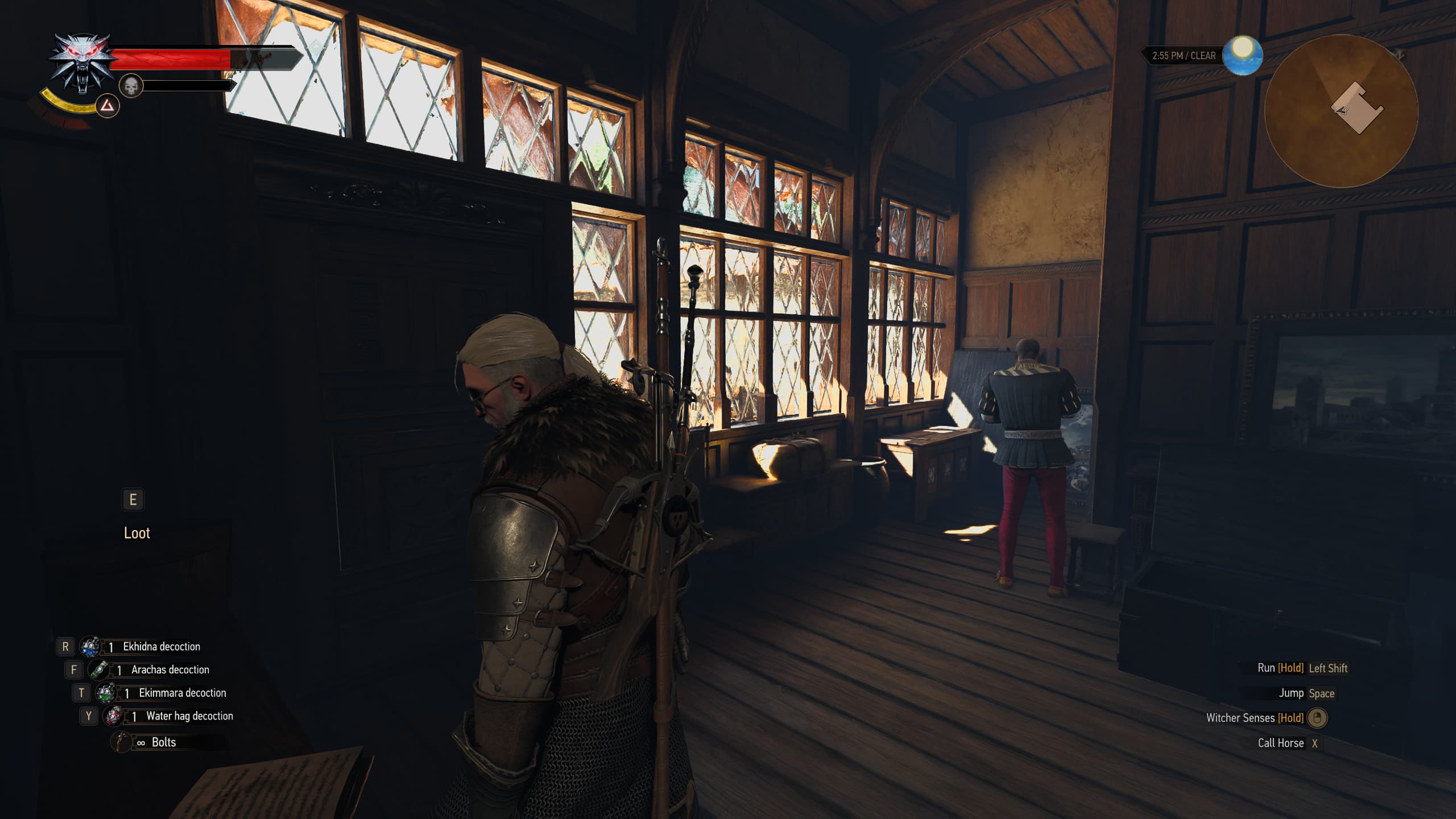
Path Tracing On. Notice how the light no longer leaks through the door, the shadows interact with each other in a natural way, and the NPC is correctly lit.
HDR
If you have an OLED or a high quality Mini-LED display, you might want to turn HDR on.
However, the game suffers from detail clipping in high brightness areas, as well as lifted blacks, which results in a sub-optimal HDR presentation. Your best bet is to wait for a RenoDX Reshade mod to be released for this game to fix those issues.
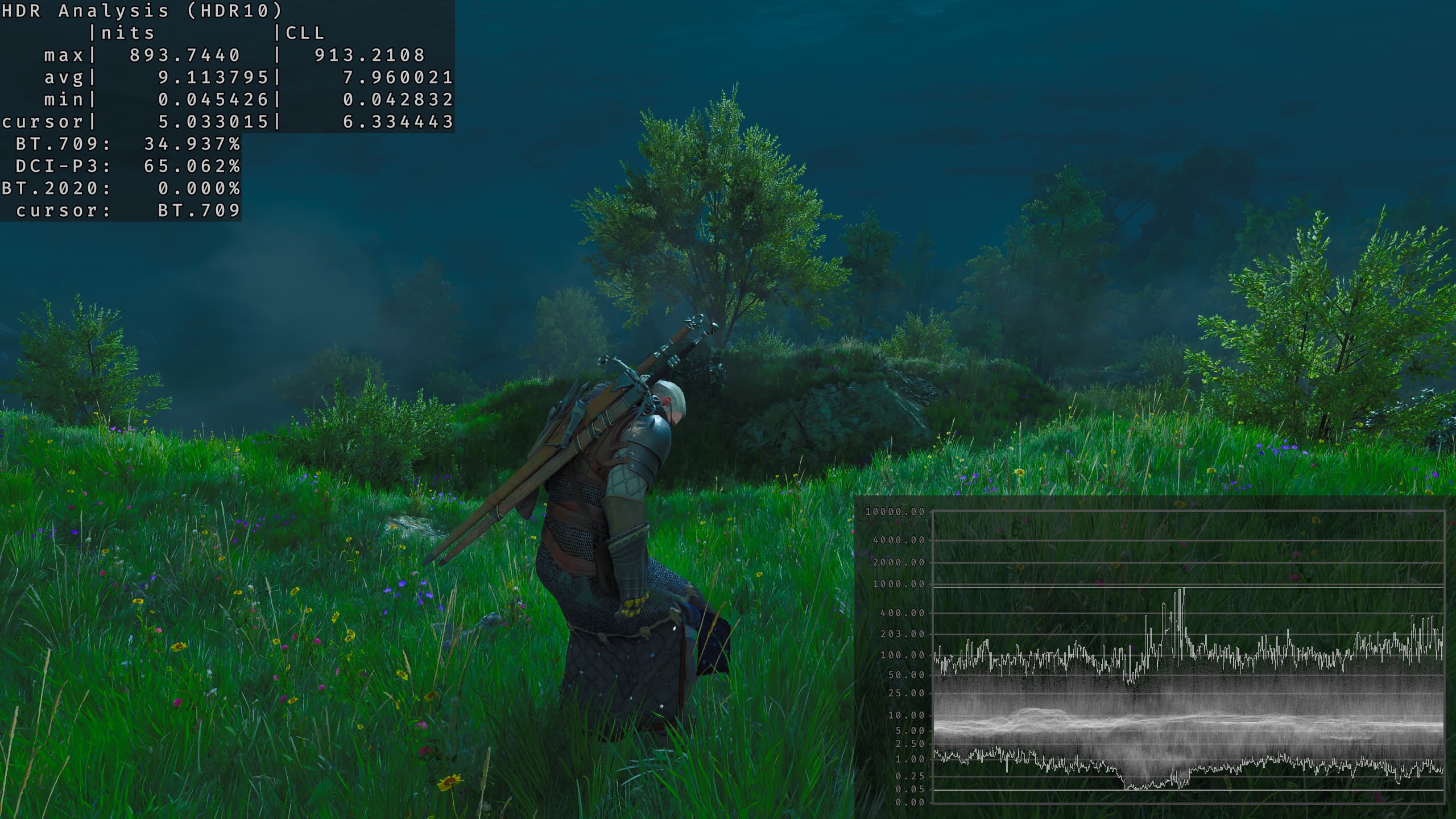
HDR analysis shows raised black levels
Again, if you want to use HDR, turn bloom off, as it washes up the image, rendering the colors inacurate.
- Paper White: 200 if your display's peak brightness is 1000nits, 250 for 1500nits, 100 for 400nits
- Saturation: The only thing it does is change the Color Volume in this game, so it is preference based
- Max Monitor Brightness: Set it to your monitor's max brightness value
Mods
If you have an NVIDIA GPU, you can use RHI (Reshade HDR Installer) to install NVIDIA Frame Generation mod for RTX 2000 and 3000, NVIDIA Multi Frame Generation Mod for RTX 4000, as well as the RenoDX mod for this game's HDR implementation.
- After Installing RHI, open it, search for Witcher 3 Remastered in the search field, and click "Install Reshade".
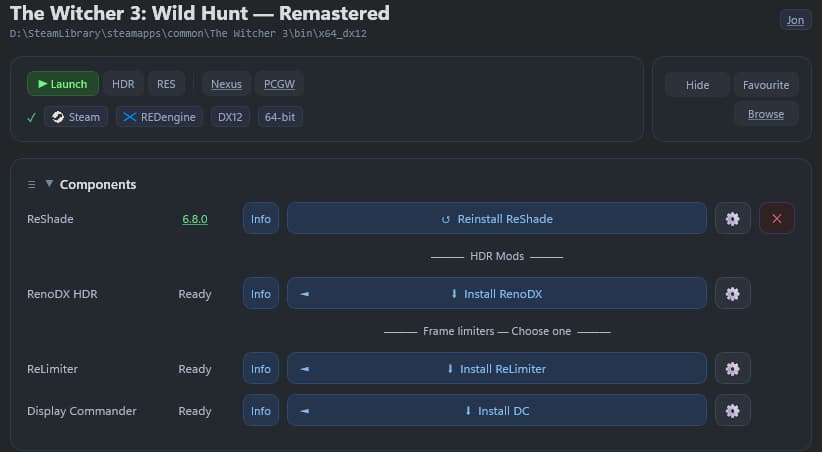
- Then Scroll all the way to the bottom, to the "Extras" section. Using just one click you now can use Frame Generation on your old NVIDIA GPUs.
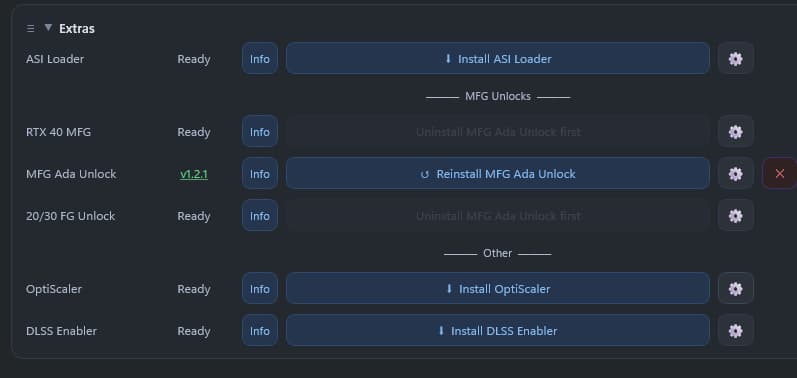
- Open the Reshade Menu with the "Home" button in game, and configure the mod.
Notice that Witcher 3 is a single player game and it has no anti-cheat, so installing Reshade for this game will not get you banned, but you should not install those mods for multiplayer games and games with anti-cheat.