ROB RUN is a player interaction driven game, and it's likely when you start playing that you'll want to play it with a group of friends. Sadly, you can only play with friends on the same server as you, and changing server regions can be quite difficult for newer players. In this guide we'll walk you through how to do both of those things.
 Use your favourite features in-game with our Desktop App
Overview
How To Change Server
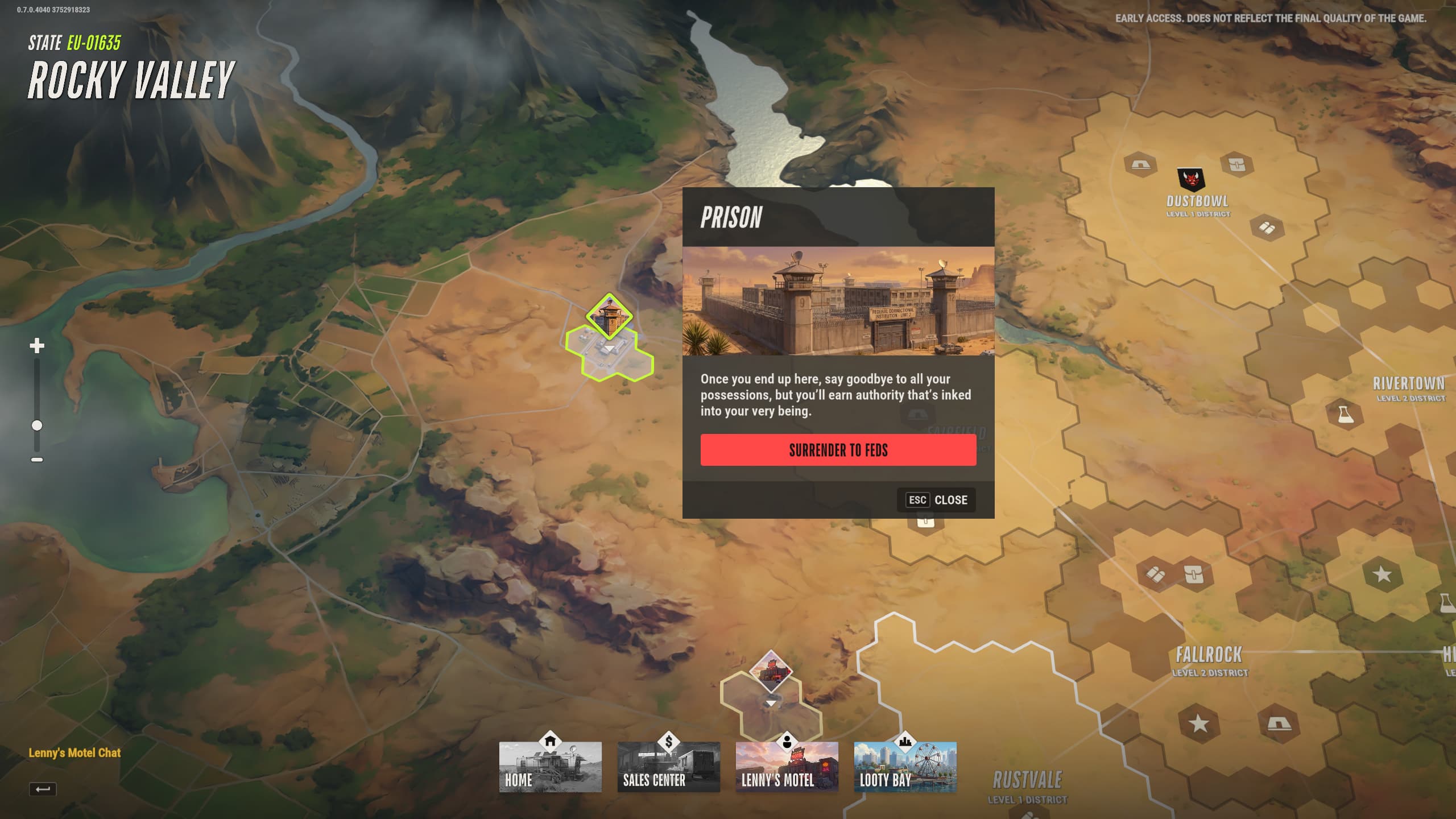
In order to change servers you'll first want to access the world map. You can do this easily by using a car and travelling to the edge of the map in Lenny's Motel. Once you access the map, navigate to the top left portion of it and select the prison. Be aware however that going back to prison will result in you losing progress, so only do this if you're certain you want to swap servers.
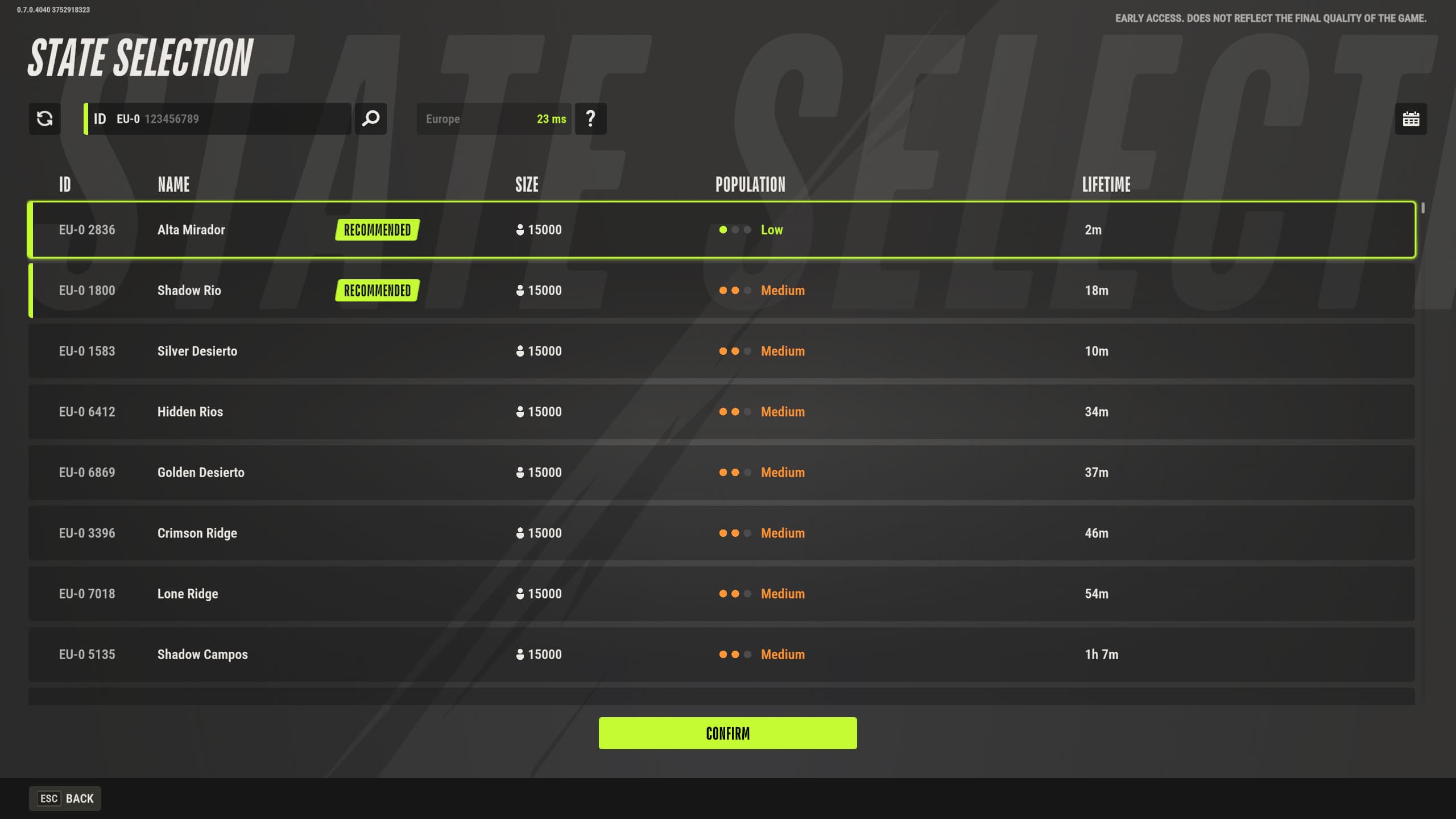
When you get back to the prison, navigate to the escape cell on the bottom floor and interact with it to bring up the server browser again. From here, you can re-select the server you wish to play on.
How To Swap Regions
Provided your issue is instead the desire to move to NA servers as opposed to EU (or vice-versa), here is how you change regions:
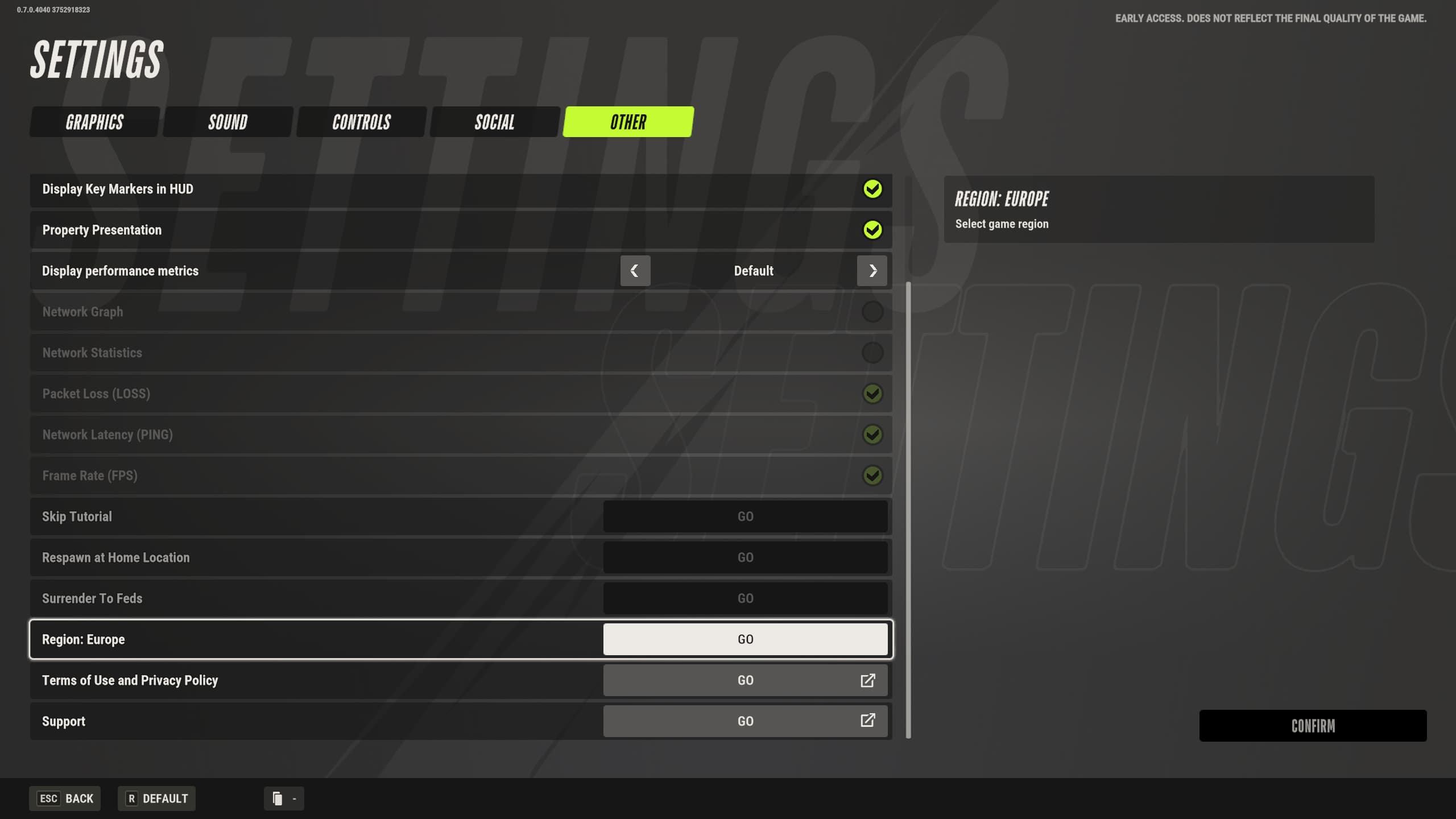
- Enter the pause menu and click on 'settings'
- Navigate to the 'Other' tab
- Scroll down until you see 'Region'
- Click the option, and set your new region if applicable
Be aware that swapping regions will result in the loss of all earned seasonal currency. Make sure you are okay with that consequence before changing. Once swapped over, you can select your server as explained above and continue playing!