Modern Warfare 4 introduces several changes to progression, loadouts, and weapon customization that are easy to overlook. Double XP tokens work differently, Tactical Sprint requires a specific Perk, and choosing to Prestige can temporarily remove access to parts of your setup.
These tips explain how the main systems work, what carries between DMZ and Multiplayer, and which decisions deserve a closer look before you commit.
Thanks to EUTOPIA for the launch tips and progression advice!
Use DMZ to Progress Your Multiplayer Account
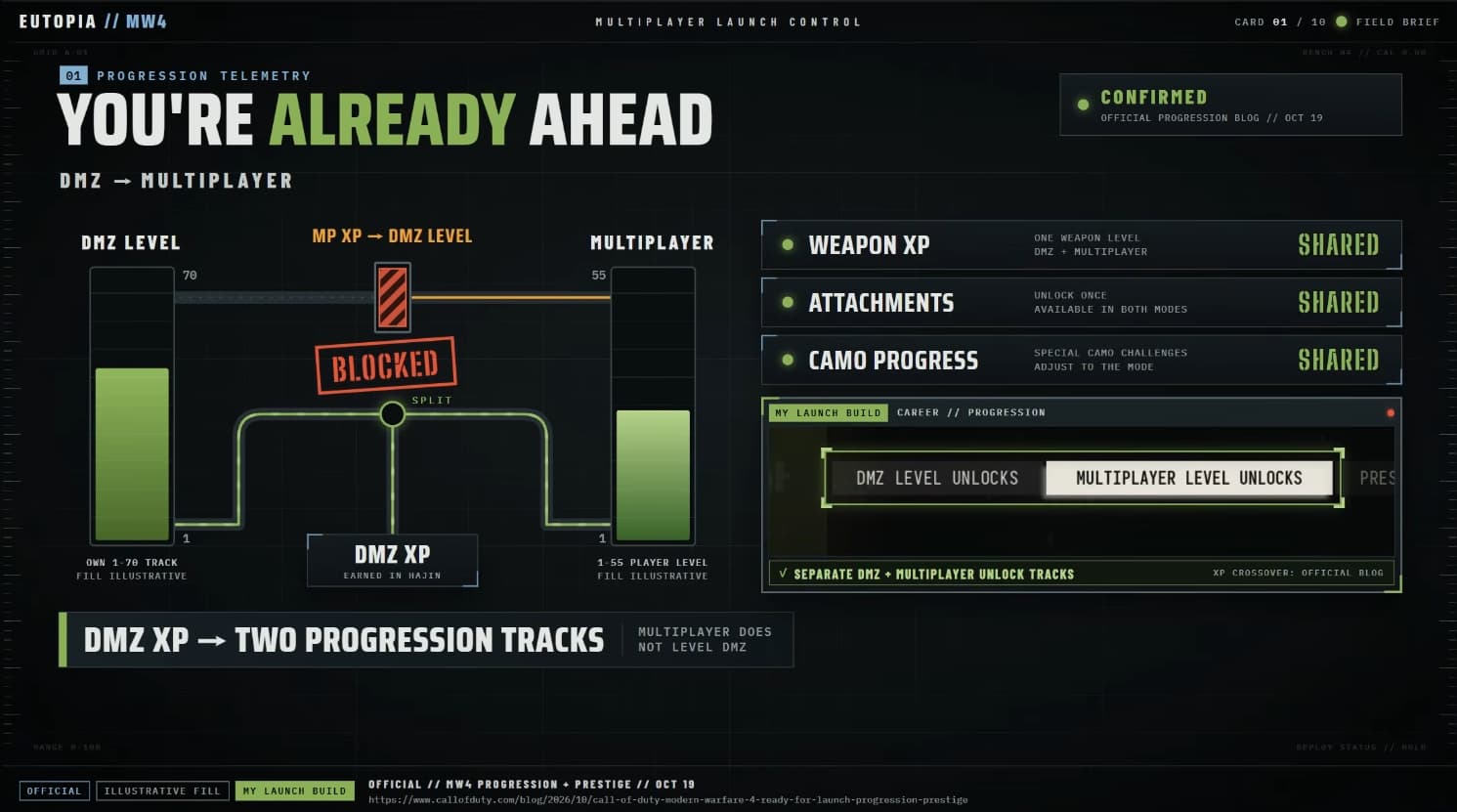
DMZ has its own progression track from Level 1 to 70, but the XP you earn there also contributes to your overall Level 1-55 player progression.
This only works in one direction. Playing DMZ advances both tracks, while playing Multiplayer does not increase your DMZ level.
Weapon levels, earned attachments, and shared camo progression also carry between the two modes. That means time spent developing your weapons in DMZ can help prepare them for Multiplayer.
Players who participated in DMZ early access could therefore enter Multiplayer with an established account level and upgraded weapons. If you enjoy both modes, you can keep working on shared progression while switching between them.
Check Your Existing Double XP Tokens
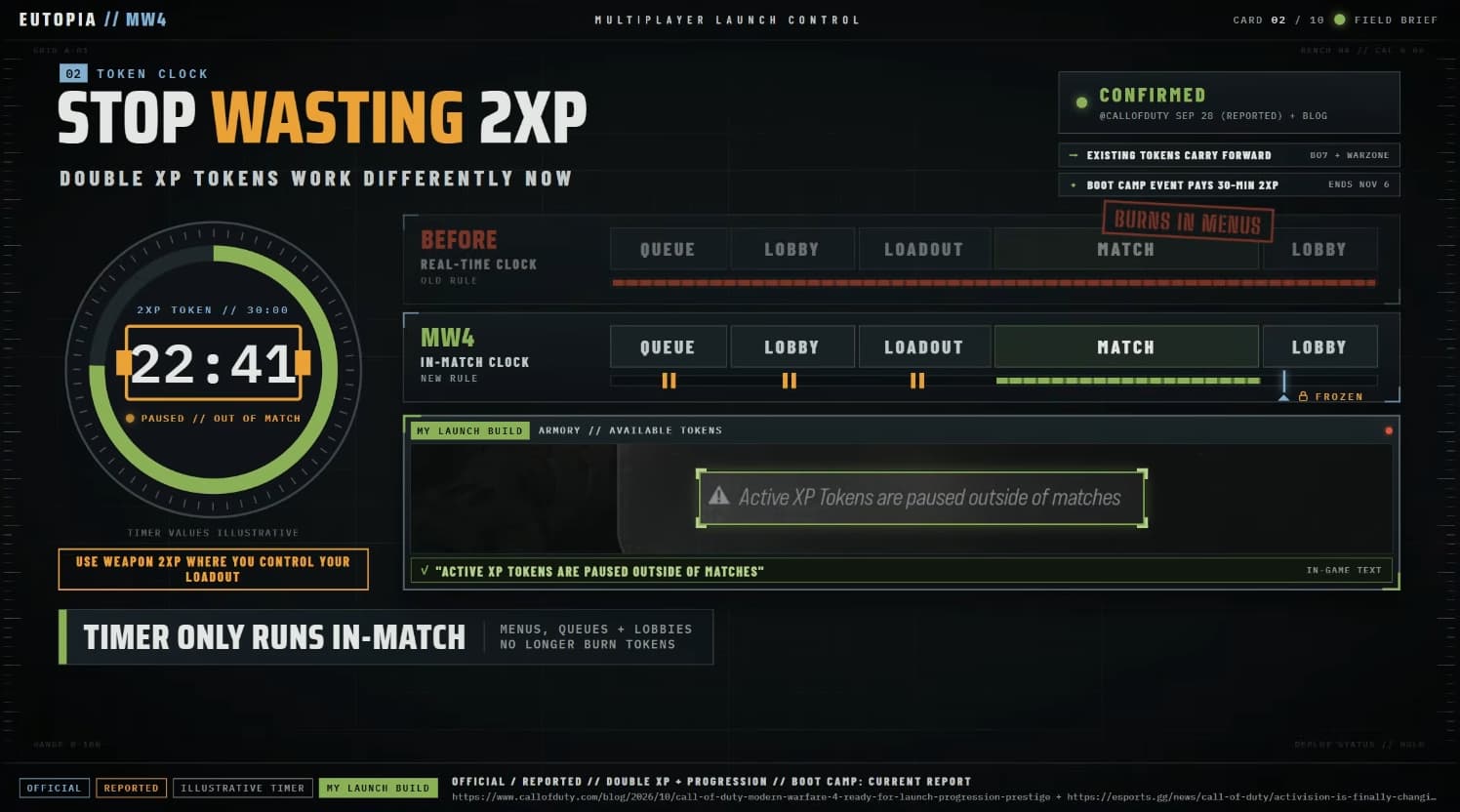
Existing Double XP tokens carry into Modern Warfare 4, so check your balance before beginning a long leveling session.
The biggest change is that token timers only count down during matches. Time spent waiting in lobbies, adjusting loadouts, or searching for the next match no longer consumes the timer.
You can take time to prepare your setup between games without rushing through menus to protect your remaining bonus.
Choose the token that matches your goal: player XP for account progression or Weapon XP when you want to develop a particular gun and unlock its attachments.
Save Your Gunsmith Builds Manually
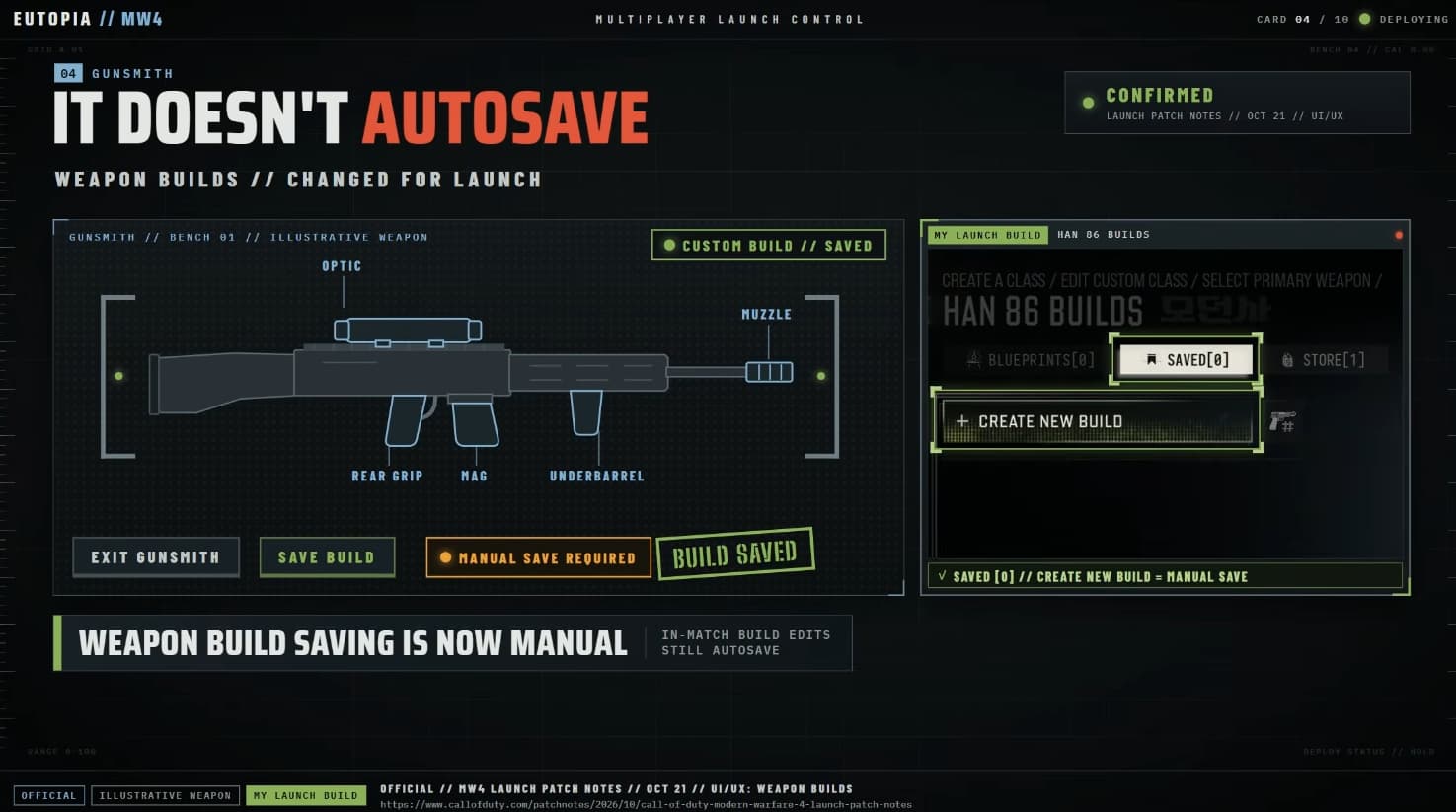
Weapon builds no longer automatically save whenever you leave Gunsmith from the menus.
After assembling a setup you want to reuse, manually save the weapon build. This is especially useful when experimenting with different attachments or keeping several versions of the same gun for different situations.
The distinction is between adjusting your current setup and saving that configuration as a reusable build. Don’t assume that leaving Gunsmith automatically adds a saved version to your build list.
There is an exception, weapon builds edited during a match are automatically saved.
Equip Blood Rush to Use Tactical Sprint
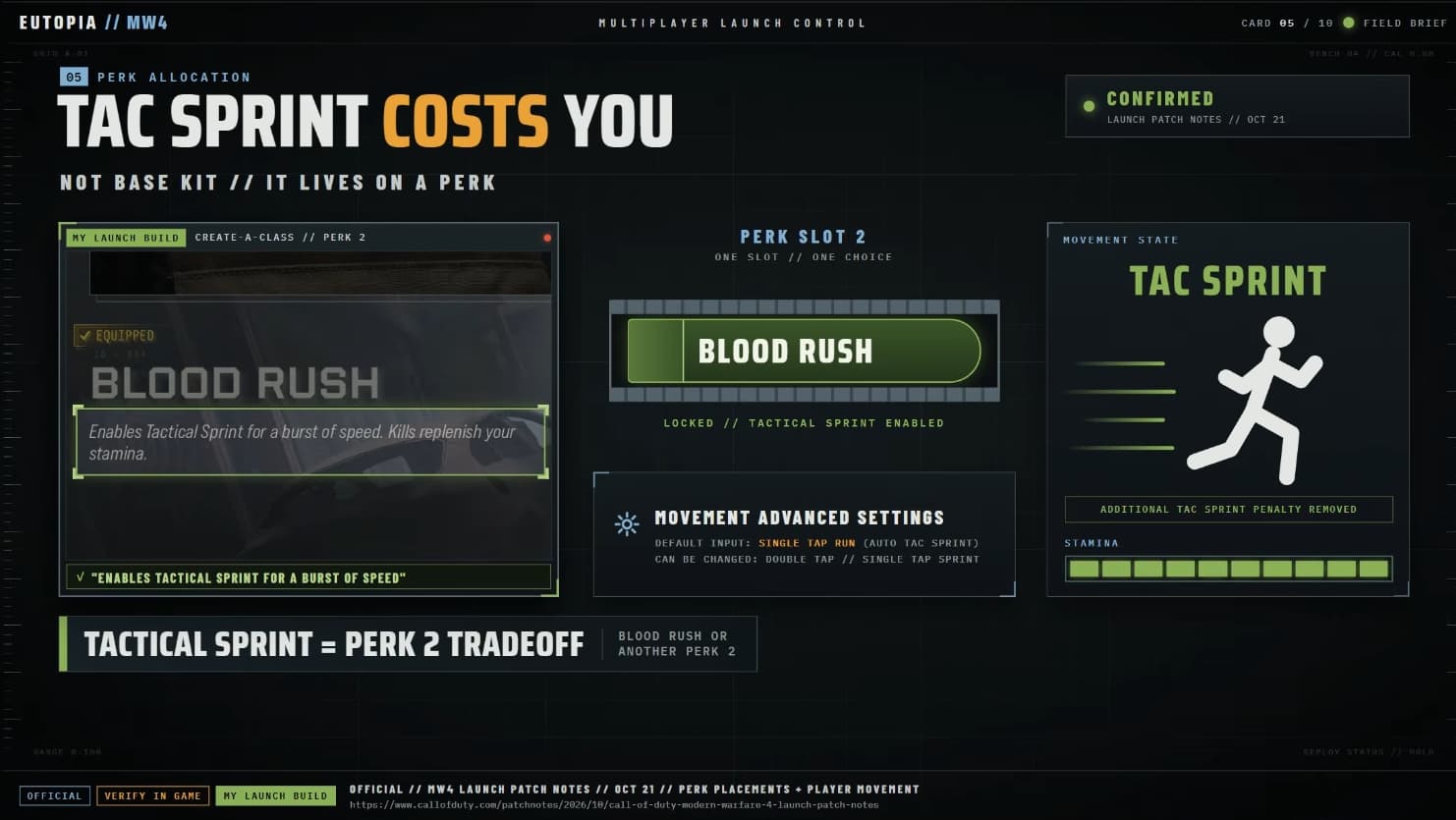
Tactical Sprint is no longer available by default. To use it, you need Blood Rush, which occupies your second Perk slot.
That puts it in competition with Hardline, Bomb Squad, Fast Hands, Ninja, and Birdseye. Consider how much you value the extra movement speed before choosing it over another Perk that supports your loadout.
With Blood Rush equipped, activating sprint triggers Tactical Sprint by default while you have stamina available. You can adjust this behavior in Movement Advanced Settings if you prefer more control over when it activates.
The additional sprint-out penalty normally associated with Tactical Sprint has also been removed. However, gaining access to it still requires committing that Perk slot.
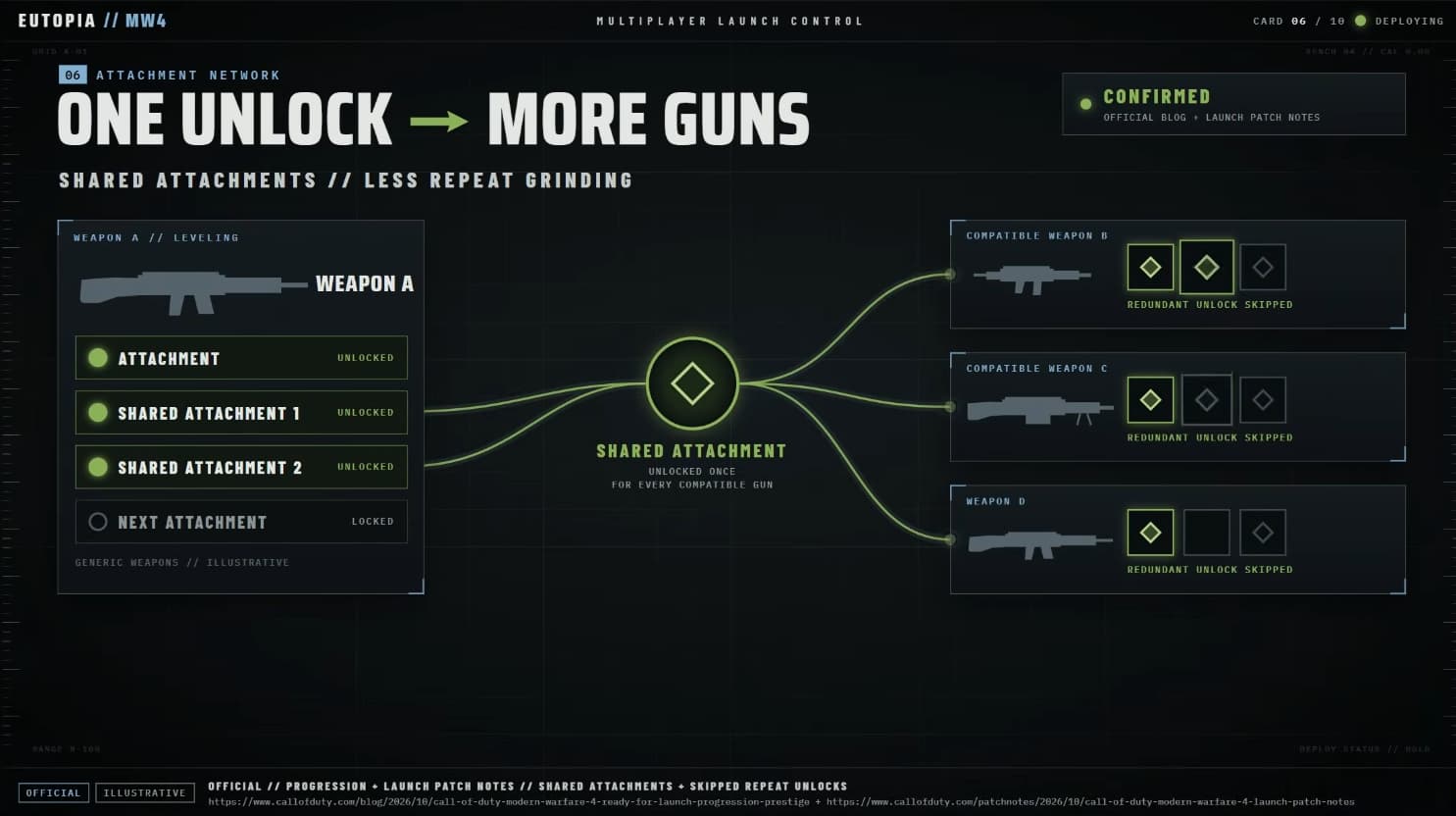
Build Up Your Shared Attachment Collection
Leveling a weapon can improve your options across more than one loadout.
Once you unlock a shared attachment, it becomes available on other compatible weapons without requiring you to unlock the same attachment again on each one.
This makes experimenting with different guns more useful over time. As your attachment collection grows, you can begin setting up compatible weapons with options you have already earned.
Focus on leveling weapons you enjoy and checking which attachments they unlock. You don’t need to settle on a permanent favorite immediately, particularly while you are still learning the available weapons.
Play Objectives to Help Earn Killstreaks
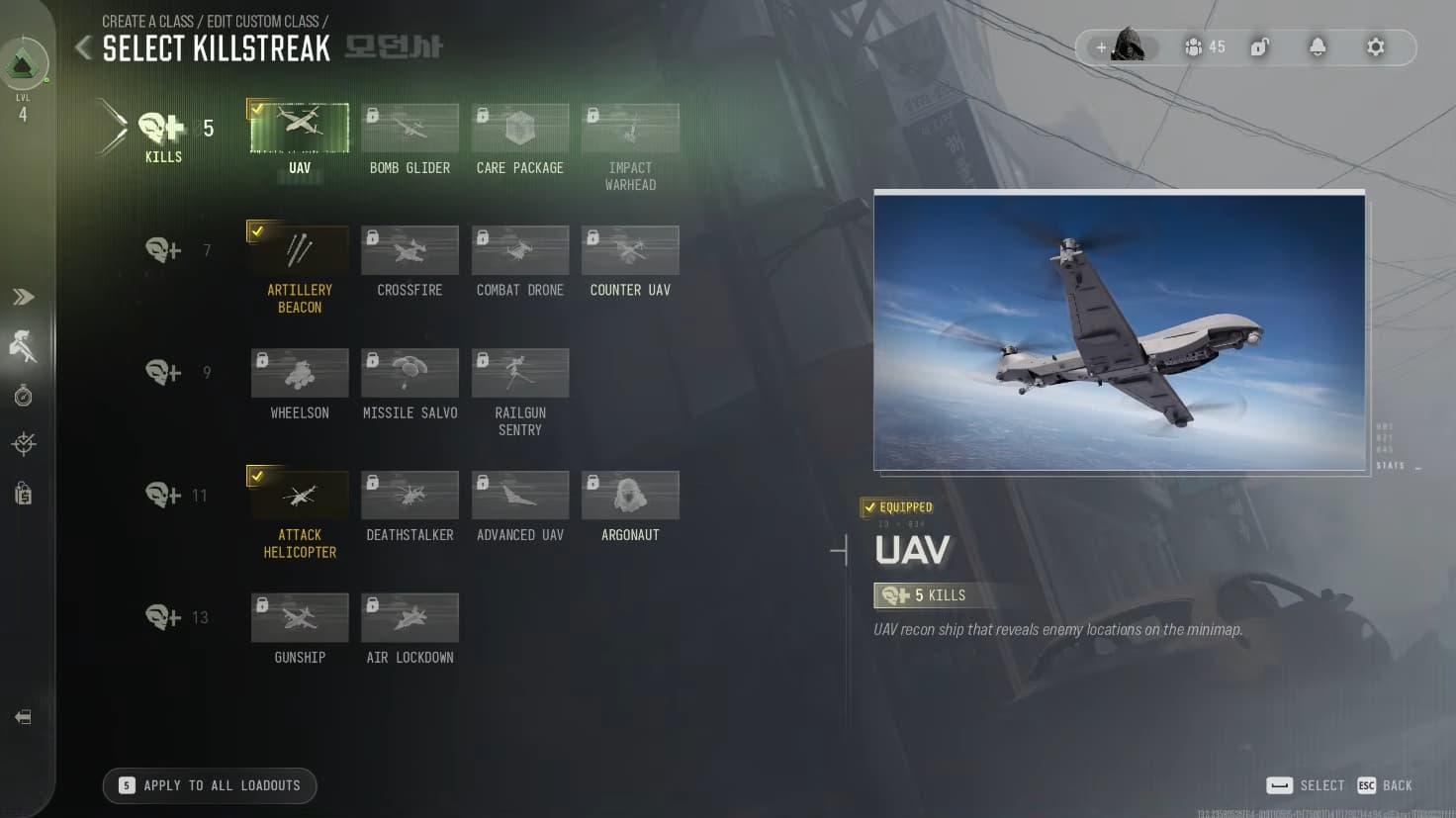
Modern Warfare 4 launches with 17 Killstreaks, and you can assign different selections to individual Multiplayer loadouts.
Use this to match your streak choices to the way you intend to play each class. You can keep one selection on an objective-focused setup and another on a loadout designed around a different role.
The Smart Streak Meter also rewards objective actions with progress toward your next streak. Capturing objectives can therefore help you earn support while contributing to the match.
For UAVs, the launch requirements are:
Five kills normally.
Four kills with Hardline equipped.
The UAV also has 150 health, increased from 100. Keep these launch values in mind if an older reference lists a different requirement.
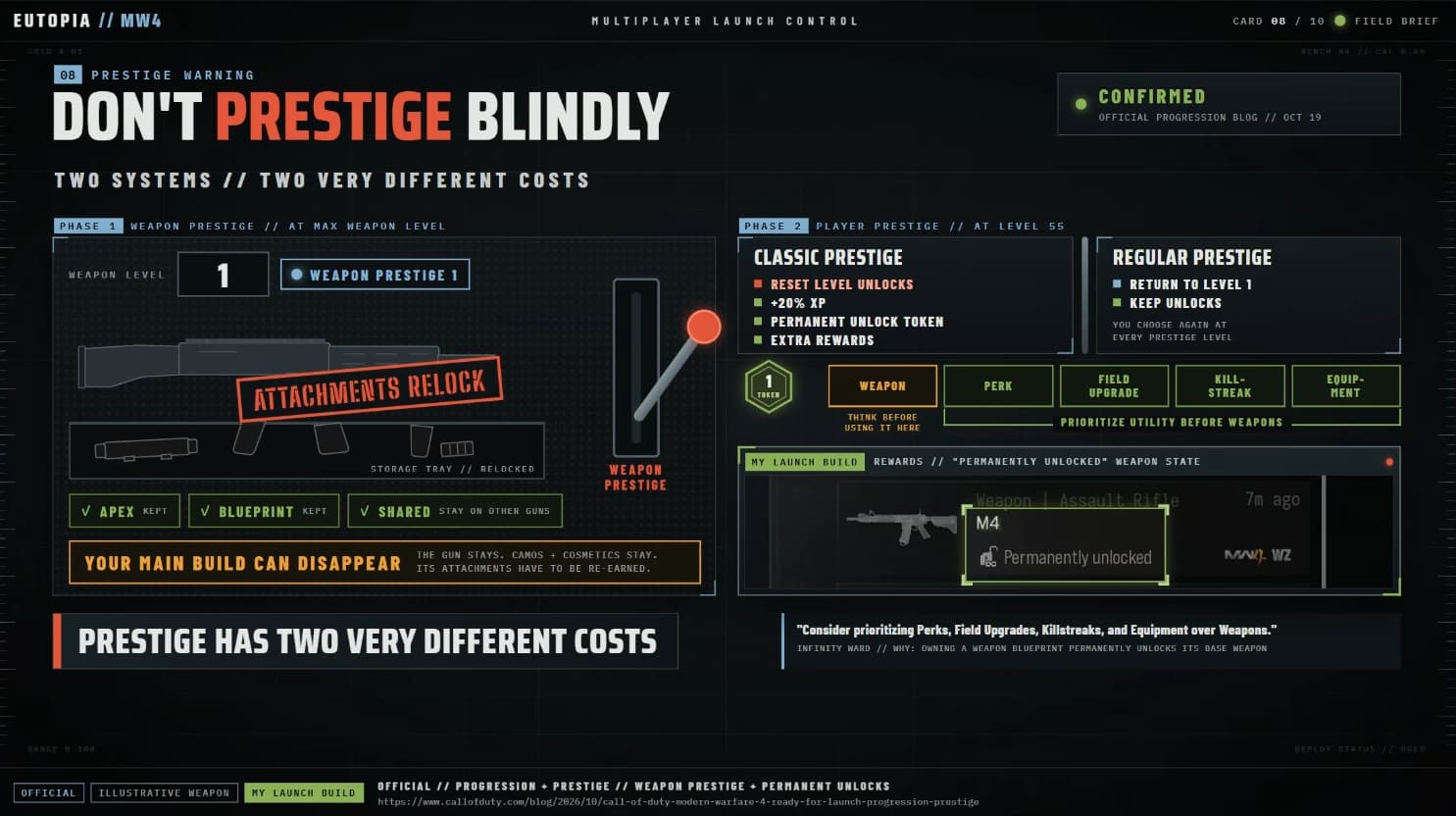
Understand Weapon Prestige Before Resetting a Gun
Reaching a weapon’s maximum level gives you the option to enter Weapon Prestige. Before accepting, consider whether you are ready to rebuild its attachment access.
Entering Weapon Prestige returns that weapon to Level 1 and relocks its normal attachments, including shared attachments on that weapon.
There are several exceptions and retained unlocks:
Apex Attachments and Weapon Blueprint attachments remain available.
Earned camos, reticles, and other weapon cosmetics are retained.
Shared attachments remain unlocked on your other weapons that have not been Prestiged.
This means prestiging your favorite gun can temporarily disrupt its setup, even though your wider collection and cosmetic progress remain intact.
After reaching maximum level again in Weapon Prestige 1, you enter Weapon Prestige Master without another level or attachment reset.
If you are still relying heavily on one fully developed weapon, consider waiting until you are comfortable leveling it again.
Choose the Right Player Prestige Path
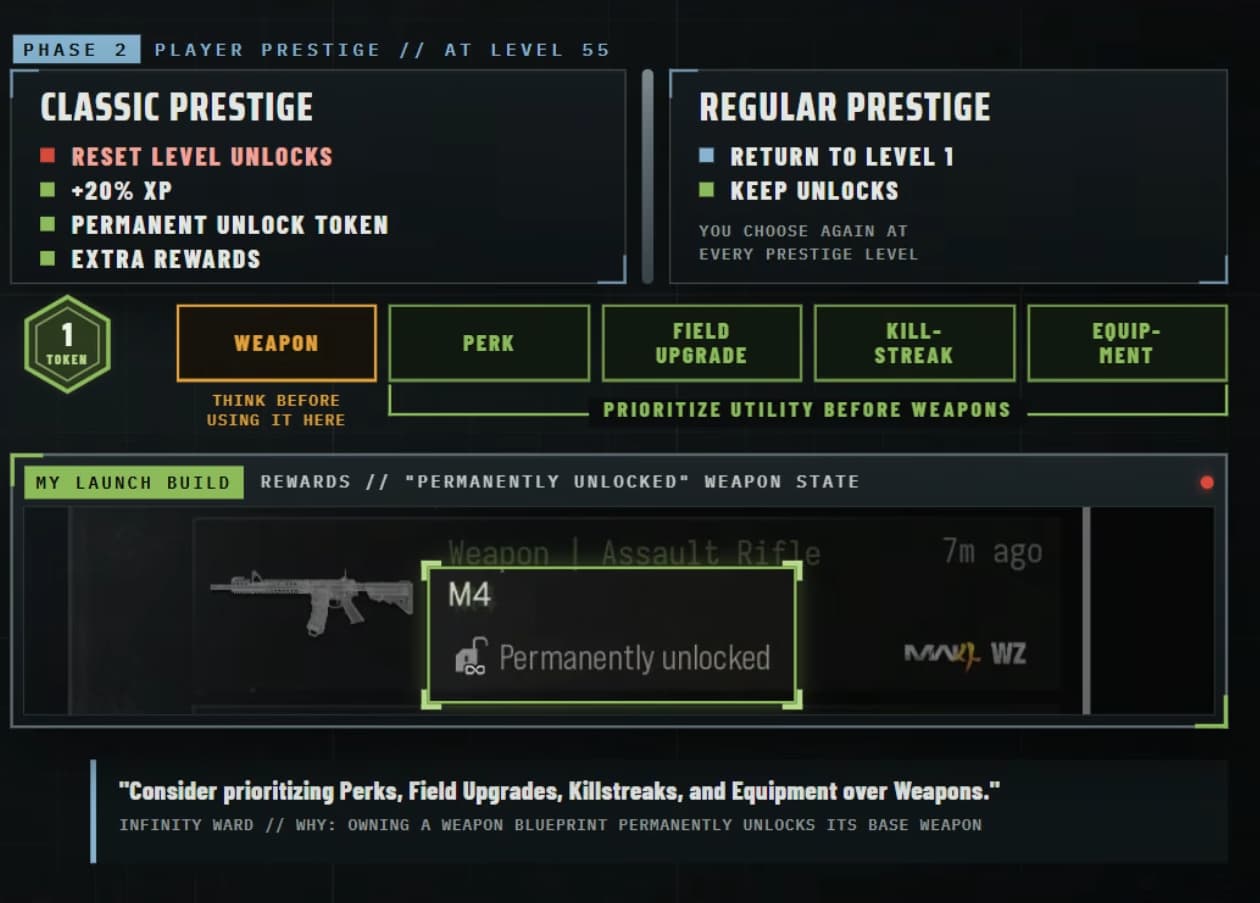
Player Prestige is separate from Weapon Prestige. After completing Player Level 55, you can choose between Classic Prestige and Regular Prestige.
Classic Prestige vs. Regular Prestige
Classic Prestige returns you to Level 1 and resets your level-based unlocks and Create-a-Class progression. In exchange, you receive a 20% XP boost, a Permanent Unlock Token, and additional cosmetic rewards.
Regular Prestige also returns you to Level 1, but keeps your level unlocks and Create-a-Class content available.
Choose Classic if you enjoy rebuilding your progression and want its additional benefits. Regular is the more convenient option if keeping access to your established setups matters most.
Spend Permanent Unlock Tokens Carefully
If you choose Classic Prestige, don’t automatically spend your Permanent Unlock Token on your favorite weapon.
Owning a Weapon Blueprint can already keep its base weapon permanently available throughout your leveling journey. Check what you own before using a token on something you can access through a Blueprint.
A useful Perk, Field Upgrade, Killstreak, or piece of equipment unlocked late in progression may offer better value. Prioritize something you regularly use and would otherwise have to spend time unlocking again.
Check Events and Daily Challenges
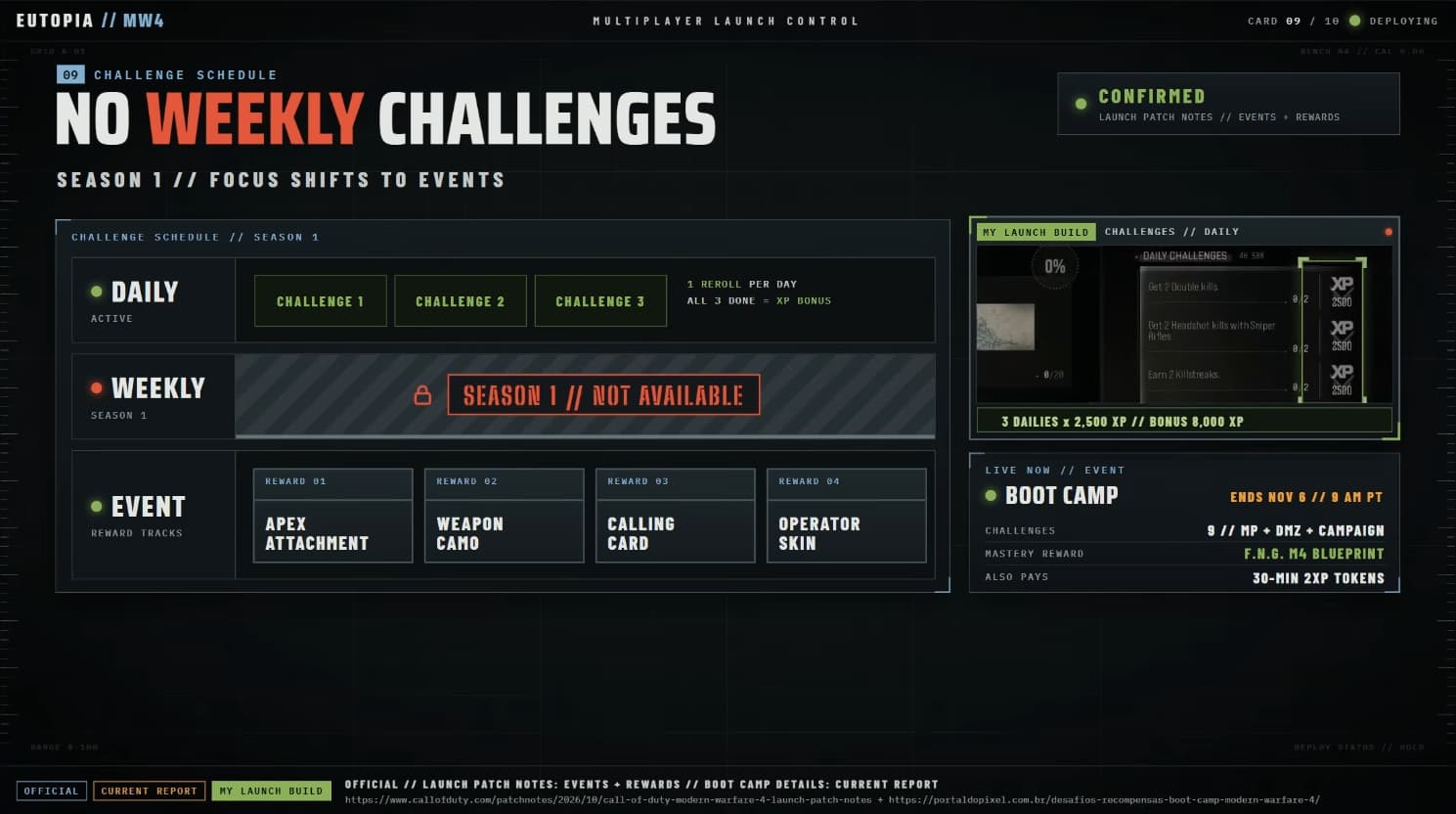
Weekly Challenges are not available during Season 1. Events take a larger role in providing additional objectives and rewards, with the first event beginning at launch.
Event rewards can include Apex Attachments, weapon camos, Calling Cards, and Operator Skins. Check the active event requirements so you know which rewards you want to work toward while playing.
Recurring events are also planned, giving players another opportunity to earn certain rewards they missed. However, check the details of each event rather than assuming every reward will always return.
Daily Challenges remain available, so keep checking them alongside the event objectives. They provide another way to earn XP while progressing your account and weapons.