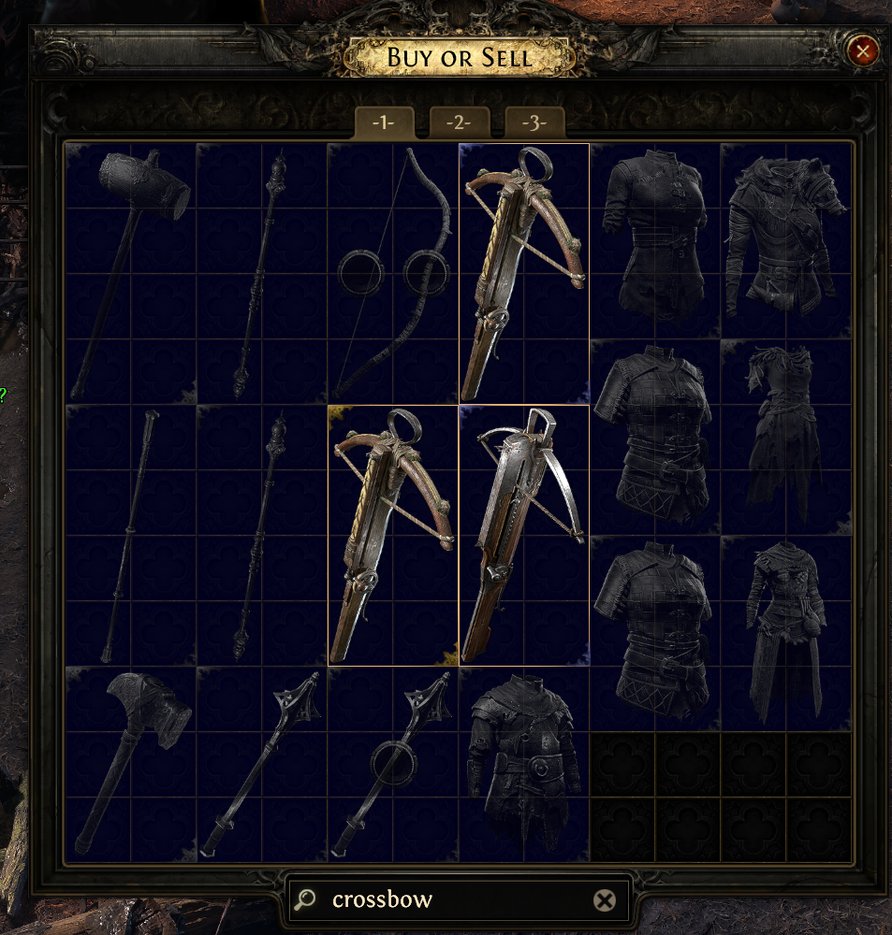
Search boxes appear in various parts of PoE 2: Vendors, Stash Tabs, the Passive Tree and Atlas Tree and players can use strings of text to highlight relevant sections of these windows to more easily find what they're looking for. This may be as simple as looking for a Crossbow in a vendor and clicking the search box and typing "Crossbow" or trying to highlight undesirable Map Modifiers so you don't accidentally run them, but more complex strings can be created to highlight multiple relevant items, or even item modifiers.
This string of text used to highlight relevant information is referred to as "Regex" (Regular Expression) and learning even the most basic form of it can be incredibly useful.
Guide
Search Boxes
Search boxes appear all over Path of Exile 2 and can either be clicked on to begin typing, or can be easily jumped to by pressing Ctrl-F. Below is an example of the Search Box that appears in Stash Tabs
Text can be written in these Search Boxes to highlight anything relevant that relates to that keyword, such as typing "Crossbow" into a Vendor - this will highlight all Crossbows.
Multiple Simultaneous Searches
Players are able to highlight more than one thing at the same time. For example, if you're starting a new character and want to highlight Crossbows, Boots with Movement Speed, Flat Added Damage to Attacks on Gloves and Cold Resistance, you can do all of these simultaneously by creating a regex string. There are a few important things to do when searching for multiple items
Start and end your regex string with quotation marks or inverted commas " "
Separate new search terms with a vertical line | . This key can be found next to the Enter key on most keyboards
You do not need to type the full word to highlight that thing. If part of the search term matches that item, it will still be highlighted. For example, instead of typing "Crossbow", you can instead type "sbo" since that will highlight all CrosSBOws. Just make sure to not use parts of words that could highlight undesired items as well, such as typing "Bow" to highlight CrossBOWs, since this will also highlight regular BOWs
There is currently a limit of 50 characters per Search Box, but this will likely be increased to 250 like was done recently in Path of Exile
You need to know the exact terms for what you are searching for to accurately highlight them
So let's create a Regex for a Crossbow Leveling that we can use on Vendors. We are looking for:
Crossbows
Boots with Movement Speed
Added Damage to Attacks (preferably on Gloves)
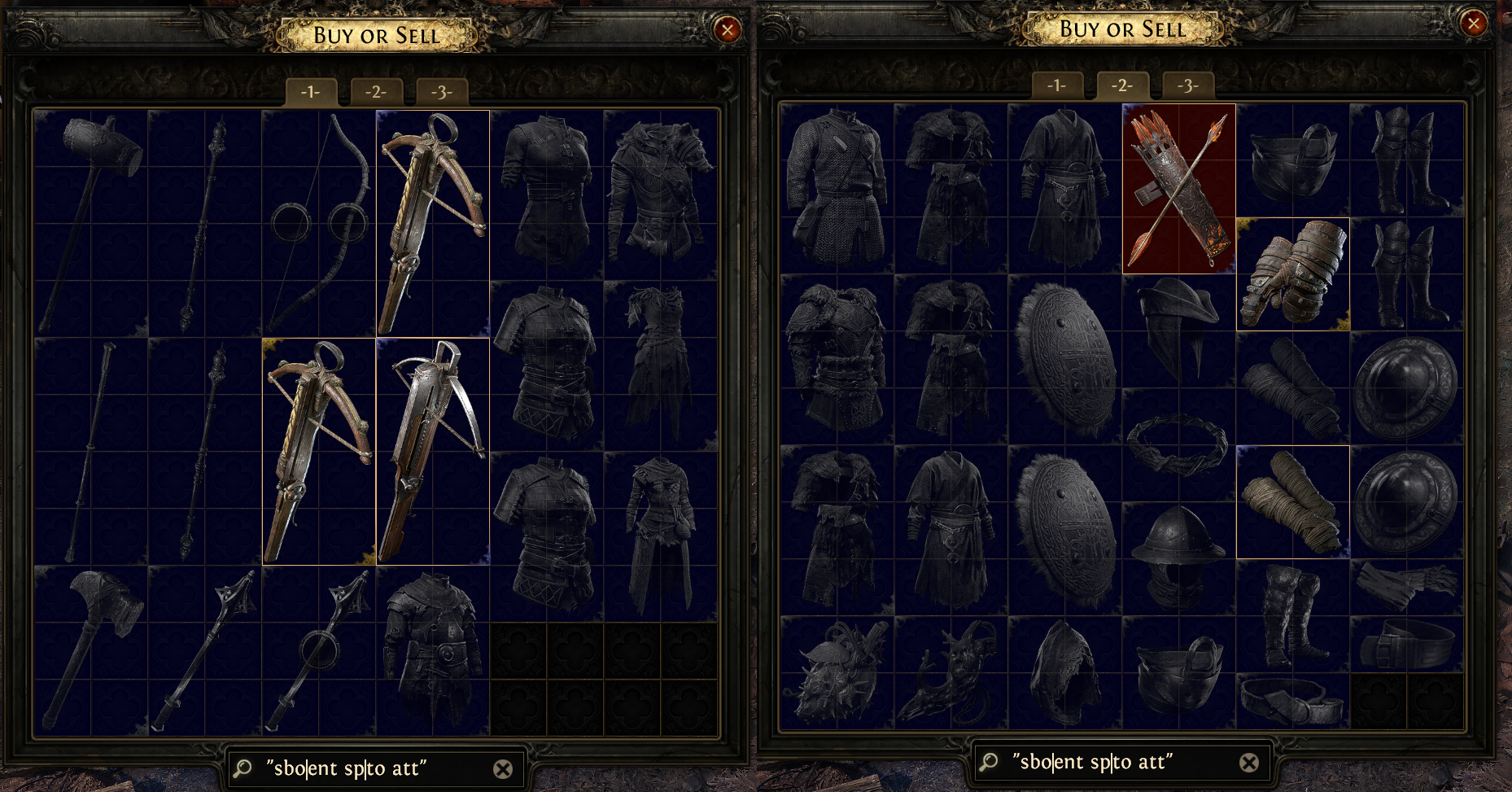
A simple regex string for this might look like: "Crossbow|movement speed|to attacks", but this could be shorted to "sbo|ent sp|to att" in case you'd like more space to add other search terms later. \
Excluding Results
Regex can also be manipulated to perform more advanced searches, such as highlighting certain items while excluding others, searching for values within a range, or searching for items that only meet multiple requirements
Exclude: Add an exclamation mark before the term (!)
Multiple Simultaneous RegexSearches: can be done simultaneously by keeping each set of searches within their own quotation marks and separating them with a space. For example "!quiver""sbo|ent sp|to att" would be the same search as above, but exclude Quivers from being highlighted because their implicit also often match the "Added Damage" criteria
This regex highlights everything we were looking for, but excludes Quivers from being highlighted
More Regex and Search Tricks
Jump to X
Another useful thing when searching for Passive Points on the Passive Tree and Atlas Passive Tree is that you can press the Enter key to jump to the next Passive that matches your search. This can be combined with regex searches to highlight very specific modifiers that you may be looking for.
Advanced Regex
Regex in PoE 2 can become extremely complicated but useful to more strictly search for exact modifiers, value ranges and more. However, in the majority of instances, the regex suggestions above will be the most commonly-used and useful for most players.
To create more complex regexes for things like rolling Waystones, you can use the website poe2.re
For further reading on advanced Regex, you can check out this guide from Reddit community member: TheRealBurgerNFries' Regex Guide
Saving Regexes
It's usually a good idea to save the regex strings you create in order to bring them up for later use, and there are few ways to do this:
Many players use their Social window Status to save a Regex. This can be accessed by pressing J. Don't be surprised if you get confused messages from your friends when using this.
Exiled Exchange 2, a popular price-checking tool, allows for storage of regex
Use a Notepad document!
Saved regexes can be copied and pasted by pressing ctrl-c and ctrl-v to apply them easily