menu
MobalyticsUse your favourite features in-game with our Desktop App
Gamebase

GTA 6: How To Save Your Game

Guides
GTA 6
By Jack Briggs
Updated on Nov 19, 2026
Nov 19, 2026

Overview

GTA 6 uses both autosave and manual saves, and you should know the difference before you spend hours in Leonida. Autosave is handy for routine progress, but manual saves are the only way to preserve a specific moment, especially since the game has no mission replay at launch. Here’s everything you need to know about saving, loading, and protecting your progress.

Make sure to check out our PlayStation and Xbox Control Guides for other important systems.
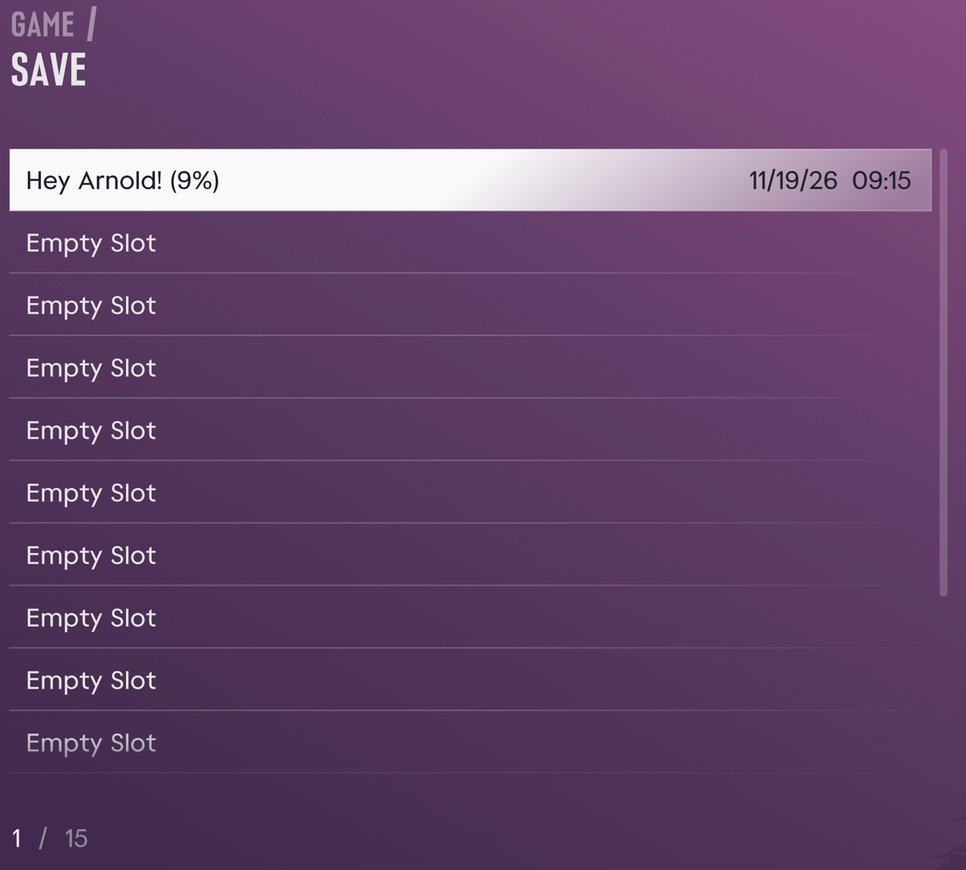
How to Manually Save and Load

Saving

You can save manually through the pause menu. It works anywhere in free roam.

  1. Press Options on PS5 or Menu on Xbox to open the pause menu.
  2. Go to the Game tab.
  3. Select Save Game.
  4. Choose an empty slot to create a new file, or pick an existing manual save to overwrite it.
  5. Confirm, then wait for the save to finish before closing the game.

GTA 6 Save Screen

If you’re coming from GTA 5, you don’t need to hunt through the phone for Quick Save or walk back to a safehouse bed.

Loading

  1. Open the pause menu.
  2. Go to the Game tab.
  3. Select Load Game.
  4. Choose the autosave or the manual file you want to resume.

When Can You Save in GTA 6?

Two limits apply.

In the prologue, manual saving is locked during the opening sequence, so you rely on autosave until it ends. It unlocks when you arrive at Jason’s house at the marina, usually after Brian's first job.

During missions, the Save Game option is usually greyed out. If you can’t select it, finish the mission and save from the open world.

Save Slots and Auto Saving

GTA 6 has 15 Manual Slots for saving and overriding, but only 1 Autosave Slot.

The game autosaves after major mission milestones, key story events, and significant purchases. Open-world events can trigger it too. The autosave shows up as a separate file in the Load Game list alongside your manual saves.

With only one autosave slot, be warned: loading an older manual save overwrites your autosave. Make sure to save your current progress to a spare manual slot before you load an older file.

Because there’s no mission replay at launch, a manual save is the only way to revisit an earlier mission or take a different decision. We recommend making a manual save before major story missions and significant choices if you don't want to start an entire playthrough over.

Comments

0

Table of Contents

See More

How to Access ALL TV Console Games in GTA 6
Updated on Nov 19, 2026
Grand Theft Auto 6 - Full Trophy List & Walkthrough
Updated on Nov 19, 2026
GTA 6: Controls (Xbox Button Scheme)
Updated on Nov 19, 2026
Pre-Load GTA 6 Now - Latest News, Release Date and More
Updated on Nov 19, 2026
GTA 6 Soundtrack: All Artists, Songs, and Radio Stations
Updated on Nov 19, 2026

Like our guides?

Add Mobalytics as a preferred source on Google!