In patch 3.27, we've received one of the greatest changes to ever come to Path of Exile: Merchant Tabs. These tabs enable offline and asynchronous trading, meaning you don't have to leave your map to sell your loot. Better yet, you don't even have to be online!
Faustus now lives in your hideout and manages your personal store while you are away. You'll chat with him to both list items and receive the earnings he collected on your behalf while you were out killing monsters.
Guide
In order to take advantage of the Merchant Tabs, you'll first need to either purchase them using points or convert a Premium Stash Tab to a Merchant Tab. All premium normal stash tabs purchased before Path of Exile patch 0.3 are convertible to Merchant Tabs at no cost to you.
In order to take Upgrade your Premium Tabs to Merchant Tabs, you'll need to log into your account on the pathofexile2.com website. Pre 3.27 release, this is the only way to perform this conversion -- there is no similar link on the pathofexile.com website. Here are the steps:
How to upgrade your Premium Tabs to Merchant Tabs
1. Log in to your account on pathofexile2.com
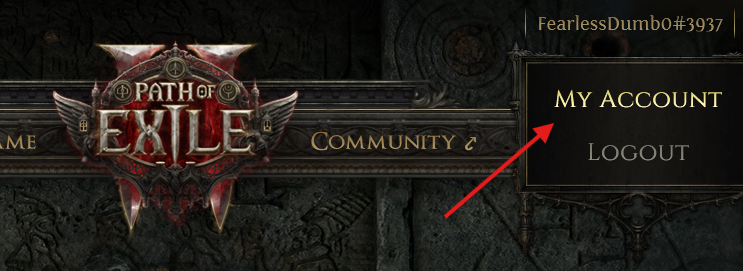
2. Select My Account from the account pull-down in the upper right
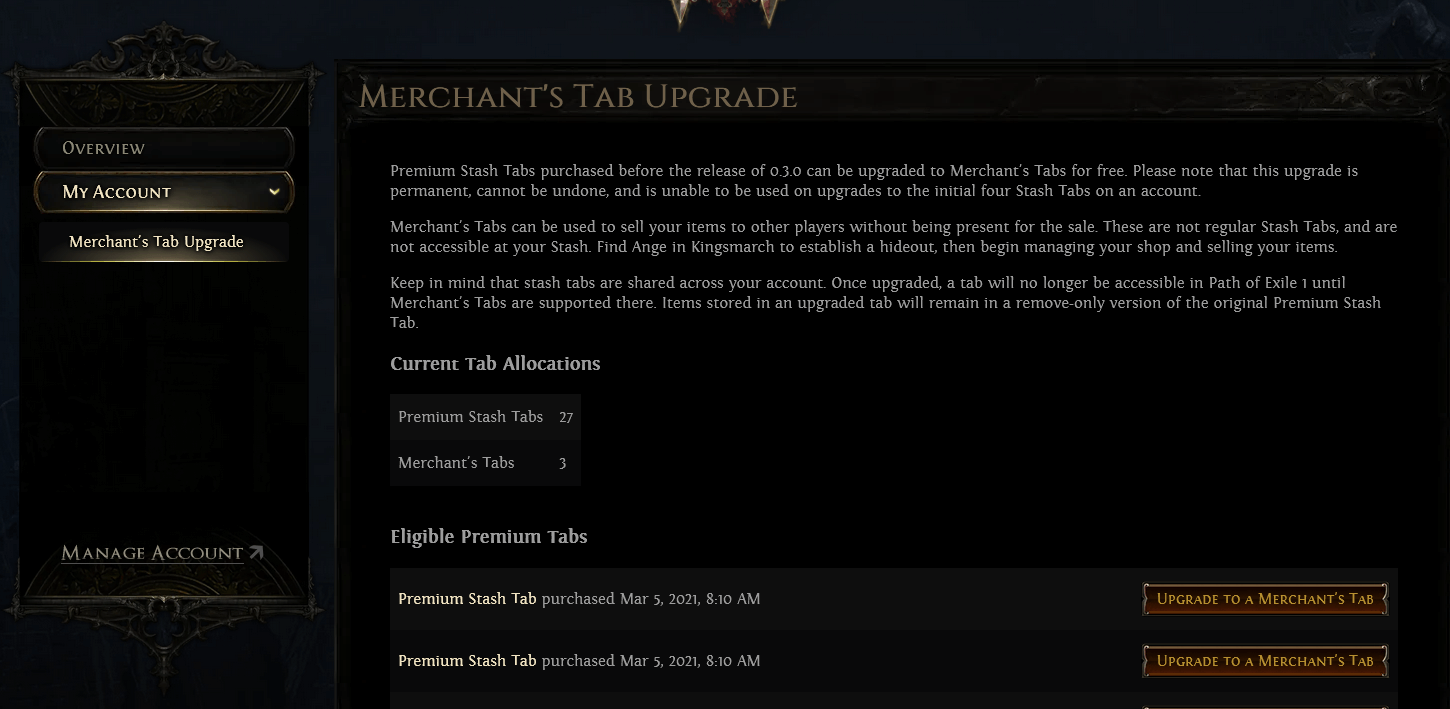
3. Click Merchant's Tab Upgrade on the left menu
4. Read the information on the upgrade, they are permanent.
5. Select which tabs you'd like to upgrade from Premium to Merchant
Listing Items
Listing Items is easy, though a bit different than you are used to with Premium Stash Tabs. Once you've either purchased or converted your tabs you'll find them at Faustus in Act 6, or in your hideout once you've met him.
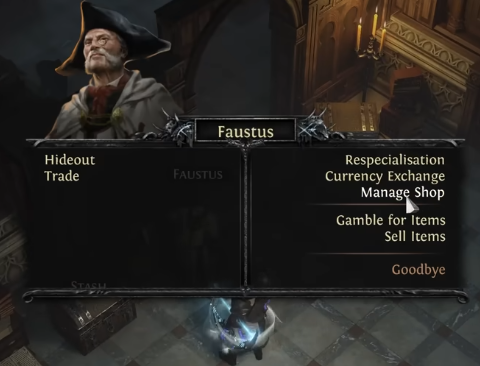
First, open a dialog with Faustus and select the Manage Shop option
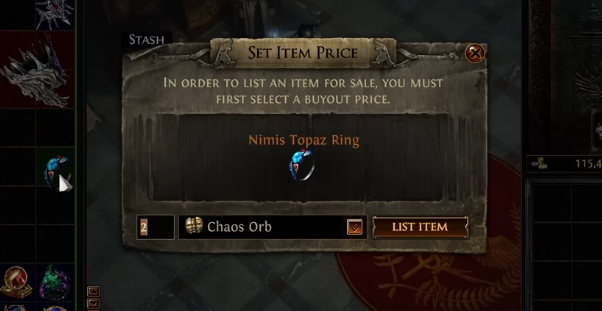
Next drag the item over to the tab, which will initiate a dialog box to let you price it. Select a currency type and an amount before hitting the List Item button.
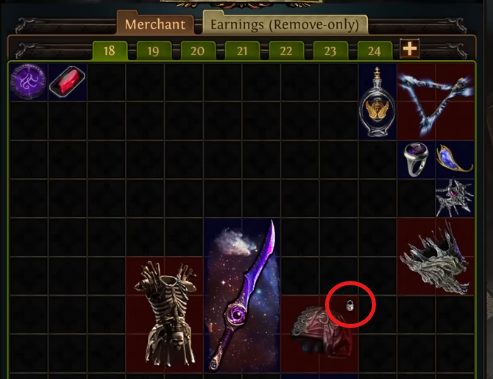
IMPORTANT: There is a lock period once an item is listed to prevent market fixing. A few seconds after you press the List Item button it will no longer be modifiable. Double check items, particularly expensive ones, that you have the correct currency listed!
This is what a locked item looks like:
That's it! Now you can return to mapping or go have dinner and Faustus will do the hard work of responding to trades.
Receiving Currency for Sold Items
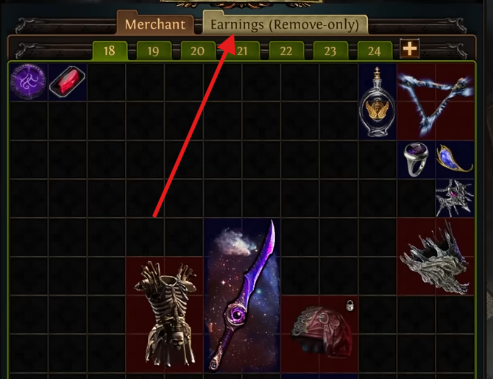
Once you've made a sale, you can return to Faustus to receive your rewards. Return to the same menu you used to list items by opening the Manage Shop dialog once more.
This time, instead of moving your items over to a Merchant Tab you own, select the Earnings (Remove-only) tab.
Buying Items
Purchasing items using the Buyout system is similar to the whisper system used by Path of Exile prior to 3.27, though now we also have an in-game browser to do the trade if you'd prefer not to leave the game. Both options will work.
Note that purchasing items always costs the buyer Gold + the currency required to purchase. Make sure you have enough of both!
Using In-Game Trade
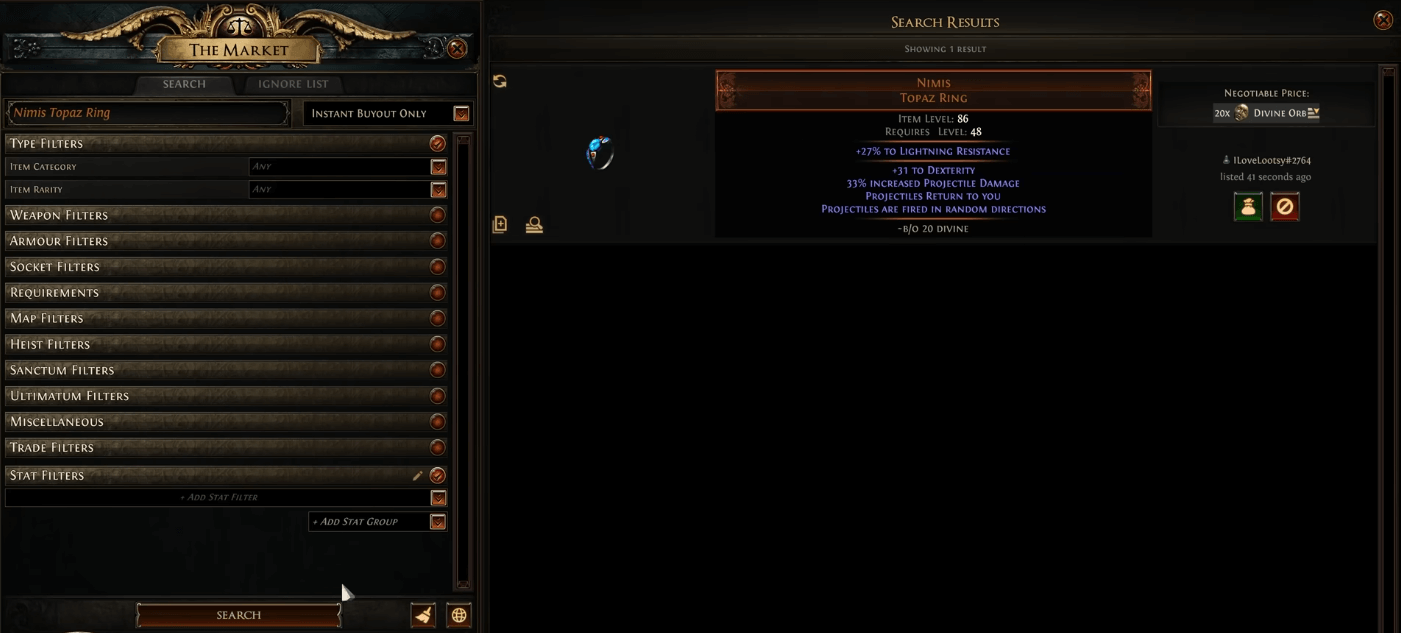
Press the ',' button, which is the default key-bind for in-game trade. This will open a UI designed to construct filter queries similar to the external trade website. You can filter items by many criteria, expand the pull-downs on the left to scope it to an item you would want
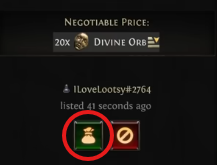
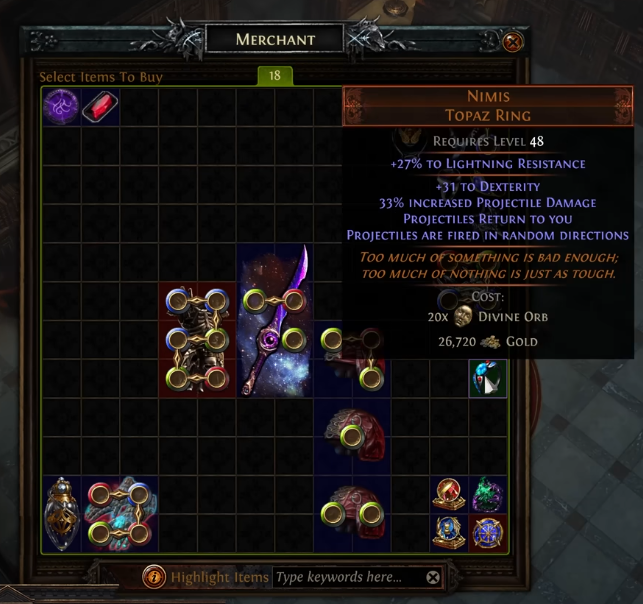
Once you've found what you are looking for, you can buy it by clicking the satchel icon next to the item listed.
This will teleport you to the seller's hideout where you can interact with their version of Faustus. He will present you a real-time view of the merchant tabs for the seller where you can peruse their other items as well.
Using the Trade Website
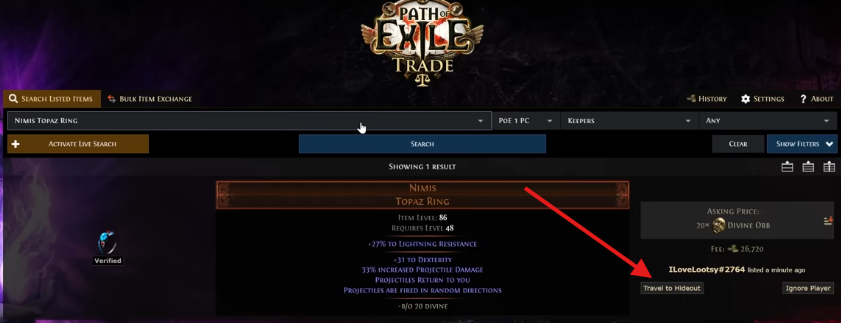
The trade website found at pathofexile.com/trade also allows for async trade through Faustus. Instead of opening the in-game trade tool you will instead search for an item you are interested in and press the Travel to Hideout button.
IMPORTANT: You must be logged in to the game in order for this to work, for obvious reasons.
Avoiding Scams
This new system is exceptional and has worked well for PoE 2. It will eliminate almost all of the former scams popular by less than honest players predating 3.27, however there is a scam unique to this new system to be aware of.
If you are buying several similar items from a user, make sure to double check the currency it's listed as before clicking it. Many people lost hundreds of divines in PoE 2 0.3 buying bulk items like crafting bases because they saw a large number of similar items from a user and did not notice one valued at 40 divines while the rest were 40 exalts.