The Timeless Jewel system in both Path of Exile games is VERY difficult for new players to understand and navigate.
This guide helps you identify the MODIFIERS that you want for jewels generically, then target and search jewels that give you those modifiers on your actual skill tree.
Stepwise, you will learn to:
1 --> Identify the Jewel that you need
2 --> Find the seed for all the options that you could buy
3 --> Select the jewels on the trade site for purchase
Usually you are seeing some Timeless Jewel here on a Mobalytics guide and especially in a POB. Here is an example POB of my Shield Crush build that has a Lethal Pride (Rakiata Tempered by War) jewel in it: https://poe.ninja/poe1/pob/887c8.
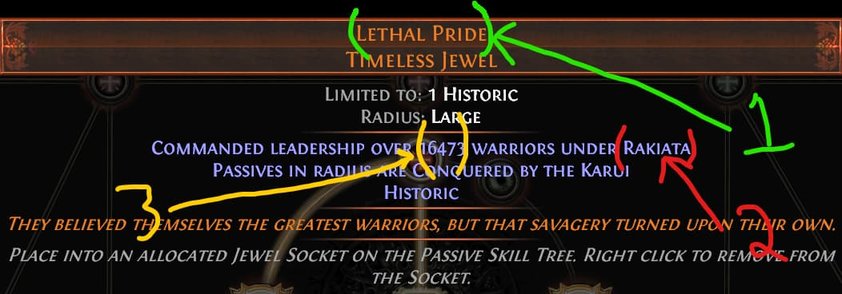
There are three things you need to know about my jewel to understand how to search for it:
1 --> What type of Jewel?
This is at the top of the name, mine is "Lethal Pride"
This is more or less a "sub-type" of the jewel. And you'll need this to narrow your search on the calculator website.
In our example here the conqueror is Rakiata. Each jewel Type has its own set of conquerors.
3 --> What mods is that seed number giving?
This is the REALLY confusing part. You don't actually need the exact number that you see (and you don't even need to know the number). However, you need to know what modifiers that number is creating on the passive tree.
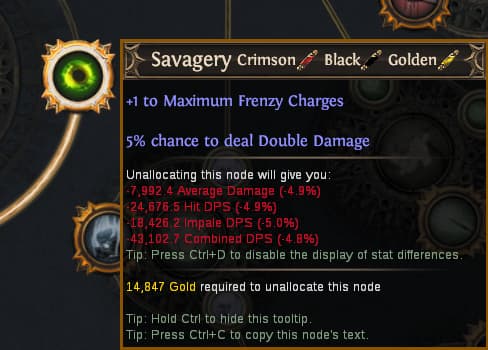
To find the mods that it gives, you need to actually open this build in POB, and hover over the nodes. You will see the Timeless mods in text below the main mod of the passive tree. Here is an example for the Savagery node:
Here you need to actually assess which of the mods is important, and which ones may be required. With these 3 things in mind, head over to the Timeless Jewel Calculator website.
Step 2: Find Your Jewel Mods & Jewel in the Calculator Tool
4. Select the Passive nodes that you'd like to have searched
5. Select your Jewel type (i.e. Brutal Restraint)
6. Select your Conqueror (i.e. Rakiata)
7. Search and Review the Results
Step 3: Open Your Best Results in the Trade Site
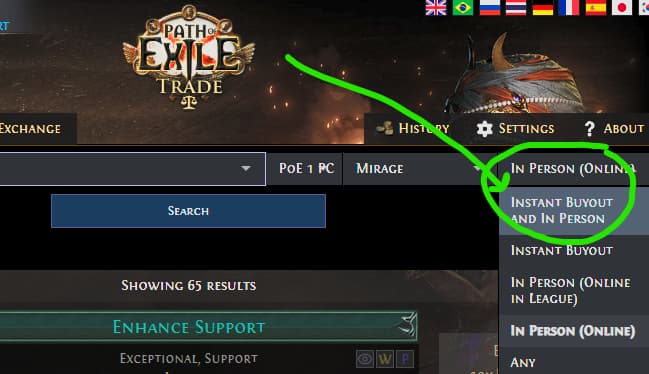
When you open each option on the trade site, it is going to load them as "In-Person" trade only. You want to change this to In-Person and Instant Buyout and search again:
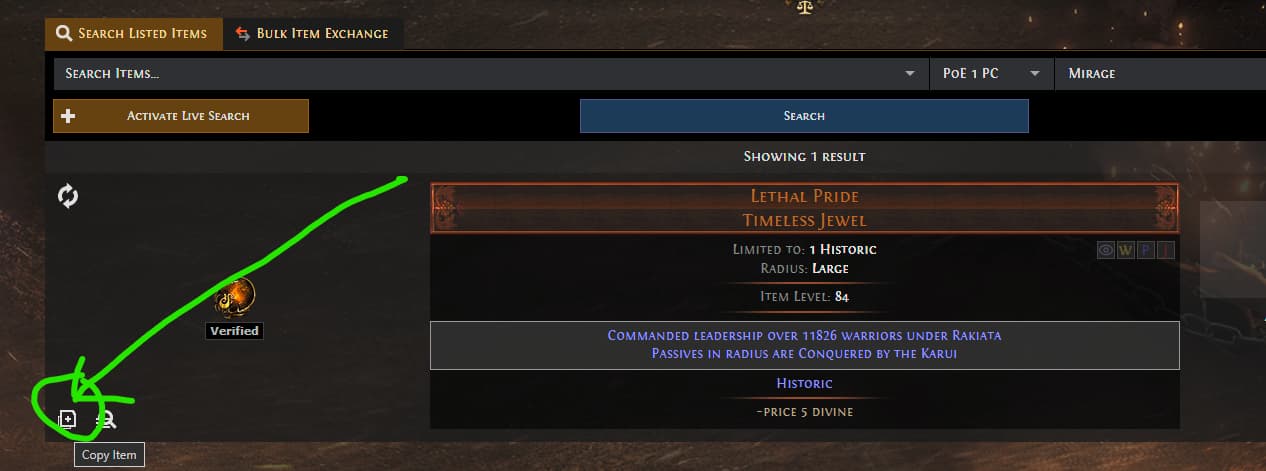
Find the jewel that you intend to purchase, then go on to step 4 to validate the jewel before you buy
Then in Path of Building, go to the Items, tab and hit Ctrl + V to paste the item in. Change that item to your intended Jewel socket, then validate the nodes in your passive tree layout in POB.


 Timeless Jewel system in both Path of Exile games is VERY difficult for new players to understand and navigate.