
Patch 0.3 introduces Merchant Tabs which enable asynchronous and offline trading. This is a seismic shift in Path of Exile which has traditionally required active participation from a player to facilitate trading currency for items.
 Use your favourite features in-game with our Desktop App
PoE 2 Guide
0.3 Trade Update: Merchant Tabs - Async / Offline
News
Overview
Setting Up Your Merchant
Merchant Tabs allow you to list your items at a price of your choosing through a proxy merchant that lives in your hideout, named Ange.
How to Unlock Ange
If you have a hideout unlocked, you can immediately invite Ange, assistant to Rog in the Meridian Free Traders Company, to your hideout who has replaced Faustus as the gateway to the Currency Exchange [link].
If you have not yet unlocked a hideout, you will receive one after completing a quest to kill a boss on one of the islands in Act 4.
How to acquire Merchant Tabs
Merchant tabs can be purchased through the microtransactions shop, OR, for a limited time before Patch 0.3 is released, can be upgraded from Premium Stash Tabs to Merchant Stash Tabs at no cost.
IMPORTANT: Free upgrades are a limited time only, and those stash tabs will also be converted for your Path of Exile 1 Premium Tabs for when this system hits there.
How does it work
Once you have Ange unlocked and in your hideout and you've purchased or upgraded to Merchant Tabs, you can list your items for a currency amount through Ange. Doing so will cost gold
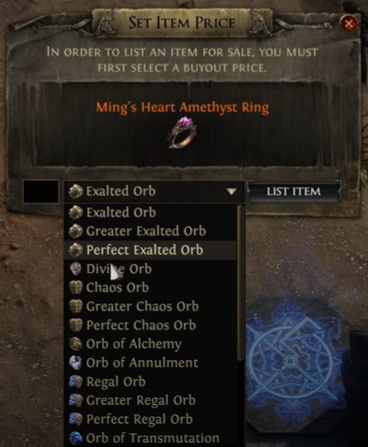
Cooldowns for listing items
Once an item has been listed, it cannot be unlisted for a brief period to prevent players from price fixing. This means you need to take extra care, particularly with expensive items, to not under list them or misprice as it may well be sold.
Can I still list items through the old trade website?
Yes, you can still list items the old way through Premium Stash Tabs at no gold cost.
Buying Items
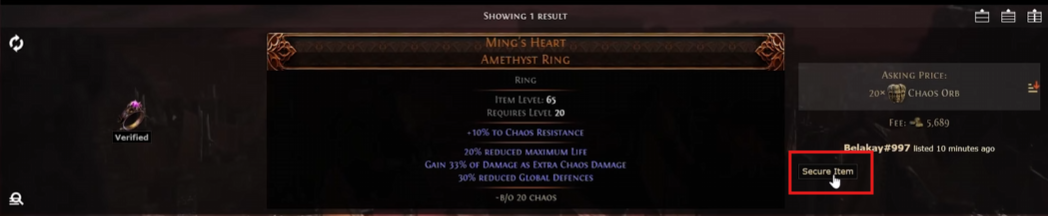
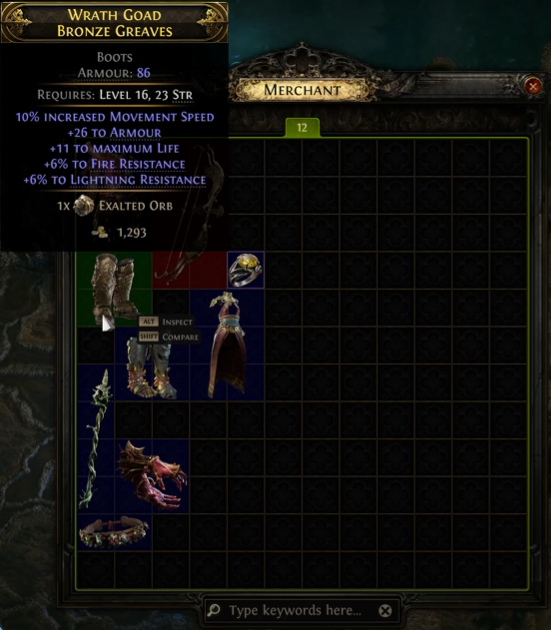
Buying items from others is simple. Using the trade website you'll search for an item and click the Secure Item button which will transport you to their hideout where you can interact with their Ange merchant to purchase the item. Be aware that purchasing the items will also cost gold, on top of the cost of the item.
Log in your character
Self-explanatory
Find an item you want on the trade website
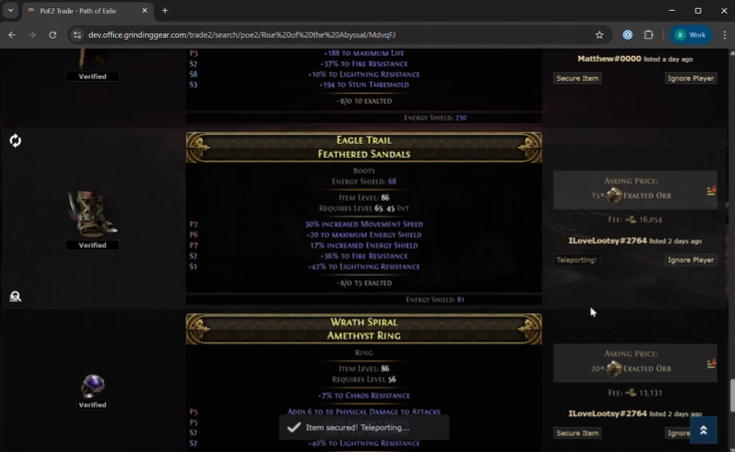
Click the Secure Item button on the item
This will teleport you to the seller's hideout, where you can interact with Ange
Purchase the item from Ange in the seller's hideout for currency and gold
Comments
0Table of Contents
1. Overview2. Setting Up Your Merchant How to Unlock Ange How to acquire Merchant Tabs How does it work Cooldowns for listing items Can I still list items through the old trade website?3. Buying Items Log in your character Find an item you want on the trade website Click the Secure Item button on the item Purchase the item from Ange in the seller's hideout for currency and gold4. Comments