


One of the shiny new features of Subnautica 2 is the addition of seamless co-op gameplay, in which up to 4 players can join the same world.
In this article, you’ll find everything you need to know to set up your multiplayer world.
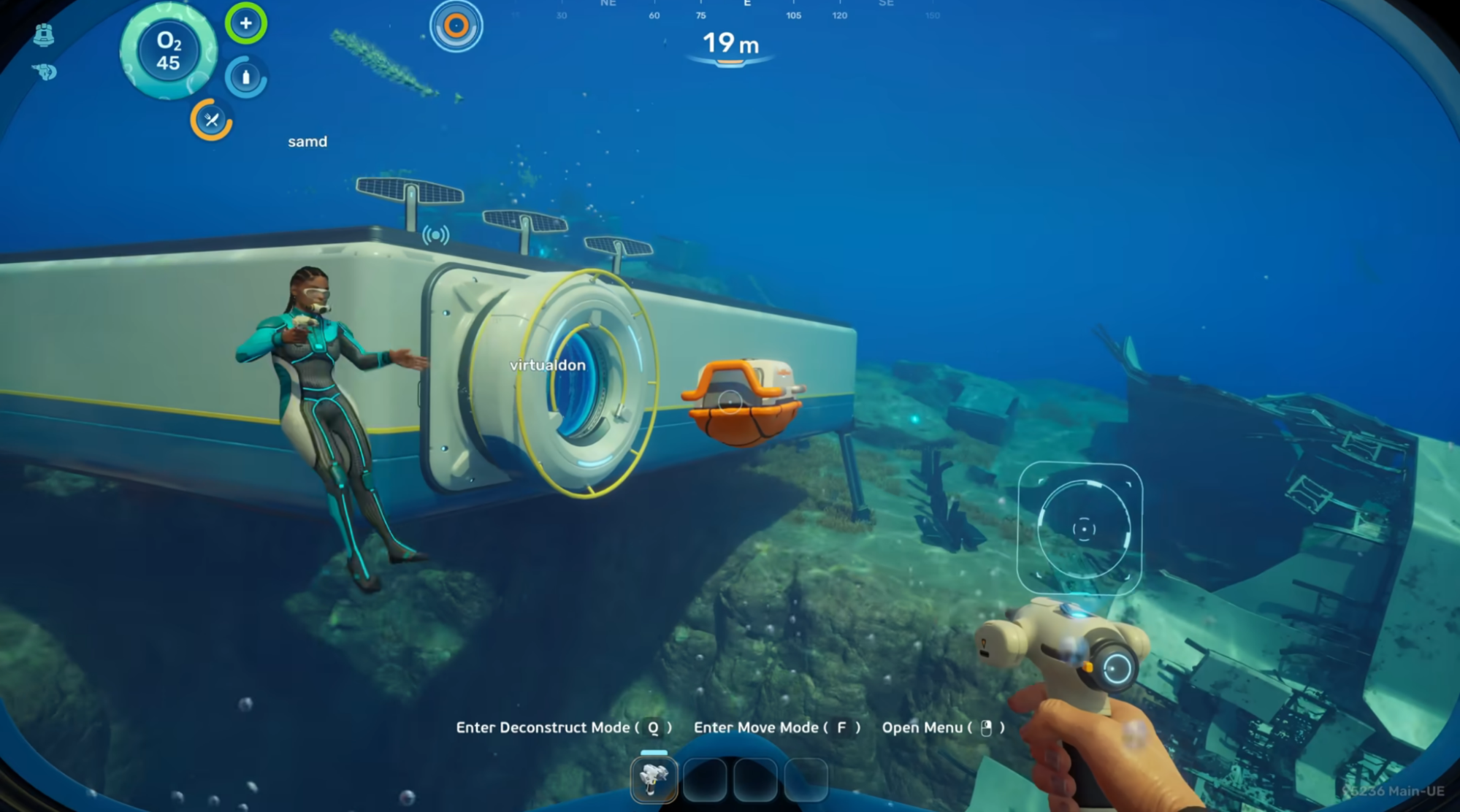
Multiplayer Features
The game world is shared between up to 4 players at a time, and several systems are shared and connected between all players.
Players can explore together, and hostile creatures might behave differently when there are multiple people around. One player can act as bait and distract threatening creatures while other players collect nearby resources.
Whilst inventories are individual, players can drop items that can be picked up by others, allowing you to give food, gear and resources to your friends.
Building is seamless and can be done by multiple players at once. Bases are shared, and so is the power grid. Players must work together to expand and support the infrastructure.
Blueprints are shared between all players. Discovering a blueprint makes it automatically available for everyone in the same world, allowing players to share progression.
How to Start a Multiplayer Game
To start a new multiplayer file, select “Host Multiplayer” from the main menu. You will become the host of the session, keeping the save file in your platform and allowing other friends to join you.
You can start a new save file by selecting “Host a new multiplayer game”, or continue on a previous save by selecting any of the save files that appear.
How to Join a Multiplayer Game
To join a friend’s world, select “Join Friends” from the main menu. A list of platform friends and in-game friends will be shown, allowing you to join any of their active multiplayer sessions.
Is there Crossplay in Subnautica 2?
Yes, Subnautica 2 has crossplay between PC and Xbox, so players on either platform can seamlessly join a game together.
How to Convert a Single-player Game into Multiplayer
To convert a single-player save file into a Multiplayer one, select “Play Single Player” from the main menu. Then, select an existing save and choose “Convert to Multiplayer”.
This will allow you to start and host a Multiplayer session using the same save file.
Sharing Games with Friends
To upload a save file to the Cloud, allowing your friends to download it and play in it, select “Upload to Cloud” from the main menu. This will give you a key.
By selecting “Import save”, any player can download your save using the key that was given before.