Tablets are an integral part of buildcrafting in Sephiria 1.0, having a large portion of control over how fast you advance the power of your artifacts. In this guide, we'll go over the basics on how to use them!
 Use your favourite features in-game with our Desktop App
Overview
What Are Tablets?
Tablets can be found during any run in the game. The sole purpose of tablets in Sephiria is to either increase or decrease the levels of adjacent Artifacts. No tablet is often the same in both the orientation of the stat spread, and the layout of the spread.

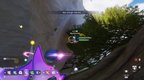
By hovering over the Tablet, you can rotate them to better slot them into your backpack. This is often valuable, as Tablets will often do one of two things to surrounding Artifacts
- Improve their overall level
- Decrease their overall level
It's important to note that if an Artifact is already at the maximum level, you cannot further increase it by using a Tablet.
Important Details On Tablets
Some additional details that are important to keep in mind with Tablets, is that there's a lot of them. It would appear that in the Sephiria 1.0 update, there is upwards of 65+ Tablets in the game to be found.
For this reason, don't skip over one early into your run as you await the perfectly rolled Tab. They'll appear just as quick as they disappear, and you'll be better off taking one to get you going right at the start of your run.
Some additional notes on Tablets:
- Different chapters often reveal new types of Tablets
- Different Shape formations allow for unique position combinations
- Preview affected artifacts by hovering over the Tablet in your Backpack
- Avoid Tablets that unnecessarily nerf adjacent artifacts
Conclusion
If this guide helped you out, be sure to keep up to date with all things Mobalytics for more Guides, News, Reviews & More!