menu
MobalyticsUse your favourite features in-game with our Desktop App
Gamebase Guide

Project Zomboid: Best Mods for Build 42.20

Guides
By Oli
Updated on Aug 11, 2026
Aug 11, 2026

Overview

Project Zomboid has one of the most active modding communities of any survival game. Mods can improve frustrating menus, add useful interactions and even change how inventory management works.

However, Build 42 changed several major systems, meaning many older mods no longer work correctly. This guide covers some of the most popular and widely recognised Project Zomboid mods that have versions available for Build 42.20.
How to Install Mods

The easiest way to install mods is through the Steam Workshop:

  1. Open Project Zomboid in your Steam Library.
  2. Select Workshop from the game’s page.
  3. Open the mod you want and press Subscribe.
  4. Launch Project Zomboid and enter the Mods menu.
  5. Enable the mod and any required dependencies.

Always check the required items and compatibility information on the Workshop page. Some mods can be added to an existing world, while others may work best with a new save.

Has Been Read

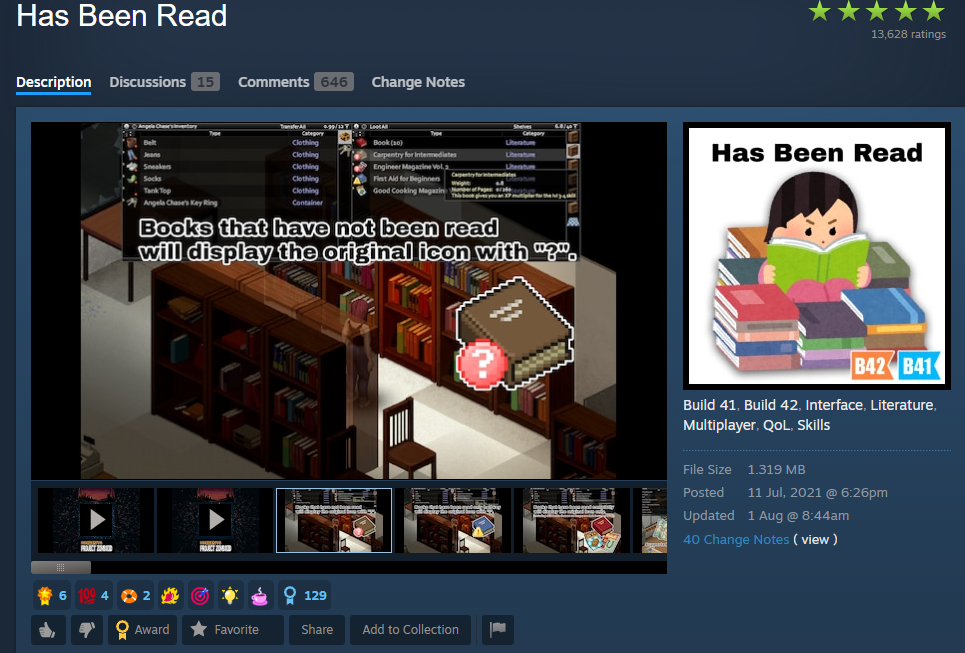
Has Been Read is one of Project Zomboid’s most subscribed quality of life mods, with millions of current subscribers.

The mod adds clear symbols to books, magazines, maps, CDs and VHS tapes, allowing you to see which items your character has already finished. Unread and partially completed items receive different symbols, making it much easier to identify useful literature while looting.

Build 42 includes a similar feature, but Has Been Read provides more detailed information and additional customization. Its Workshop page confirms support for Build 42.20 and multiplayer.

CleanUI

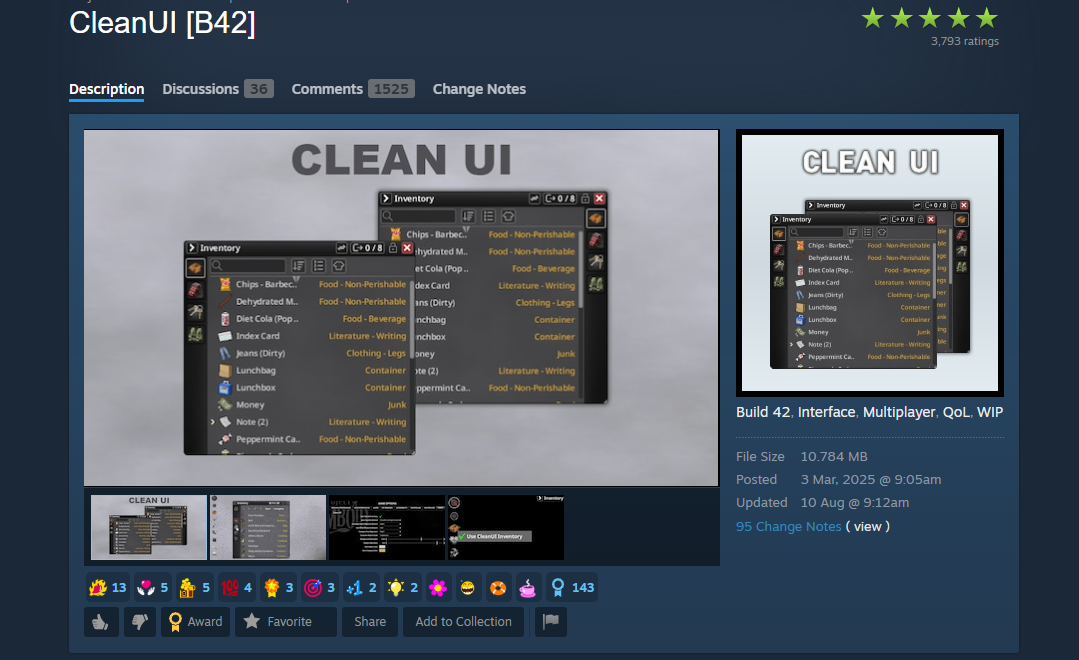
CleanUI is one of the most popular interface mods available for Build 42.

It makes the inventory and loot panels cleaner, more compact and easier to navigate. Improved searching, sorting and transfer options make managing large collections of items much less frustrating without completely replacing the familiar inventory system.

CleanUI requires the NeatUI Framework, which must be enabled and placed before CleanUI in the load order. Avoid combining it with other major inventory interface mods unless their Workshop pages confirm compatibility.

Modern Status

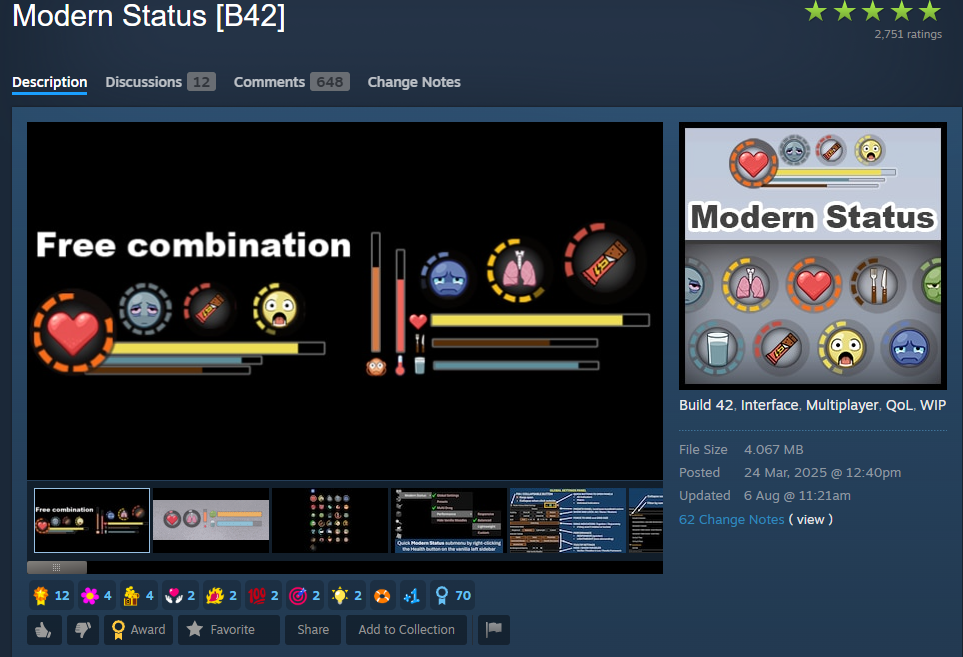
Modern Status gives you a clearer and more customizable way to monitor your survivor.

It can display Health, Endurance, Hunger, Thirst, Fatigue and several other conditions through bars or circular indicators. Each element can be moved, resized or hidden, allowing you to create a layout that only shows the information you consider important.

Modern Status supports Build 42.20 in both single-player and multiplayer. It also requires the NeatUI Framework and can safely be added to or removed from an existing save.

Proximity Inventory

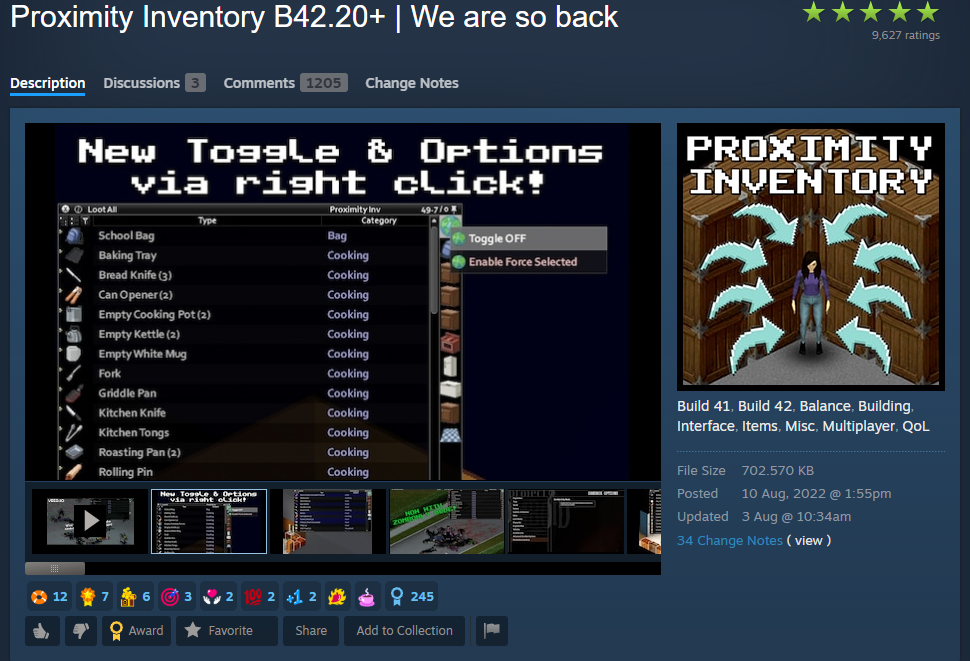
Proximity Inventory combines items from nearby containers into one accessible inventory.

Instead of individually opening every crate in a warehouse or searching through a large pile of zombie corpses, you can see everything within range through one menu. This makes large looting trips considerably faster without increasing the amount or quality of the loot you find.

The linked version has been updated for Build 42.20. Be careful when combining it with other inventory overhauls, as multiple mods altering the same menus can cause conflicts.

Inventory Tetris

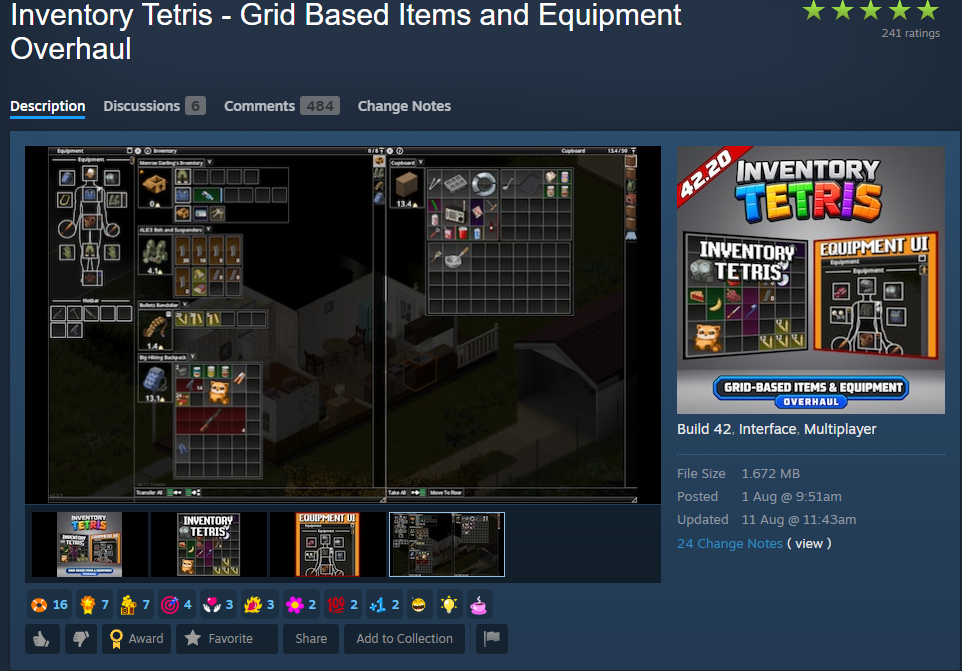
Inventory Tetris is one of Project Zomboid’s best known inventory overhauls.

Rather than managing items through a traditional list, every object occupies space within a grid based on its size and shape. Packing a bag becomes a proper part of survival, as you must decide how to arrange weapons, tools, food and medical supplies.

This version has been rebuilt for Build 42.20 and includes its own equipment interface. It makes a major change to inventory management, so it may not suit players who prefer the normal system.

Better Auto Mechanics

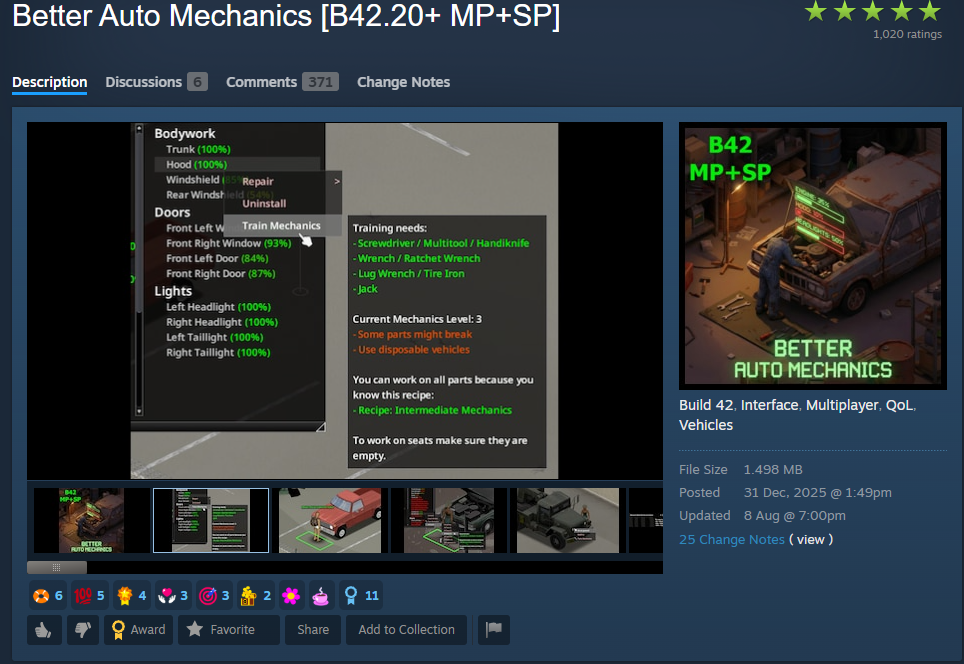
Better Auto Mechanics removes much of the repetitive clicking involved in training Mechanics.

The mod allows your character to automatically perform suitable vehicle-maintenance actions, such as removing and reinstalling parts. You still need the correct tools and skill levels, but the process becomes significantly quicker and easier to manage.

It supports Build 42.20 in both single-player and multiplayer, making it especially useful for anyone who regularly repairs or restores vehicles.

Home Inventory

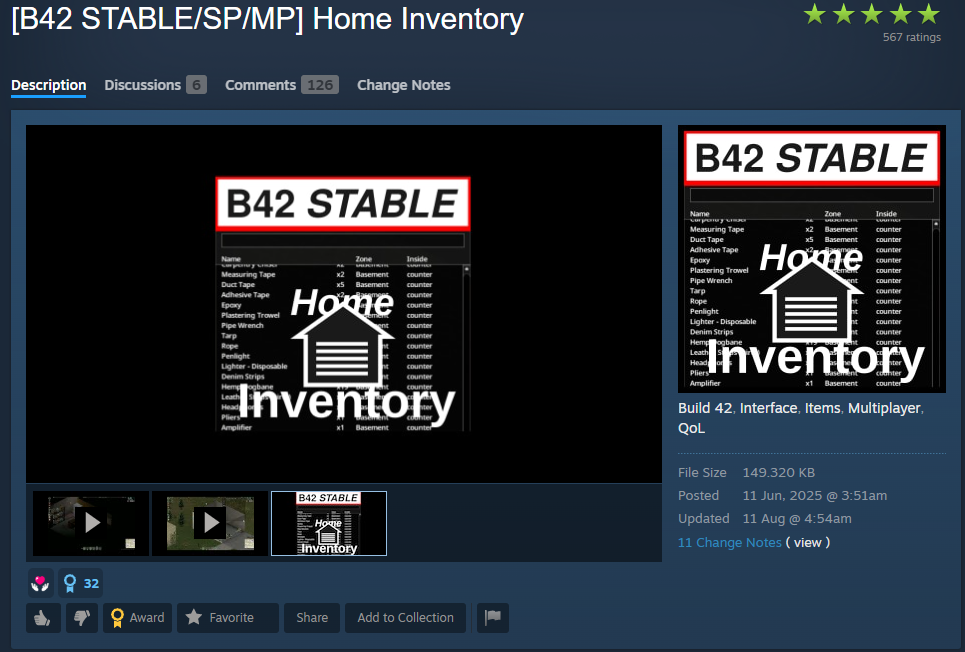
Home Inventory helps you keep track of the supplies stored across your base.

You can designate home zones and view a list of everything held inside their containers. Selecting an item can direct your survivor towards its location, saving you from searching every cupboard and crate because you’ve forgotten where something was stored.

The mod supports Build 42 stable and can be safely added to or removed from an existing campaign.

MRE Mod

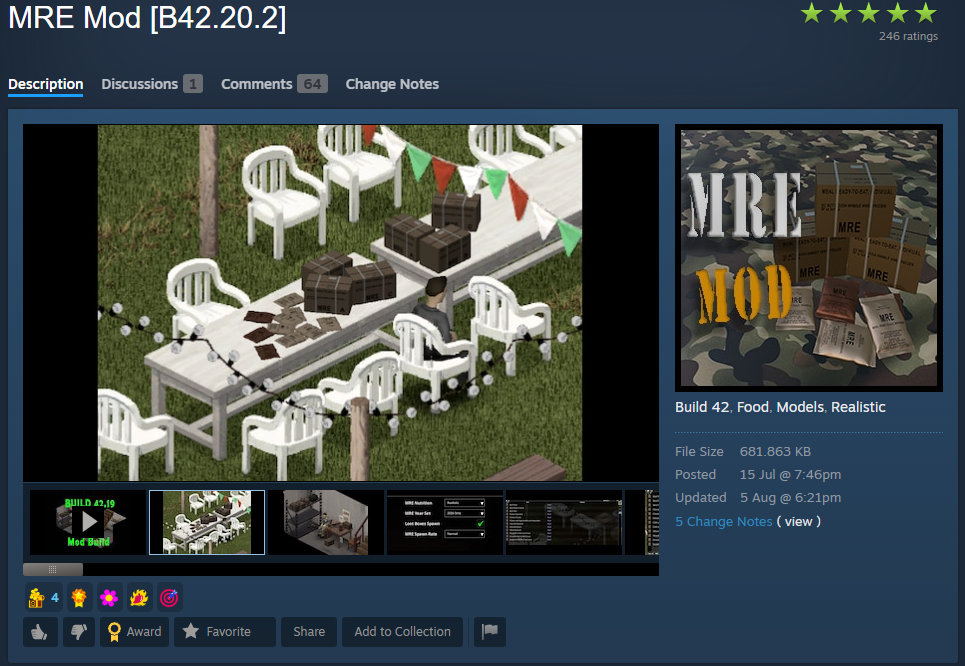
MRE Mod B42.20.2 adds a wider selection of long-lasting military food to Project Zomboid.

The mod introduces 36 different Meals Ready to Eat, including modern and older menu varieties. You can also discover unopened MRE boxes while looting, with each box containing 12 meals based on the type you find.

It supports Build 42.20.2 in both single-player and multiplayer and can safely be added to or removed from an existing save.

Choosing Your Mods

You don’t need an enormous mod list to improve Project Zomboid. Has Been Read and Better Auto Mechanics are great choices if you want to keep the game close to its original design.

For a cleaner interface, try CleanUI, Modern Status and Proximity Inventory. If you want a more significant change, Inventory Tetris completely transforms how you carry and organise supplies, while Home Inventory makes it much easier to track everything stored at your base.

Mod compatibility can change after updates, so check each Workshop page before installing anything and back up important saves before making major changes to your mod list.

Table of Contents

See More

Project Zomboid: Best Mods for Build 42.20
Updated on Aug 11, 2026
Stardust Sorcerer Trios Build (Meme Beam) - Mistfall Hunters
Updated on Aug 11, 2026
Mistfall Hunter Class Tier List
Updated on Aug 11, 2026
Marvel Tōkon Tier List (All Characters Ranked)
Updated on Aug 11, 2026
Project Zomboid: Beginners Guide (Build 42.20)
Updated on Aug 11, 2026

Like our guides?

Add Mobalytics as a preferred source on Google!