


This one has been kept under wraps for a while, but there is a really cool mechanic found in Diablo 4 that was discovered by the community and now shared here with you! This has managed to be kept undercover that many players had no idea this existed! It was a sneaky quality of life feature that was added by Blizzard in the Vessel of Hatred Expansion. And yes, this works on both PC and console, so you can get to piecing your character's build together quickly!
 Use your favourite features in-game with our Desktop App
Diablo 4 Guide
Most Diablo 4 Players Do Not Know This Paragon Board Shortcut
Guides
News
Overview
Why we love it
This is especially useful when you are setting up alternative characters, or rushing toward Legendary Nodes or Glyph sockets.
This also greatly helps you speed up swapping builds on the fly. Instead of having to click through 10 or even 20 nodes, in a row, you just need to click once and the path gets filled.
Remember: You need to have enough available Paragon points to cover the full path. If you only have 6 Paragon Points available and the path requires 7 or more, it will not work.
Paragon Shortcut Video
How it works
It's really simple honestly, but such a great little tool to have in your disposal. Especially if you need to hit a node quickly, you've gotten through a few levels and you are still in the thick of it slaying demons.
- On PC, hold Ctrl and click on the node that you want to reach.
- On PlayStation, just press and hold using X on the node you want to reach.
- On Xbox, you just hold A on the node you want to reach.
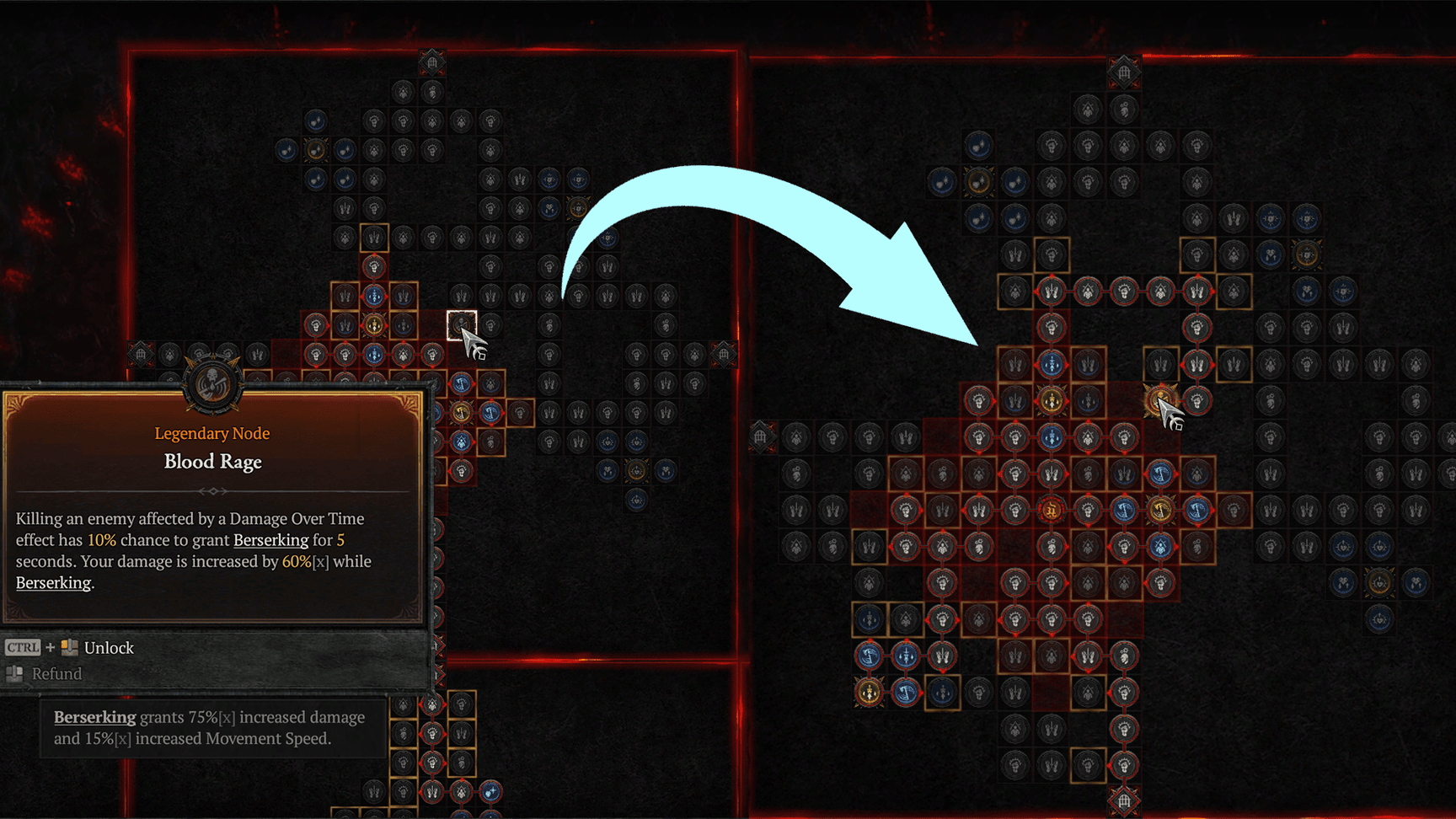
Things to keep in mind
This will not choose the most optimal path for your build, but it chooses the quickest and most efficient path toward that node, so you may have to make some changes later. However, this is a great tool to use if you are in a rush trying to hit a node and get back out there slaying more demons.
If you are looking for some tips on leveling up your Paragon efficiently, check out our guide here!